

How to change the order of links in navigation
In this guide, you will learn how to rearrange the navigation links on your website.
Step 1 - open editor
Section titled “Step 1 - open editor”Open the “Navigation Settings” editor.
Click “Edit Navigation” on the hover menu or double-click on the “Navigation” element you want to customize.
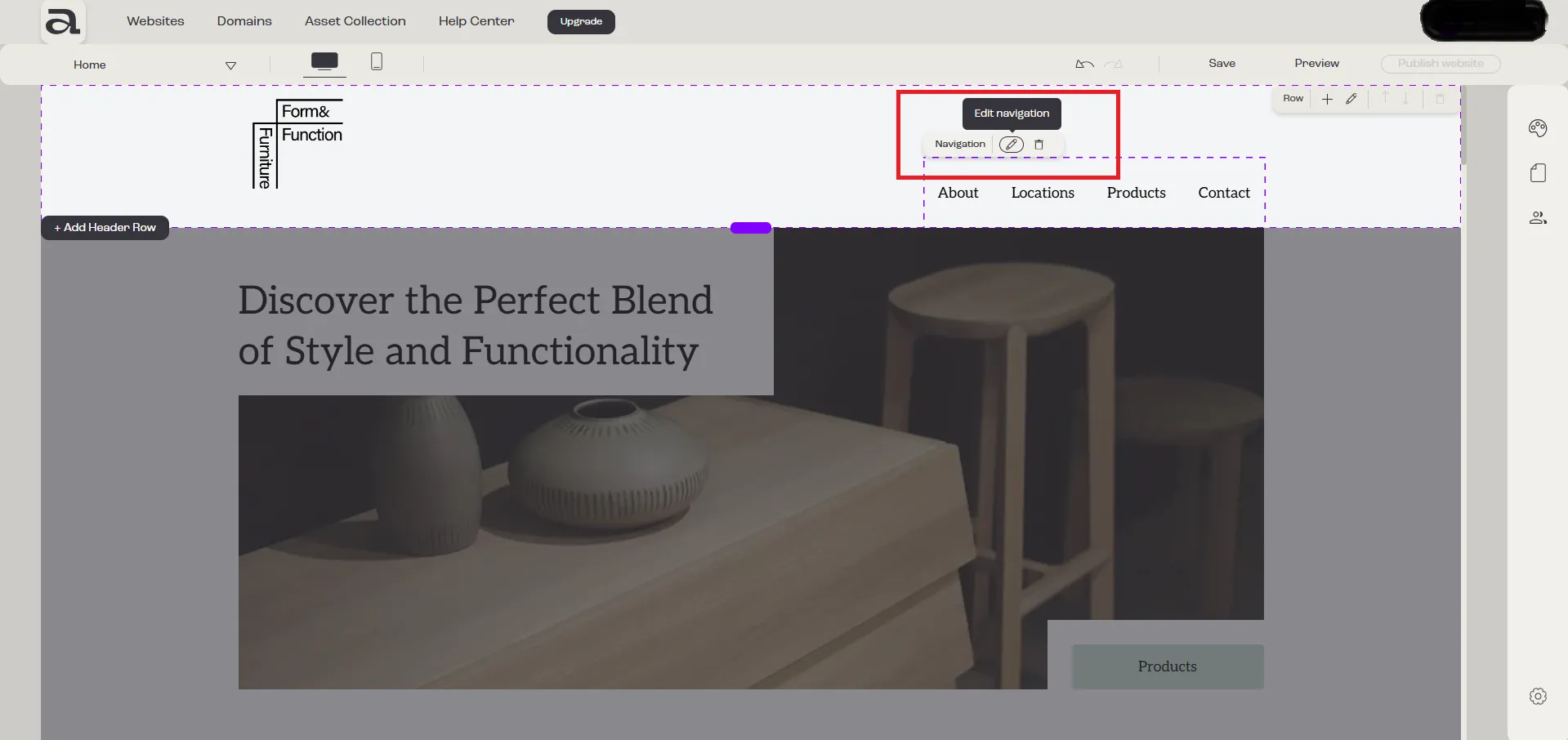
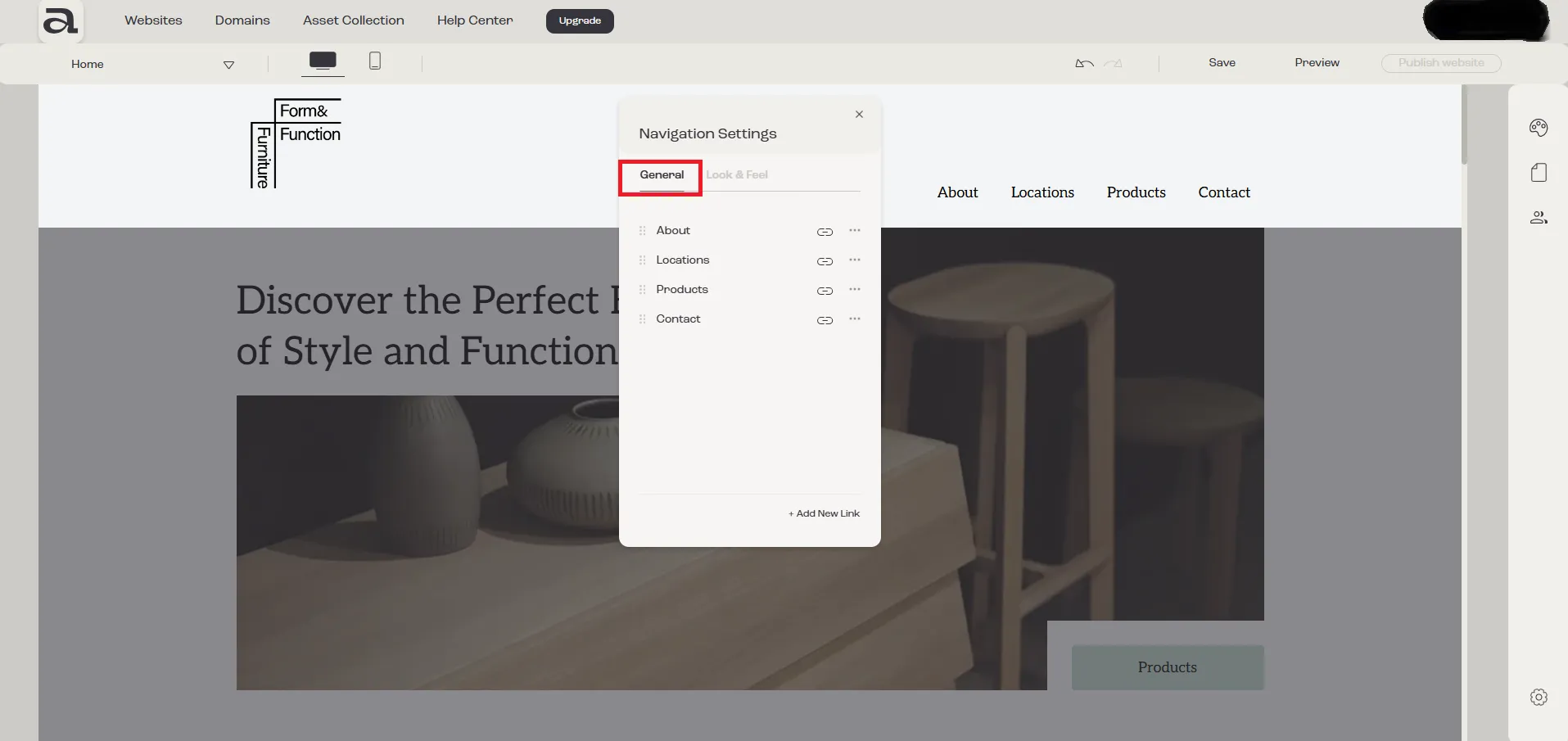
In the “Navigation Settings” editor, there are two customization categories: “General” and “Look & Feel”.
The settings we are interested in are located under the “General” tab.
Step 2
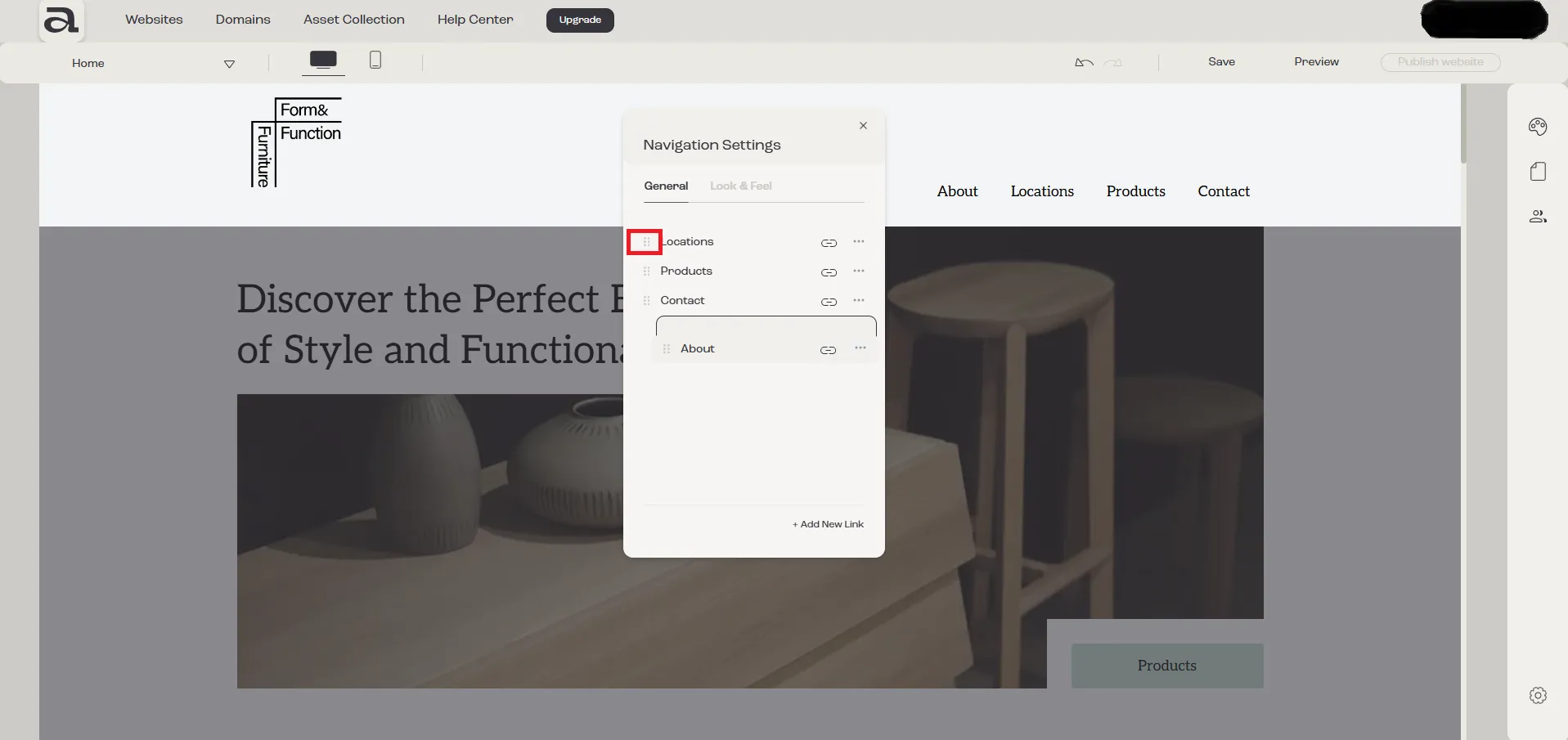
Section titled “Step 2”To change the order of navigation links, use drag and drop by clicking and holding the button on the left side of the link.
Next steps
Section titled “Next steps”- add a new navigation link
- rename navigation link
- create navigation dropdown
- change navigation links style