

How to manage website collaborators' roles
In this tutorial, we will guide you through the process of changing a member’s role.
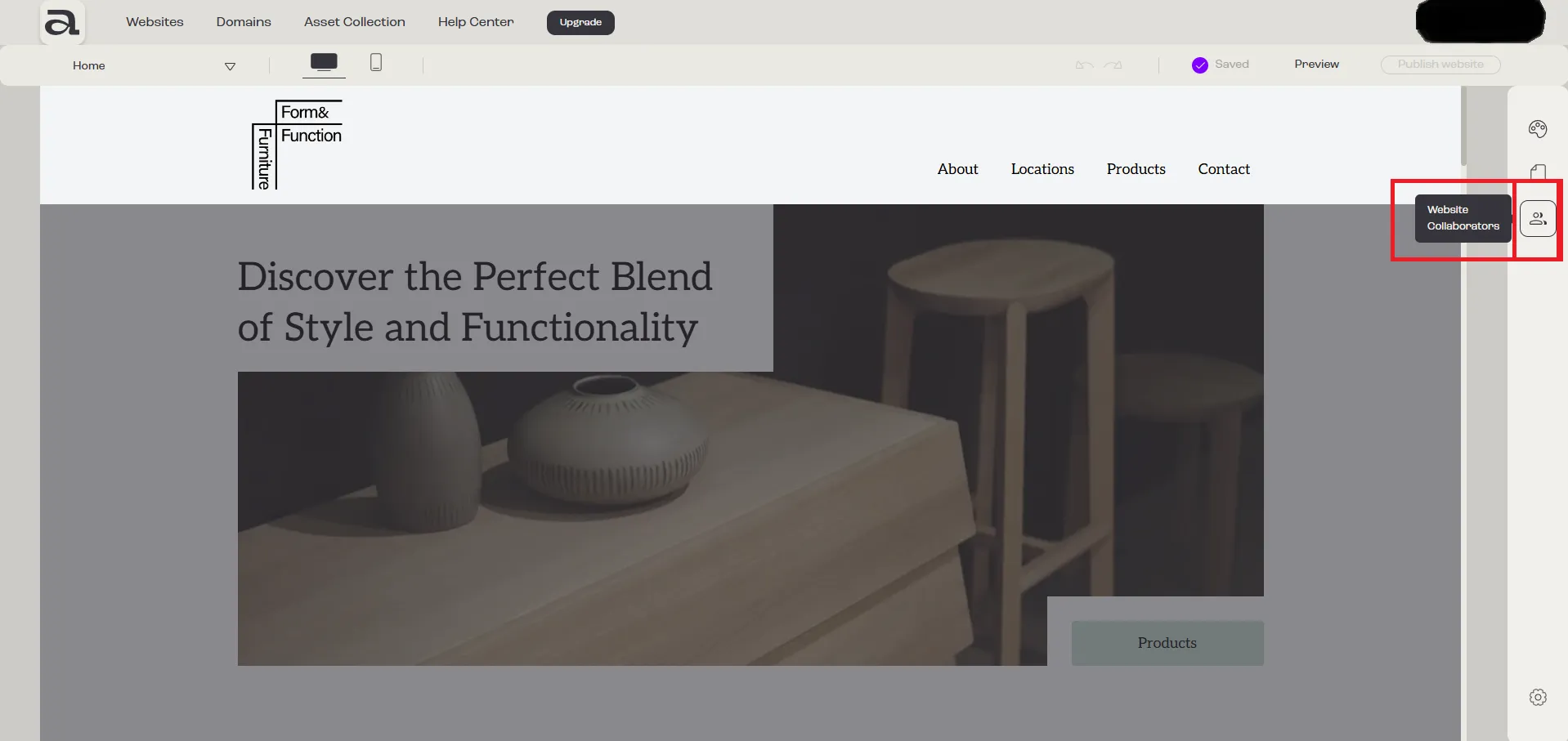
Step 1 - Open “Website Collaborators”
Section titled “Step 1 - Open “Website Collaborators””Click on the “Website Collaborators” button.
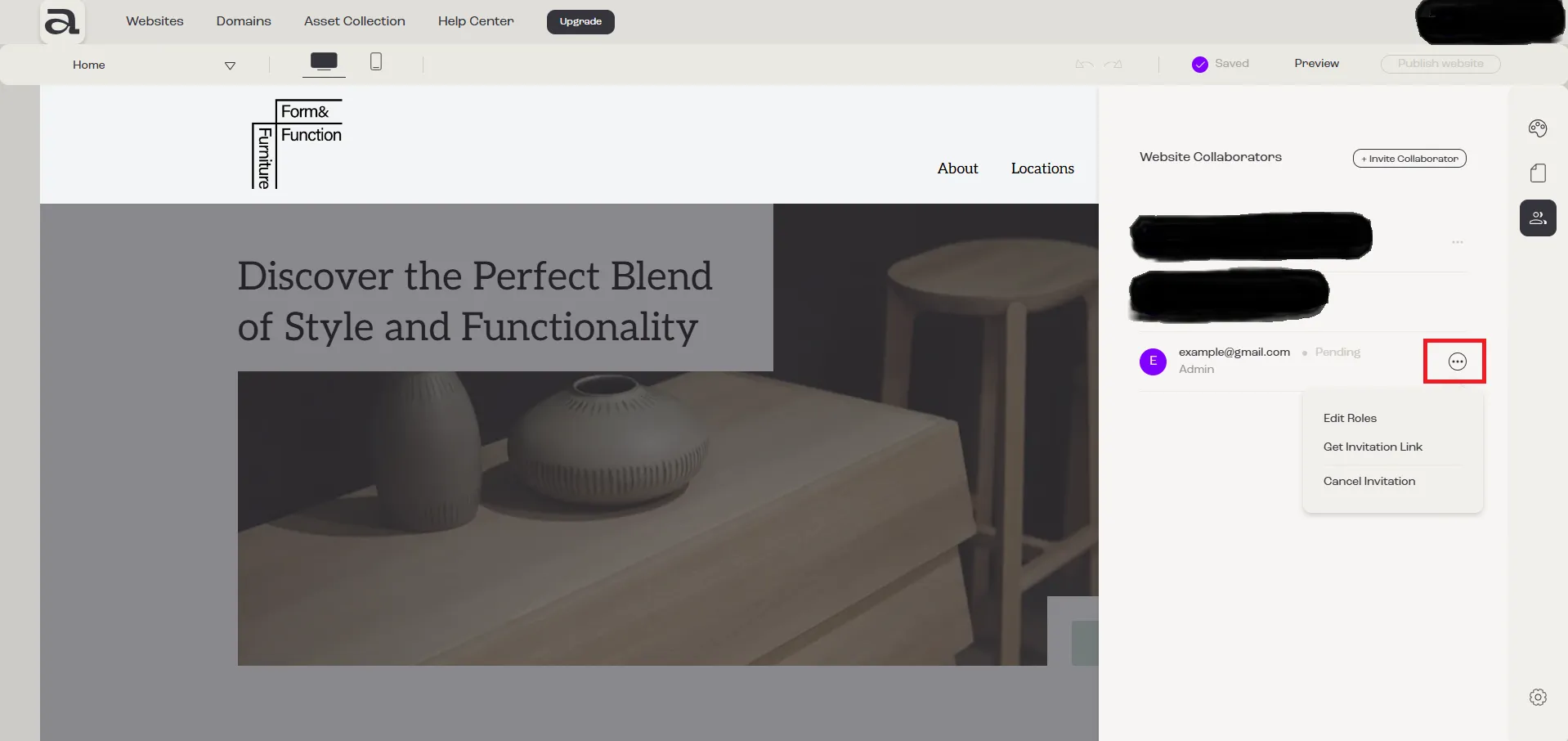
Step 2 - Open menu
Section titled “Step 2 - Open menu”Click on the three-dot menu next to the member whose role you want to change.
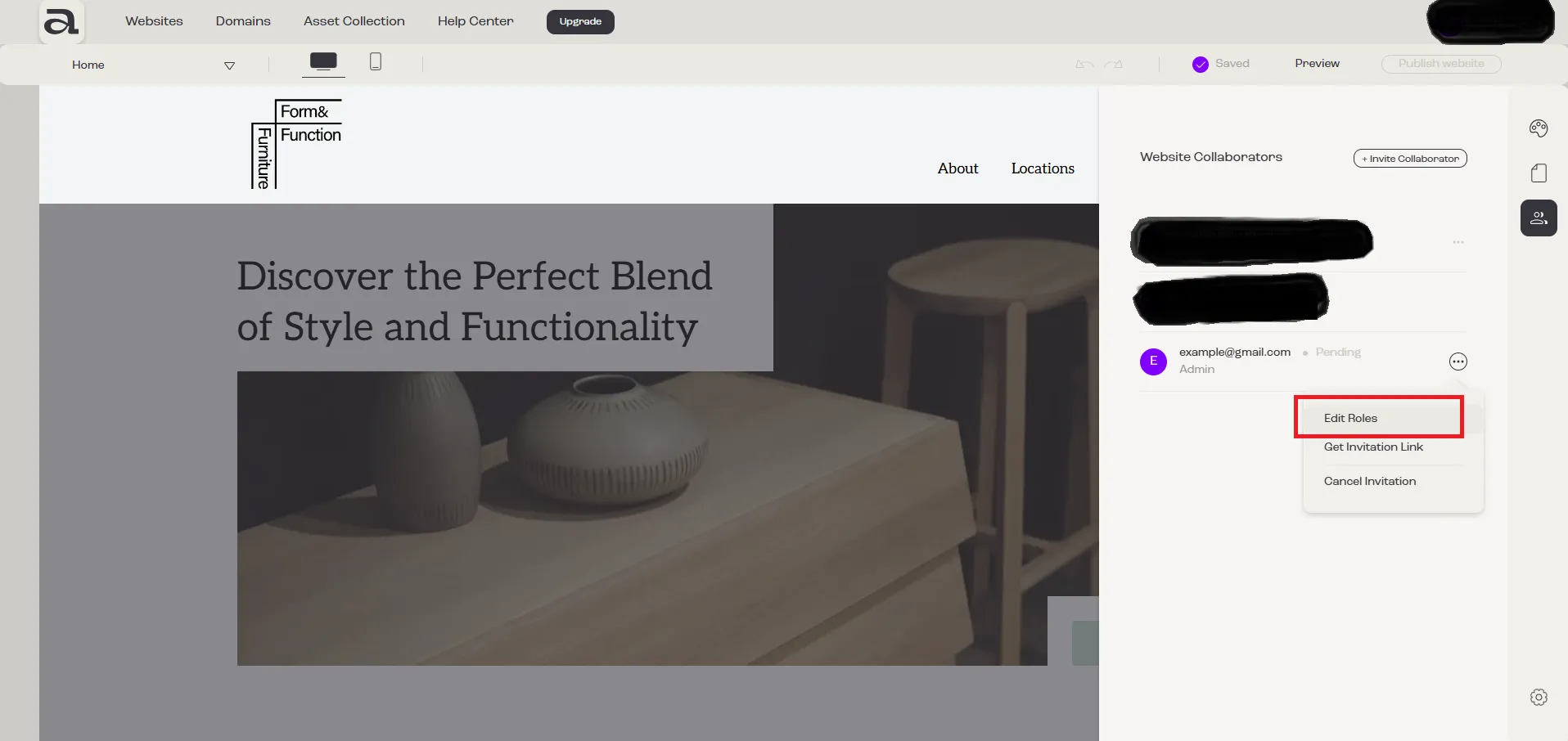
Step 3 - Edit Roles
Section titled “Step 3 - Edit Roles”Click on “Edit Roles”.
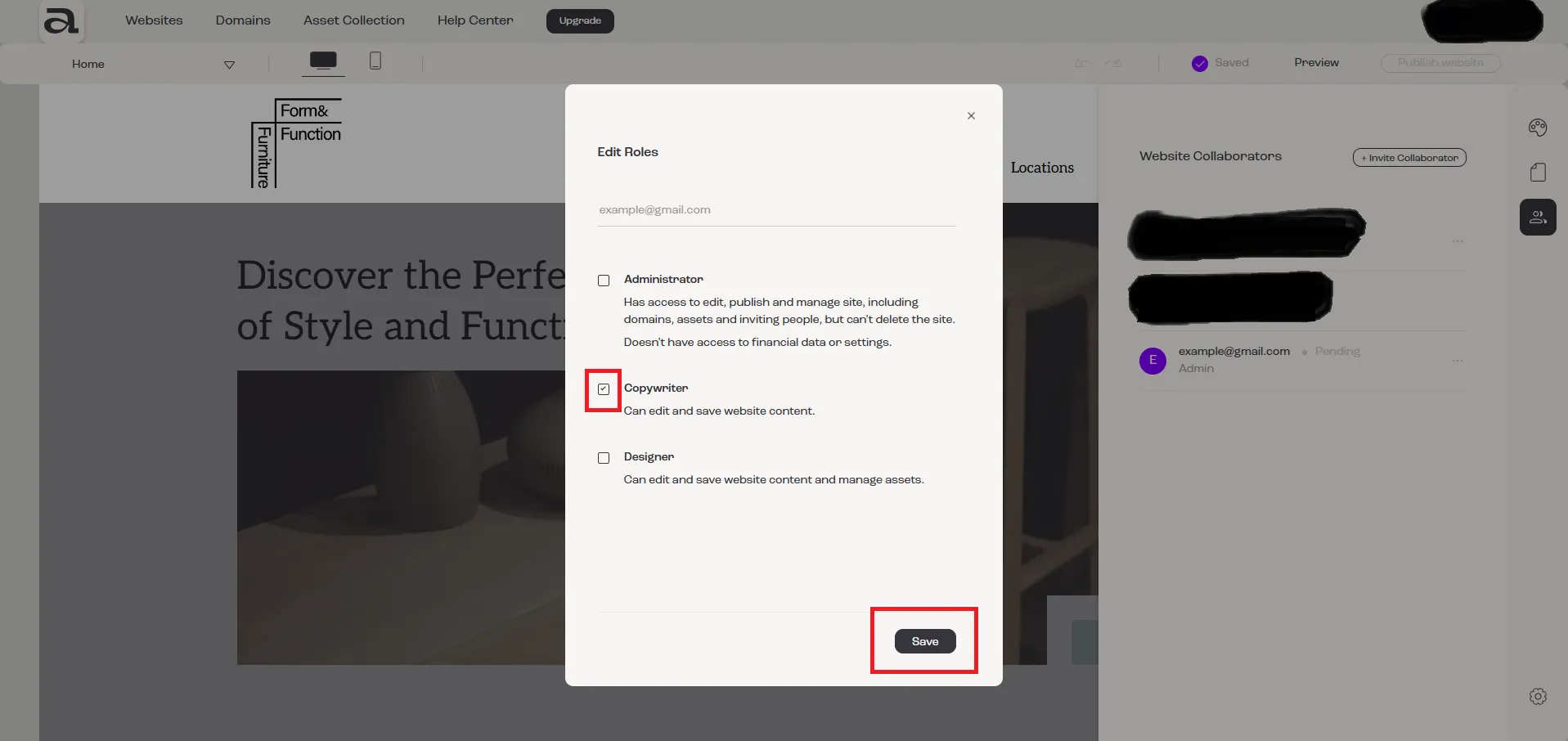
Step 4 - Change Roles
Section titled “Step 4 - Change Roles”In the “Edit Roles” modal, select the desired role(s), then click on the “Save” button.
Next steps
Section titled “Next steps”- how to invite a collaborator
- how to cancel an invitation
- how to accept an invitation