

How to make a header row sticky
In this guide, we’ll show you how to make a row sticky, so it stays top side fixed while scrolling.
You can make multiple rows sticky, even non-consecutive ones.
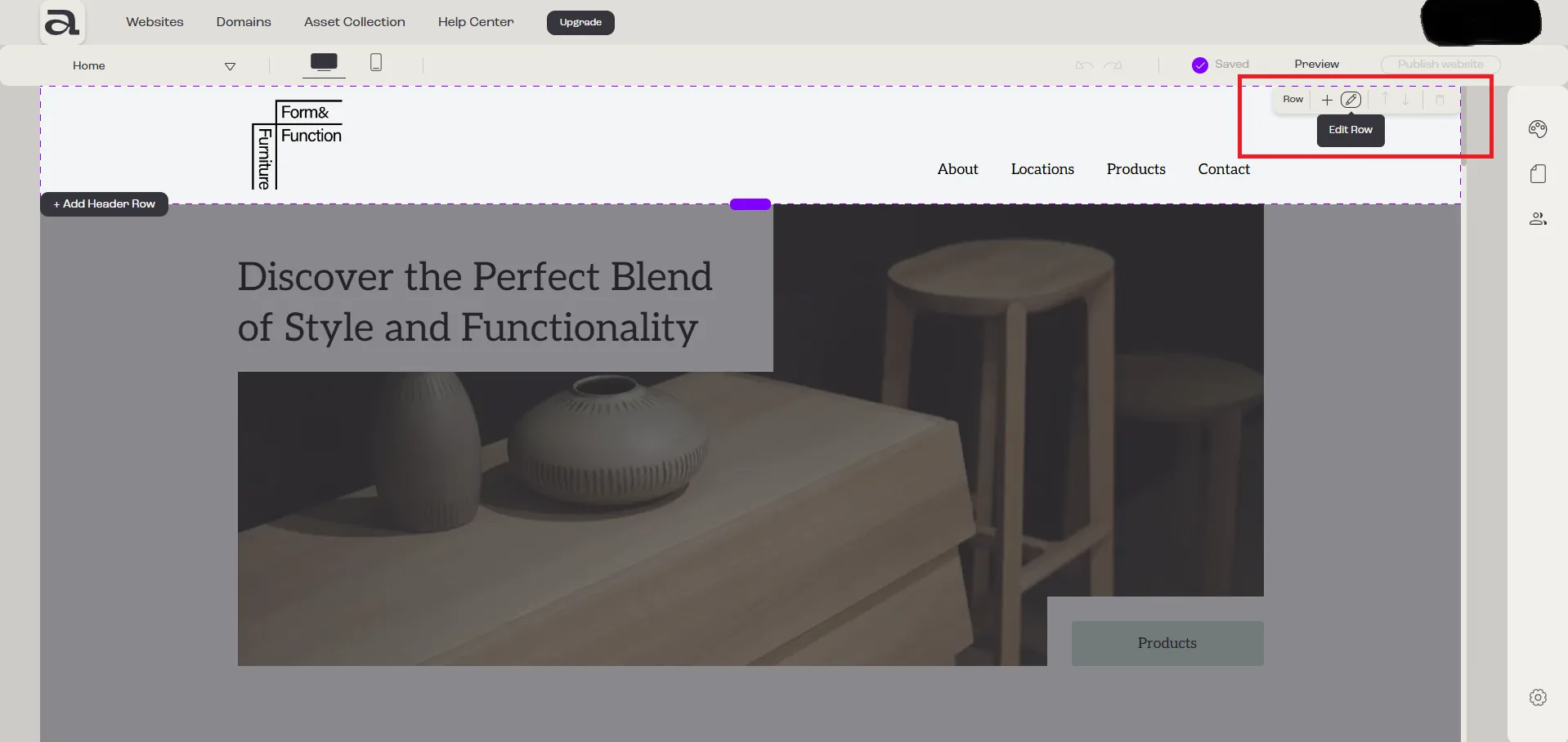
Step 1 - open editor
Section titled “Step 1 - open editor”Click on the “Edit Row” button to open the row settings.
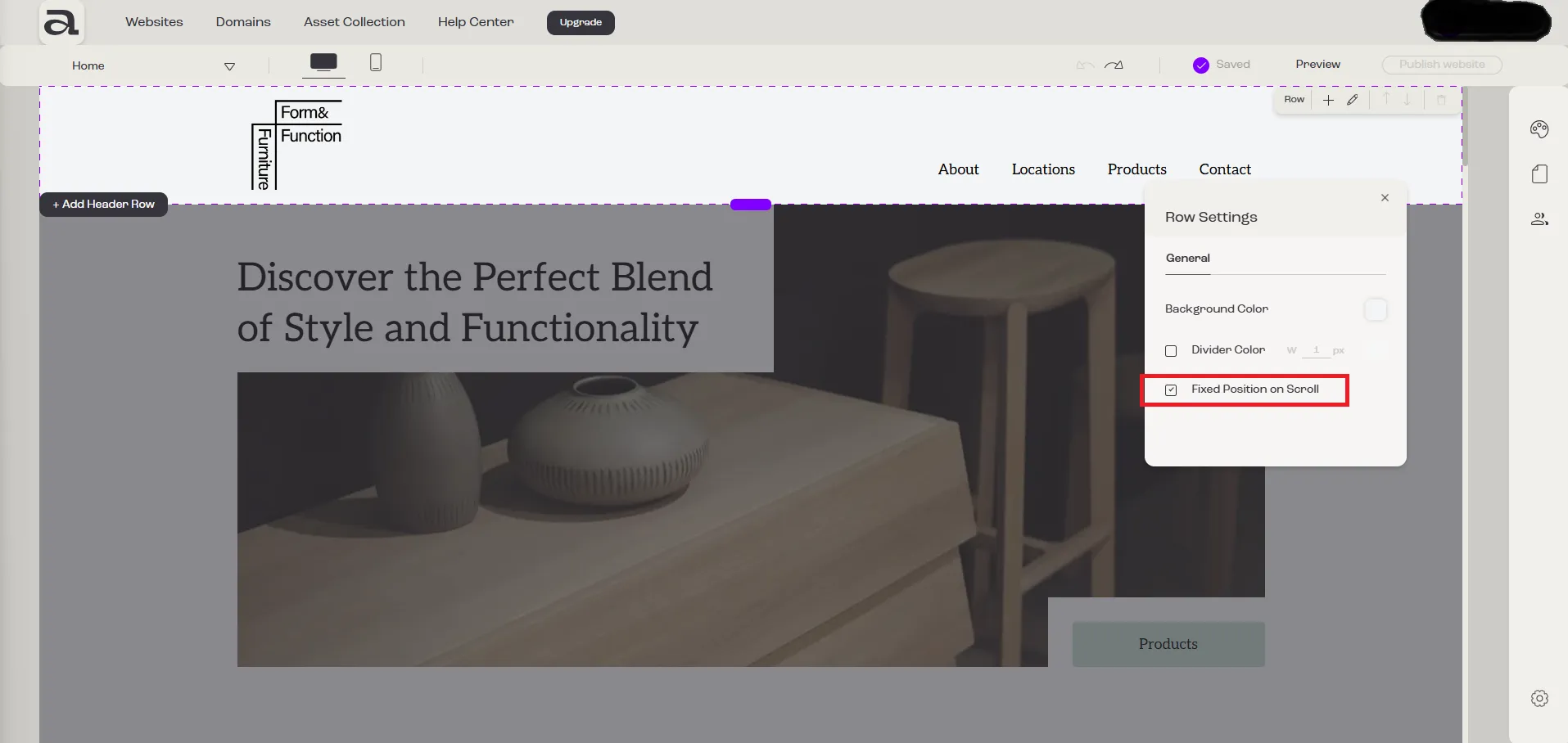
Step 2 - enable sticky position
Section titled “Step 2 - enable sticky position”Check the “Fixed Position on Scroll” option to activate the sticky functionality.
Next steps
Section titled “Next steps”- change row background
- add row divider
- change navigation links