

How to hide pages from a published website
This article will guide you through the process of hiding / changing the visibility of a page.
Step 1
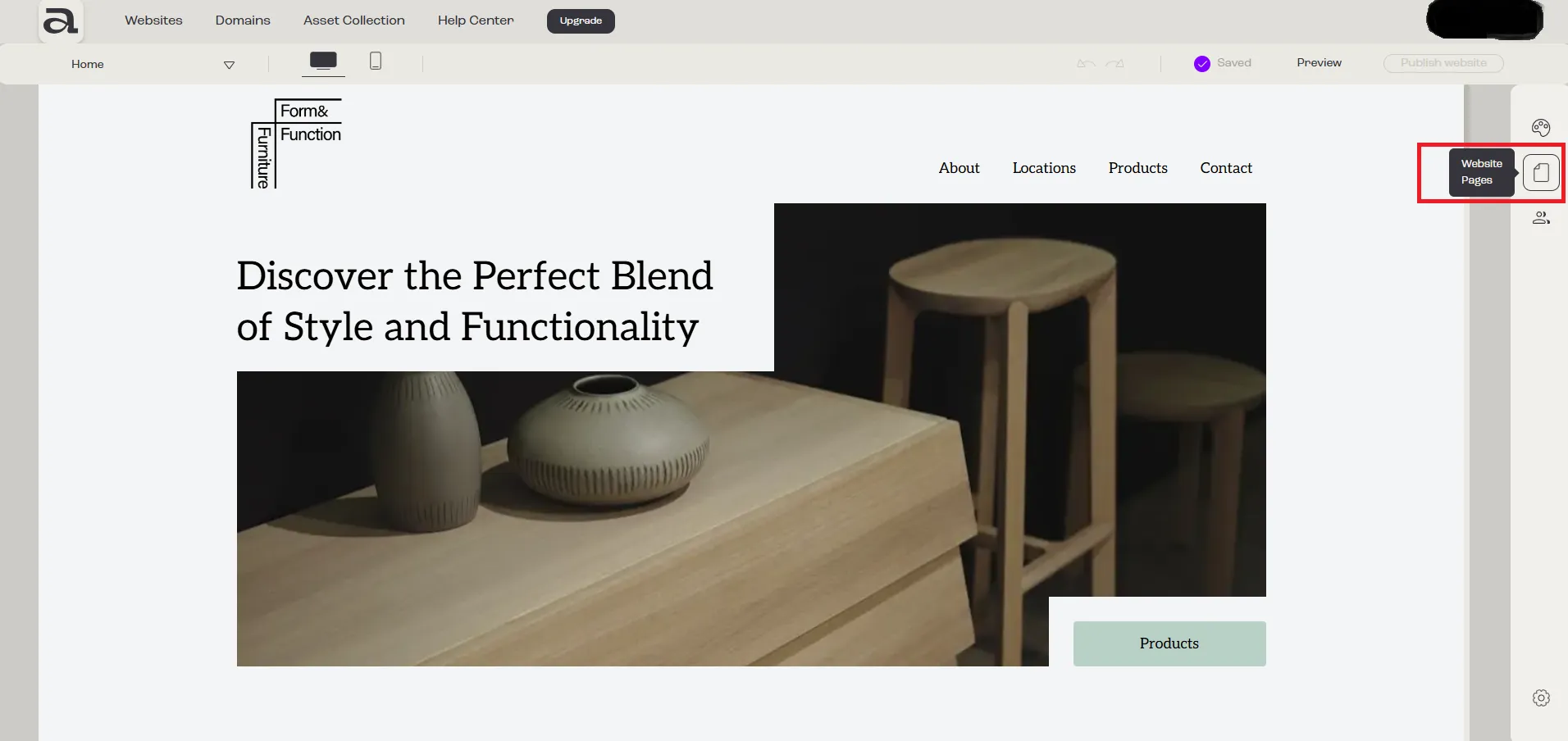
Section titled “Step 1”Click the “Website Pages” button in the sidebar menu.
Step 2
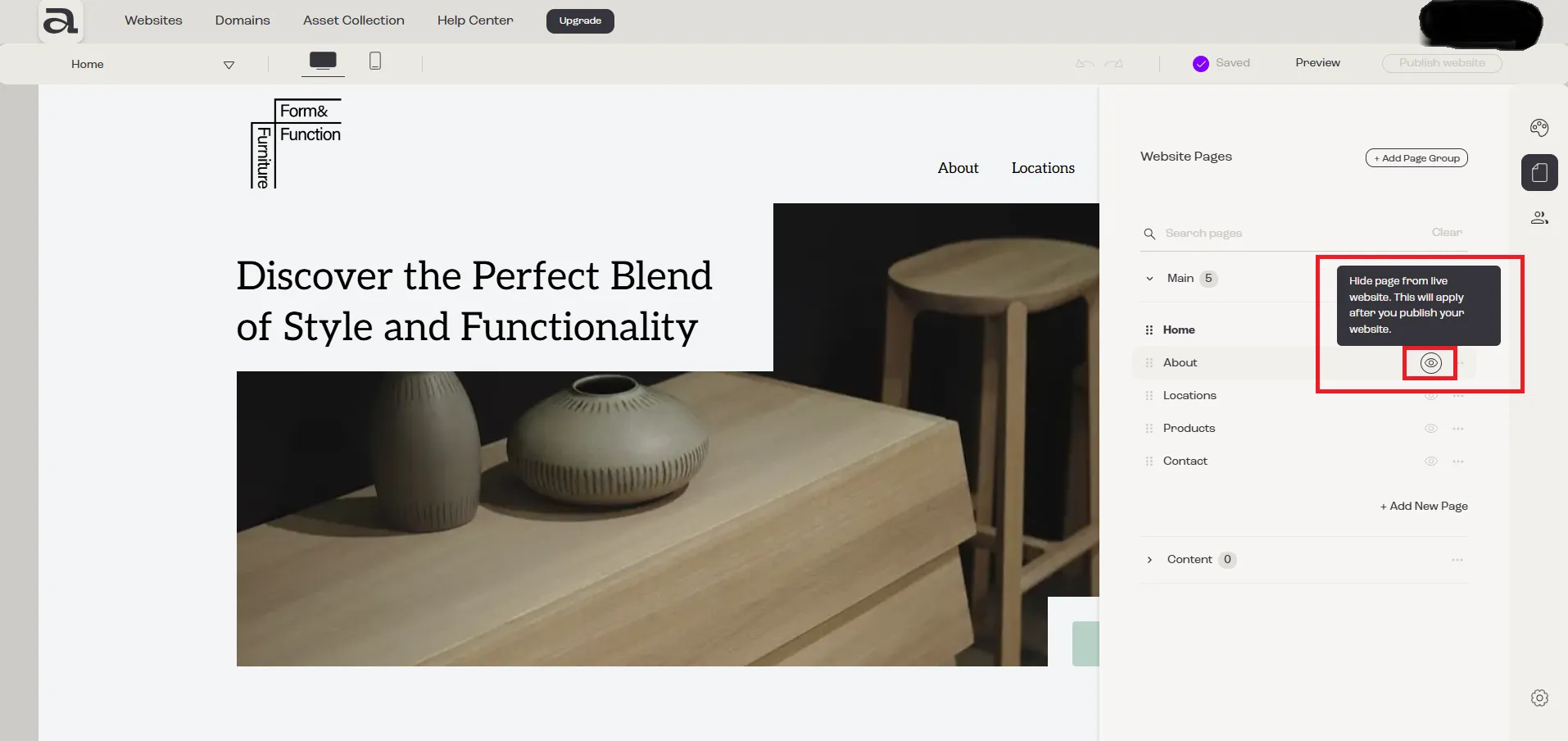
Section titled “Step 2”Click on the eye-shaped icon next to the page you want to hide or make visible.
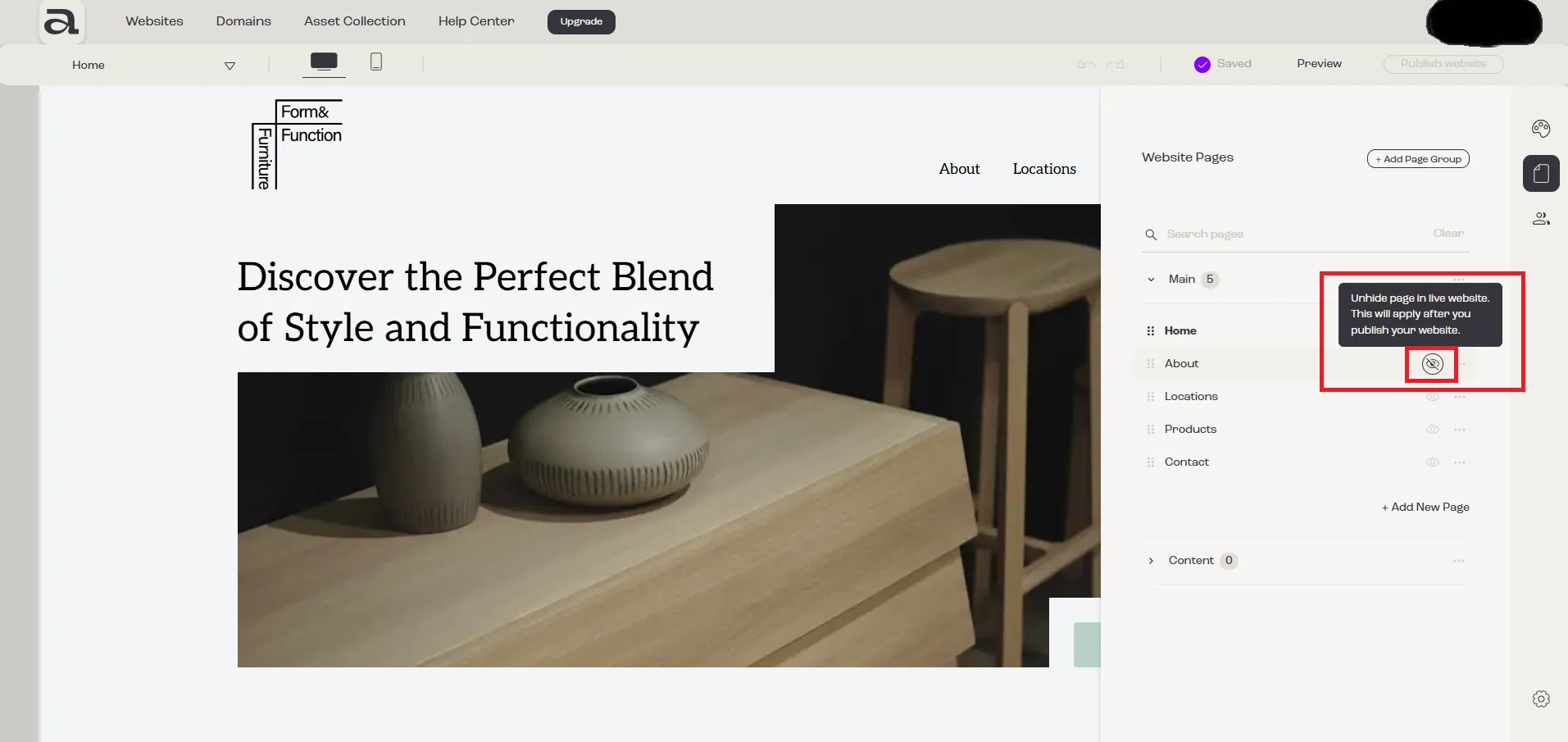
Once you click the eye icon, you will notice that it becomes crossed out, indicating that the page is now hidden.
Next Steps
Section titled “Next Steps”- add another page
- rename page
- add sections to your page
- change page SEO settings
- delete page
- read more about pages management