How to show or hide the authentication element
In this tutorial, you’ll learn how to manage the visibility of the authentication element.
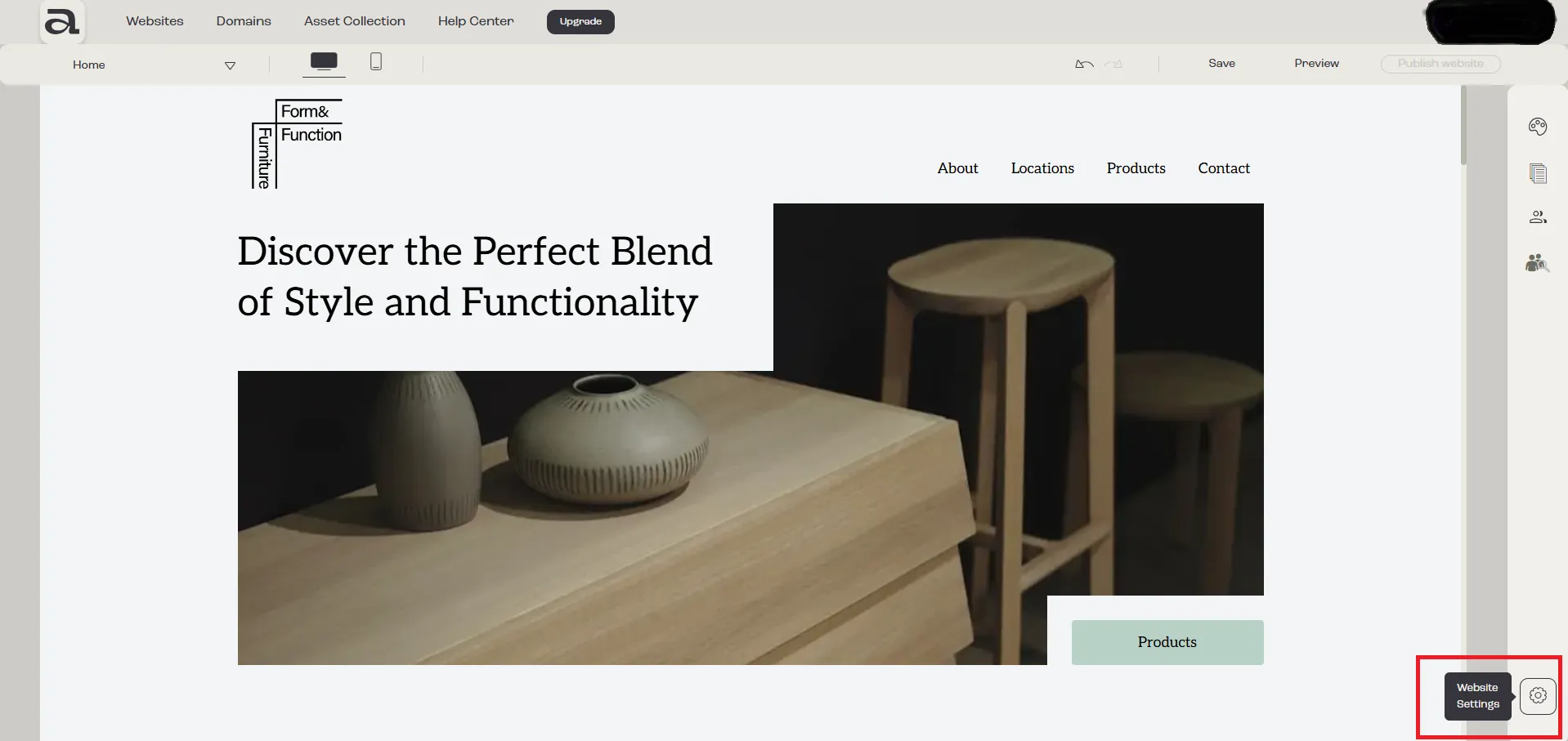
Step 1 - Open Website Settings
Section titled “Step 1 - Open Website Settings”Click on the “Website Settings” button.
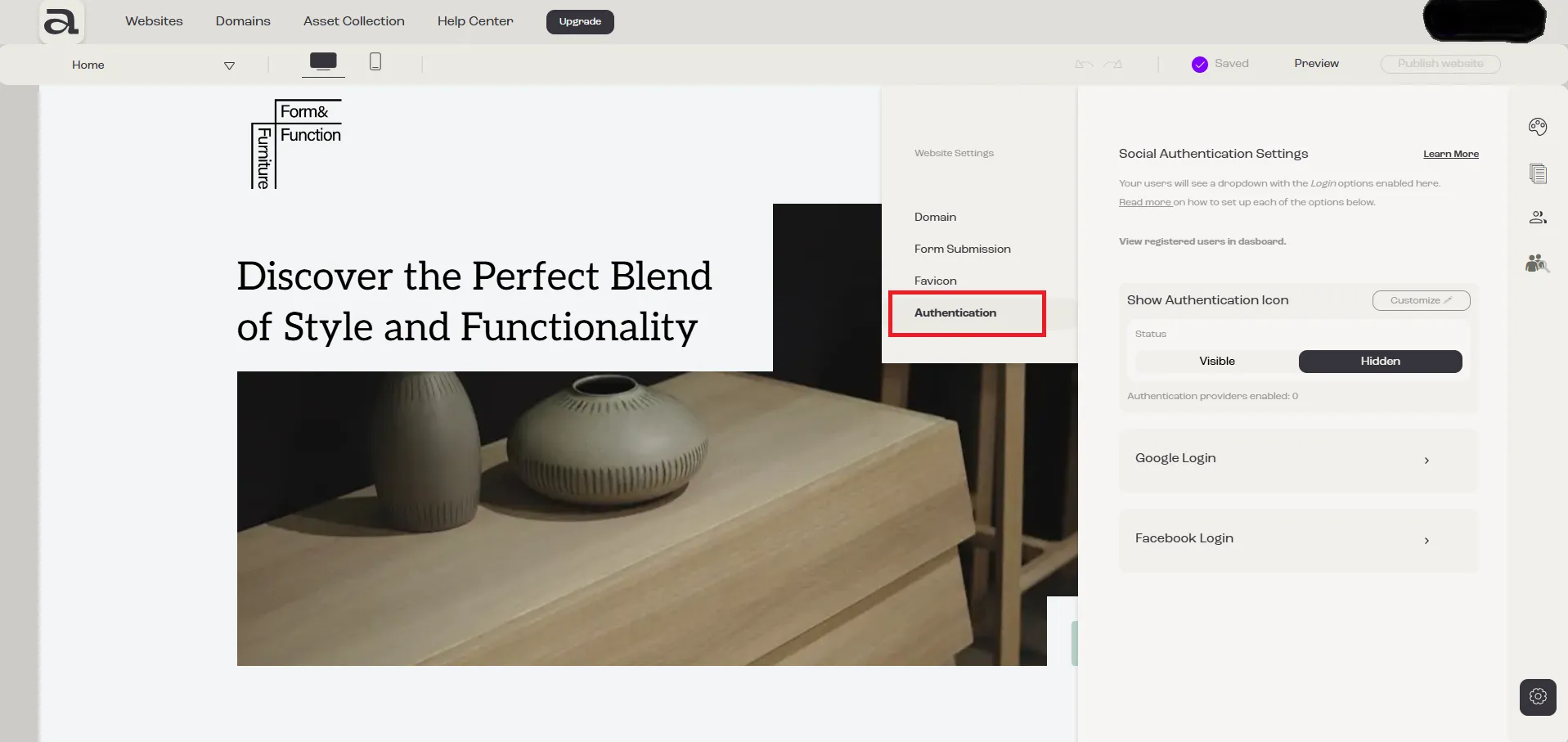
Step 2 - Open Authentication Settings
Section titled “Step 2 - Open Authentication Settings”In the Website Settings menu, select “Authentication”.
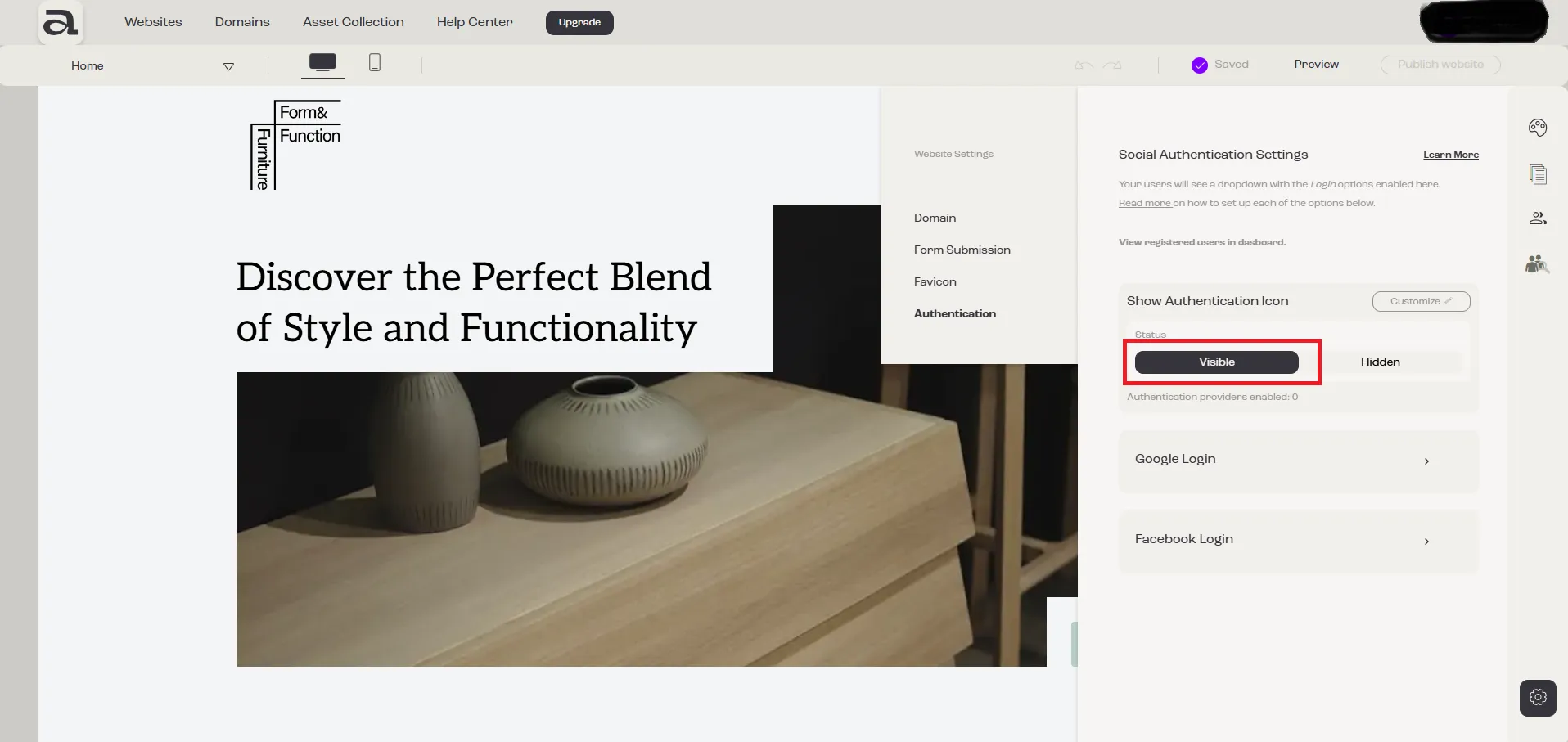
Step 3 - Change Visibility
Section titled “Step 3 - Change Visibility”Use the switch to make it visible or hidden on your site.