

How to invite a collaborator for your website
In this tutorial, we will guide you through the process of inviting someone to collaborate on your website.
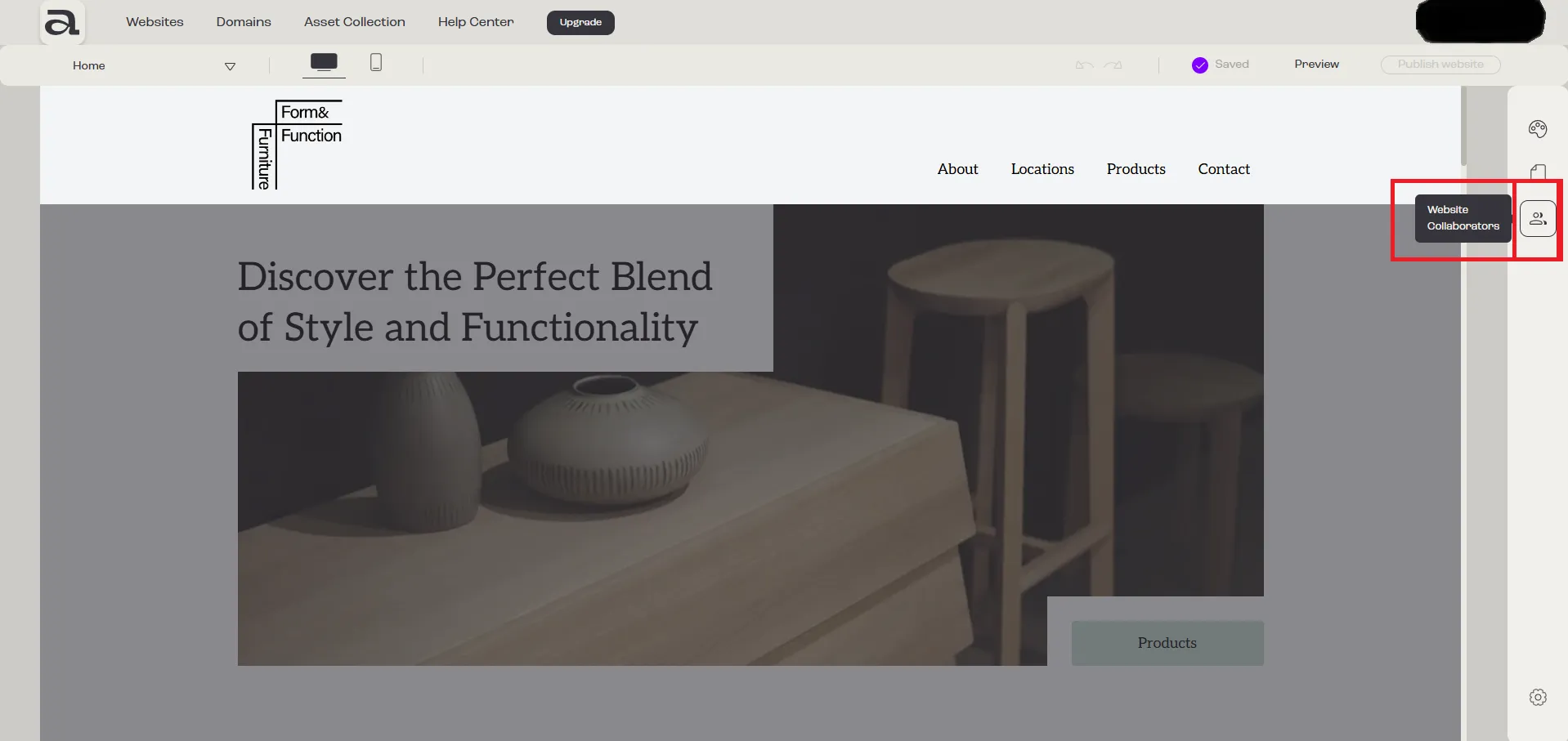
Step 1 - Open Website Collaborators
Section titled “Step 1 - Open Website Collaborators”Click on the “Website Collaborators” button.
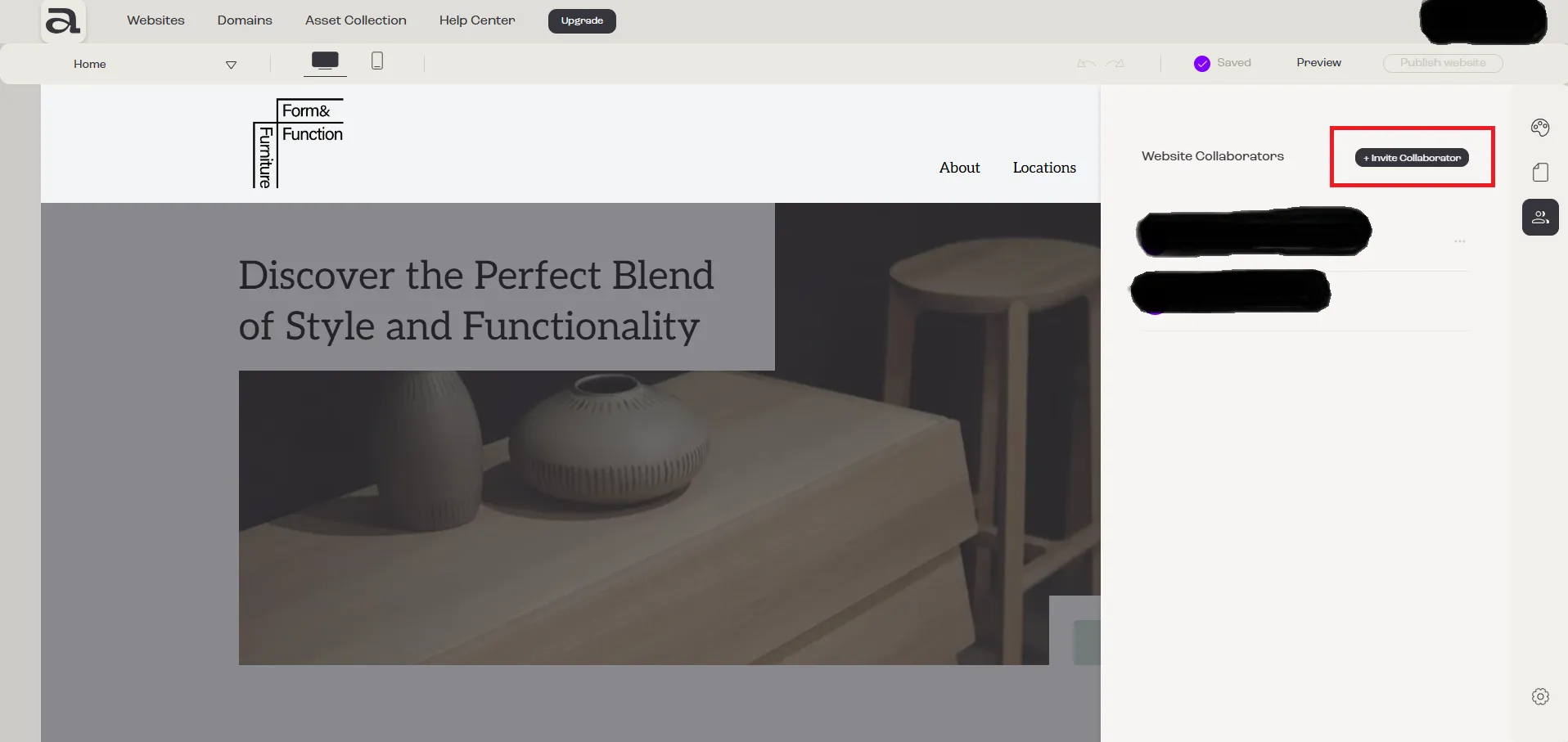
Step 2 - Click Invite
Section titled “Step 2 - Click Invite”Click on the “Invite Collaborator” button.
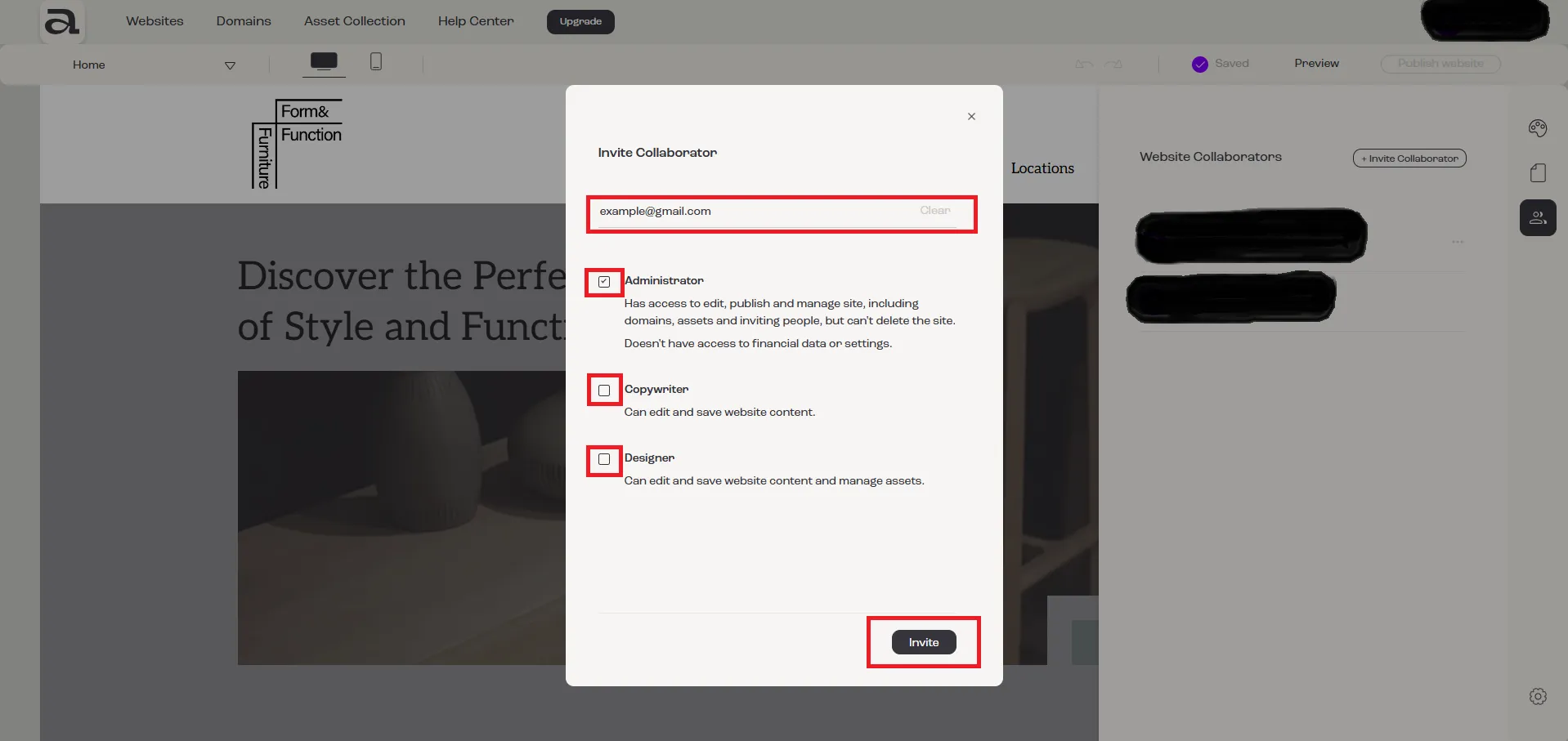
Step 3 - Invite Collaborator
Section titled “Step 3 - Invite Collaborator”In the “Invite Collaborator” modal, enter the email address of the person you wish to invite.
To send the invitation, you must select one or more of the available roles: “Administrator”, “Copywriter”, or “Designer”.
After selecting the collaborator’s role, click the “Invite” button.
Next Steps
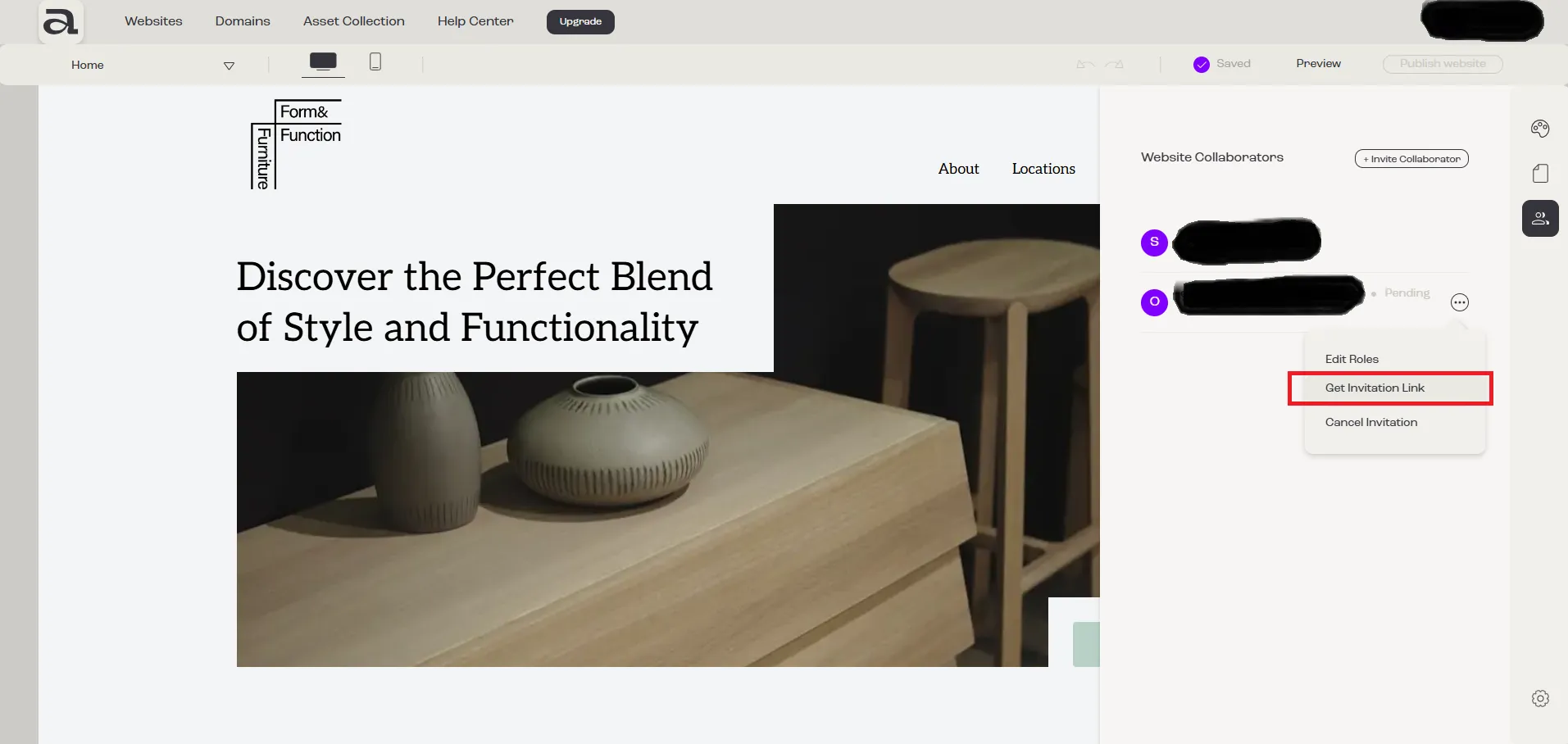
Section titled “Next Steps”- how to cancel an invitation
- how to change a member’s roles
- how to leave a team