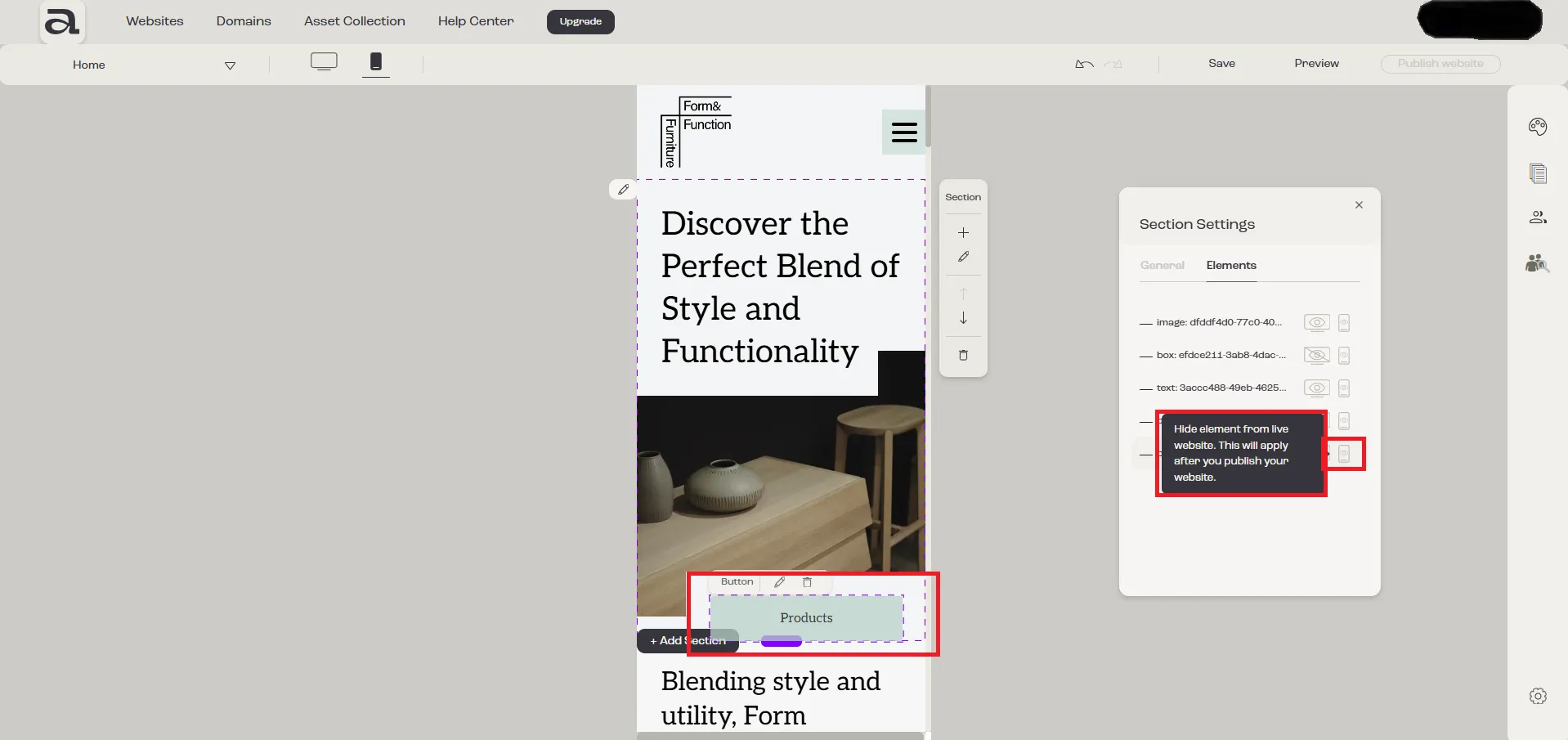
How to change elements' visibility for mobile and desktop
In this tutorial, we’ll show you how to control the visibility of elements for mobile and desktop devices.
Step 1 - Open Section Settings
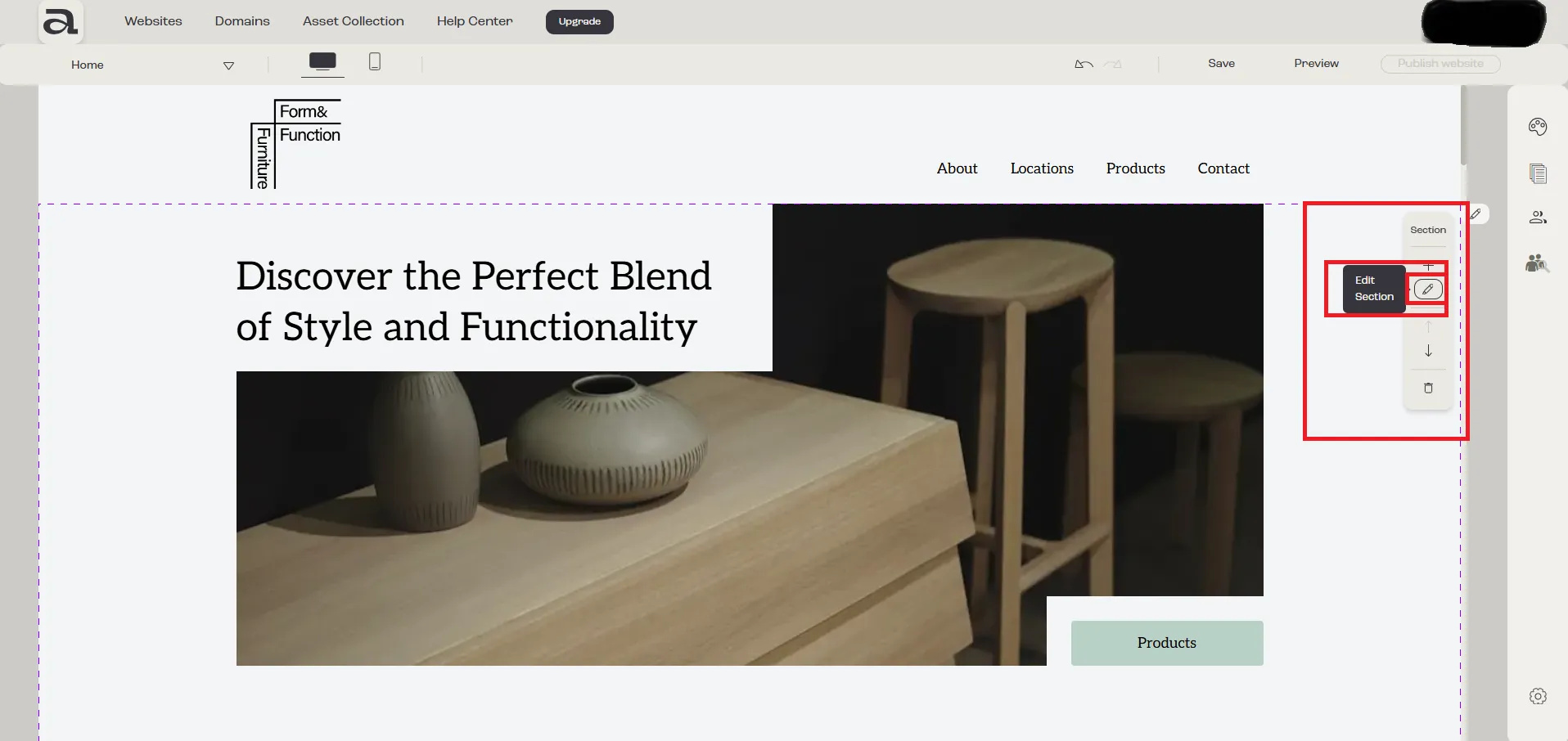
Section titled “Step 1 - Open Section Settings”When you hover over a section, the “Section” menu will appear on the right side of the screen. Click the “Edit Section” button.
Step 2 - Open Elements Tab
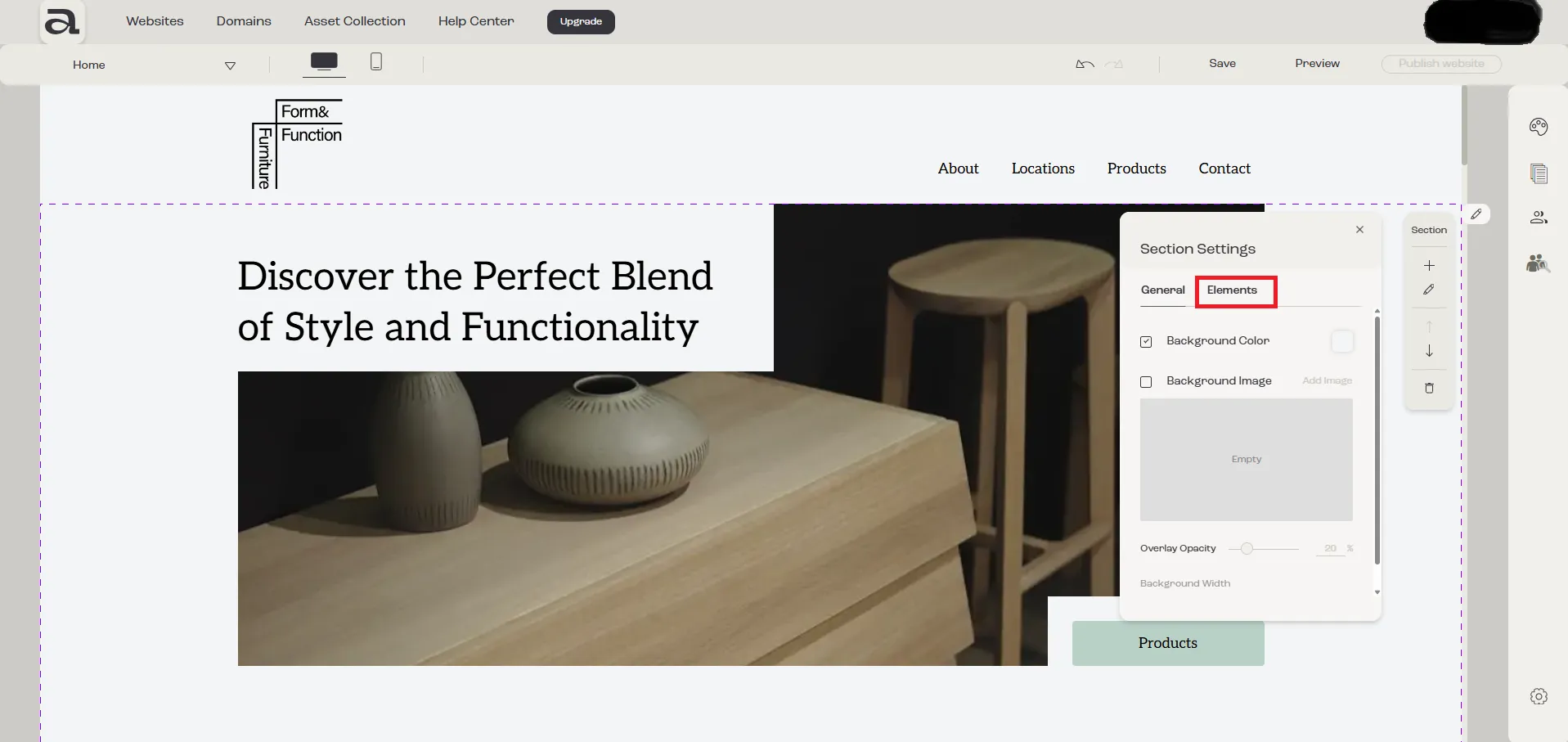
Section titled “Step 2 - Open Elements Tab”In the “Section Settings” menu, go to “Elements” tab.
Step 3 - Hide / Show Elements
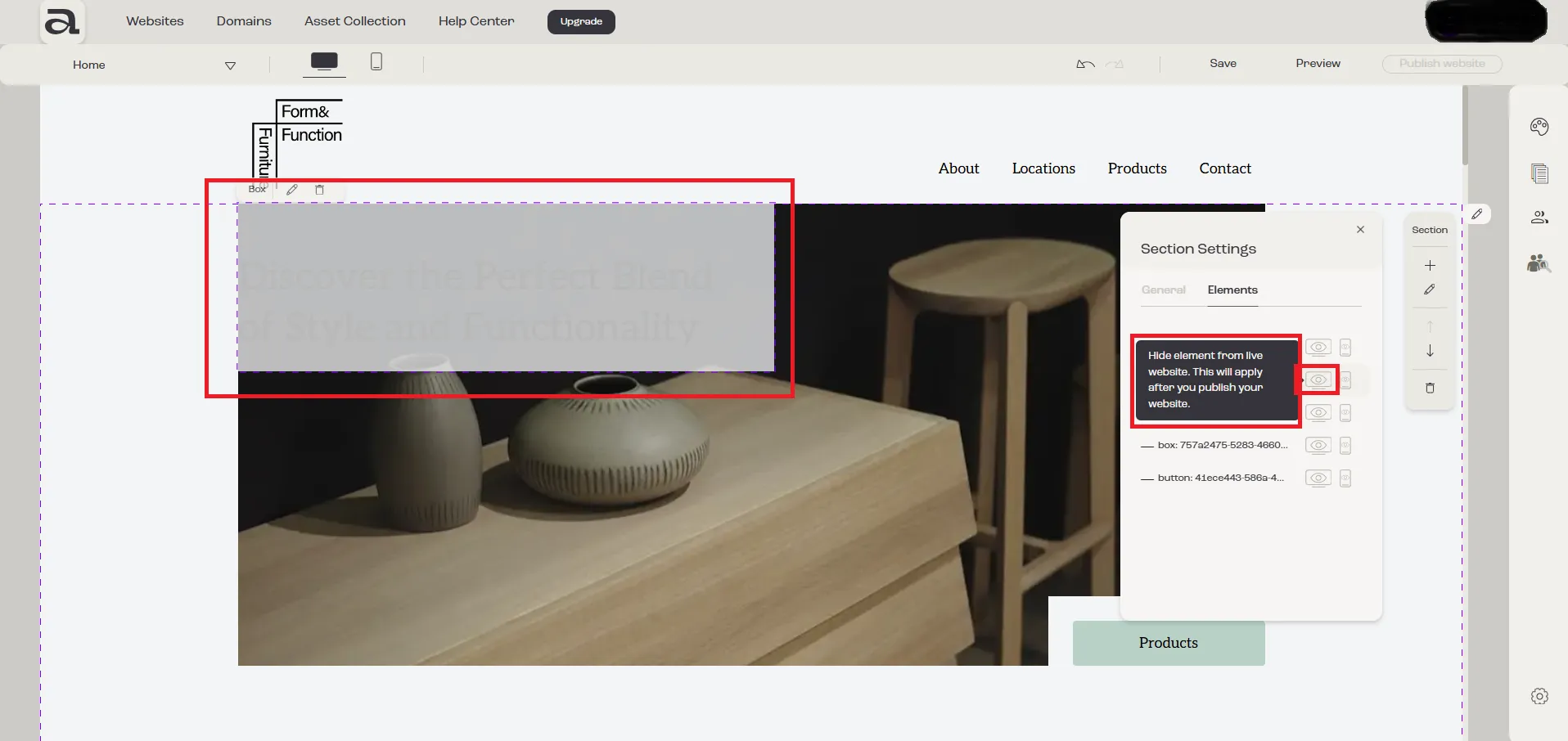
Section titled “Step 3 - Hide / Show Elements”You will see a list of all the elements within that section.
To hide an element on desktop, click the desktop icon next to it.
To hide an element on mobile, click the mobile phone icon next to it.