

How to change image focus point
This tutorial will guide you on how to change the focus point of an image.
Step 1
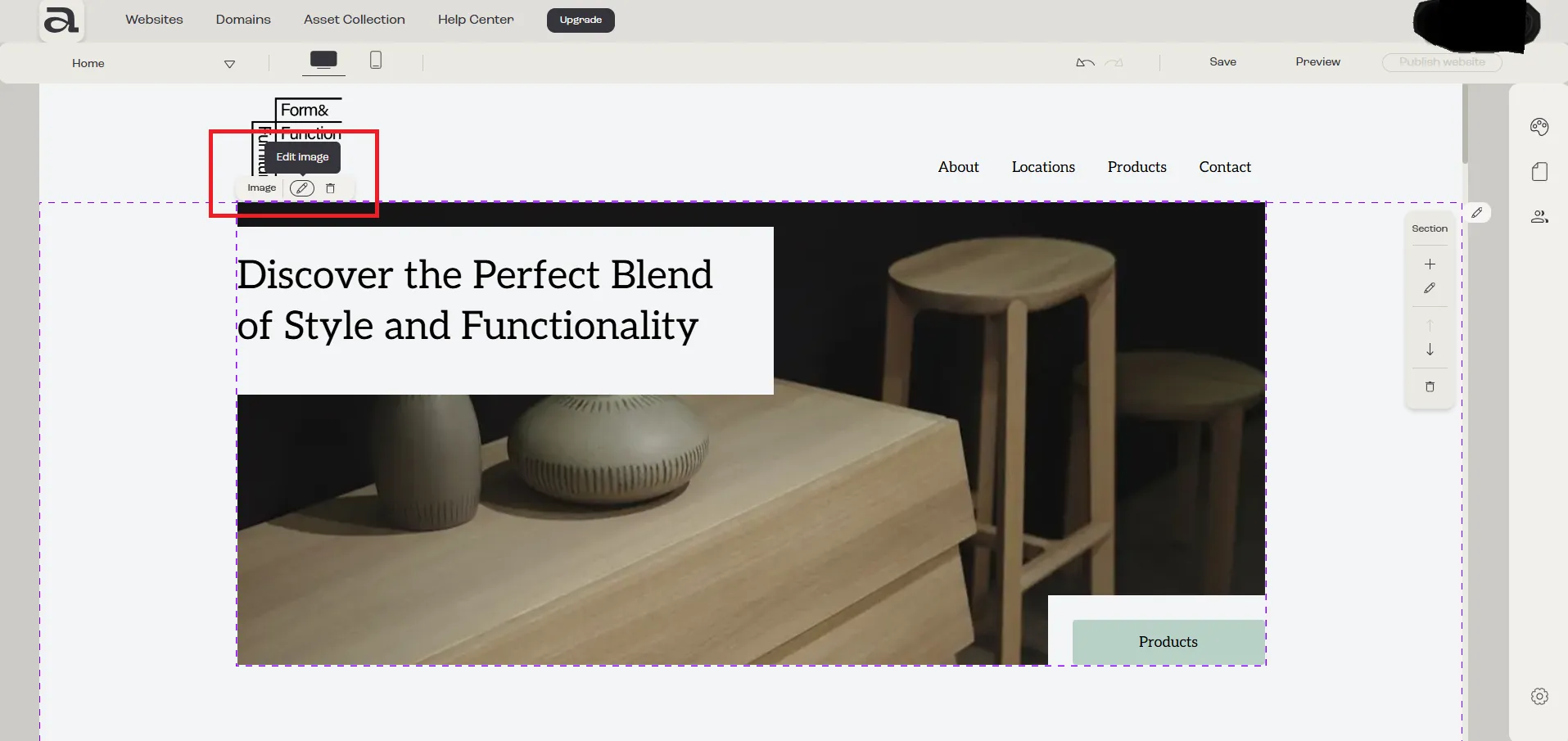
Section titled “Step 1”Open the “Image Settings” editor.
Click “Edit Image” on the hover menu or double-click on the “Image” element you want to customize.
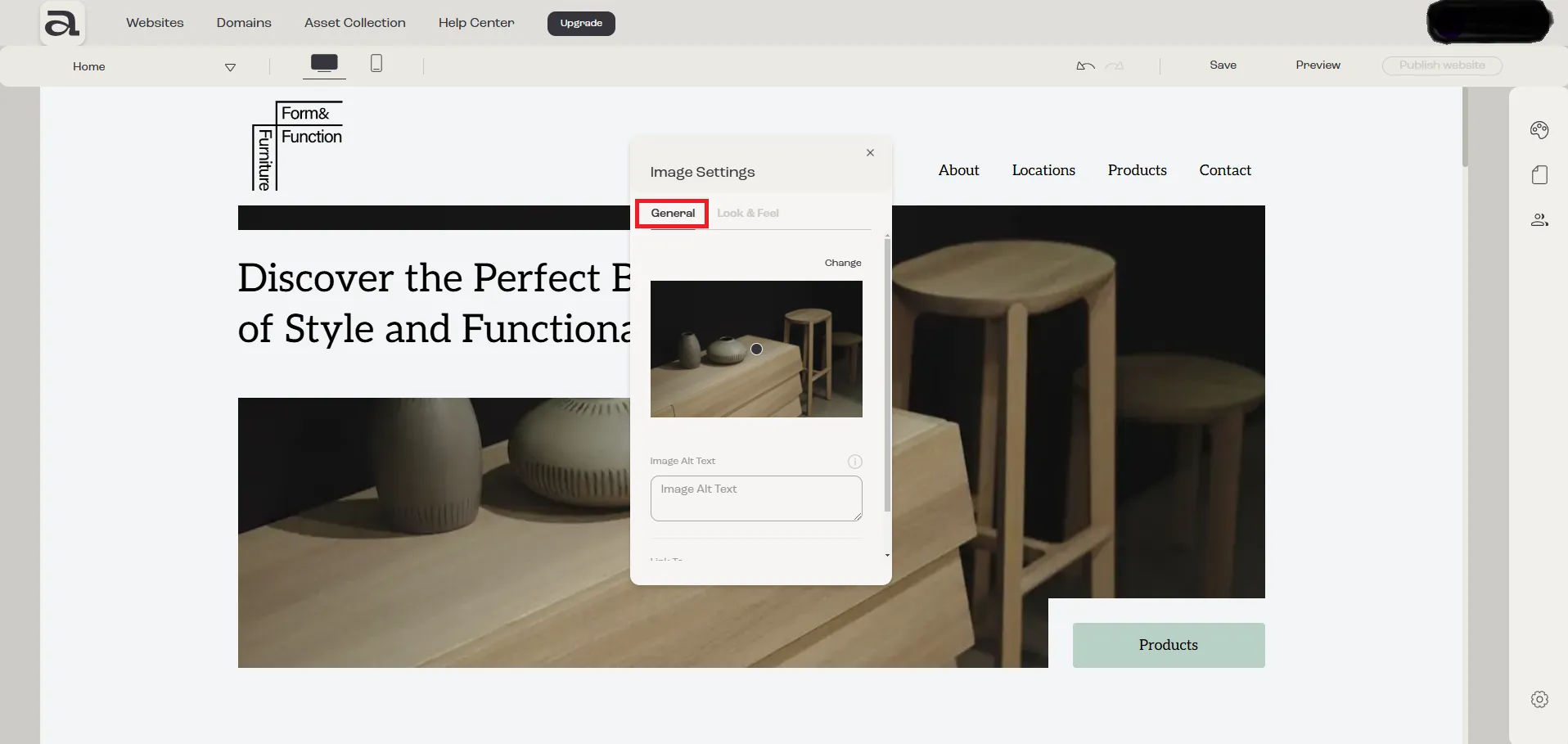
In the “Image Settings” editor, there are two customization categories: “General” and “Look & Feel”.
The settings we are interested in are located under the “General” tab.
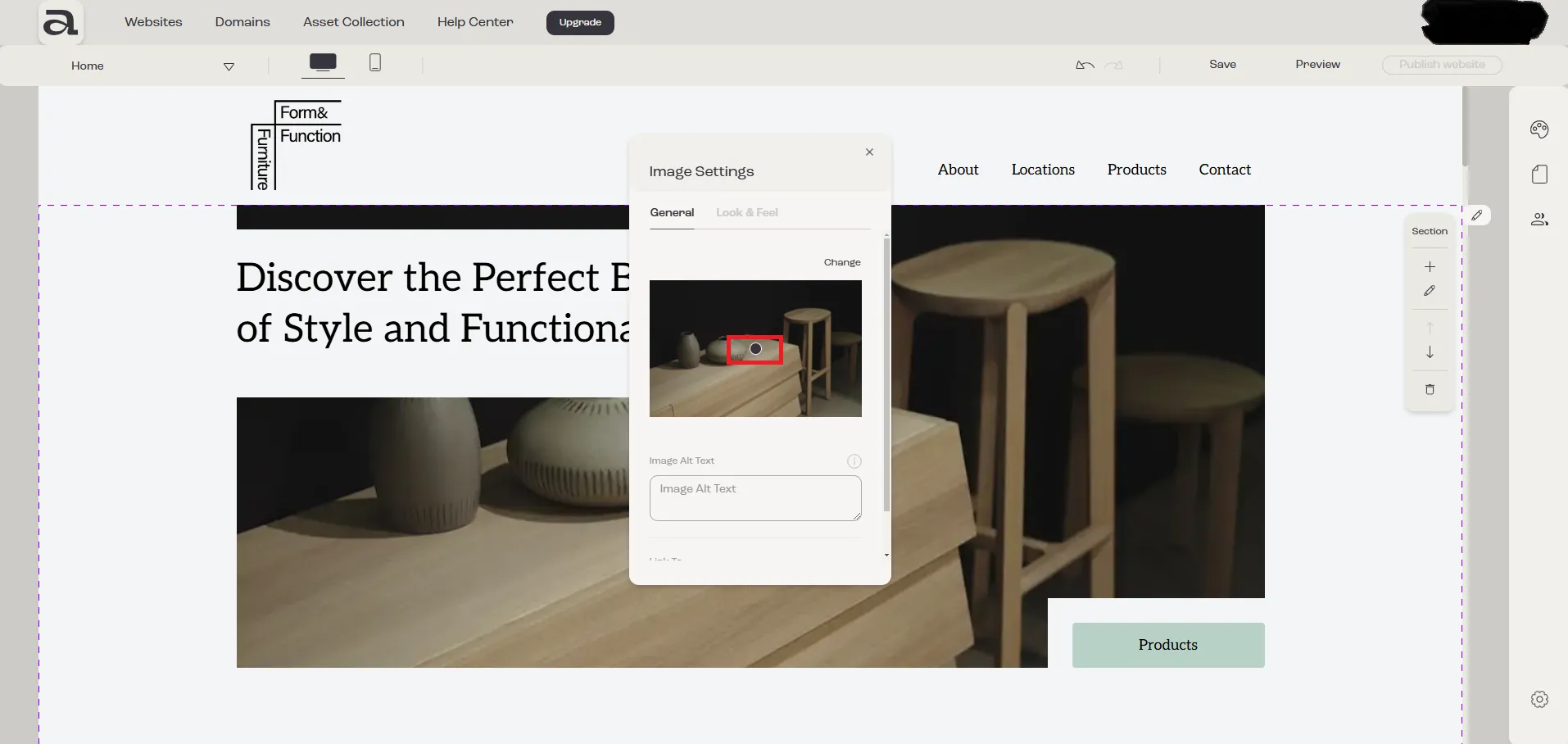
The focus point determines the primary area of emphasis within the image.
Step 2
Section titled “Step 2”Click anywhere on the image to adjust the focus point.
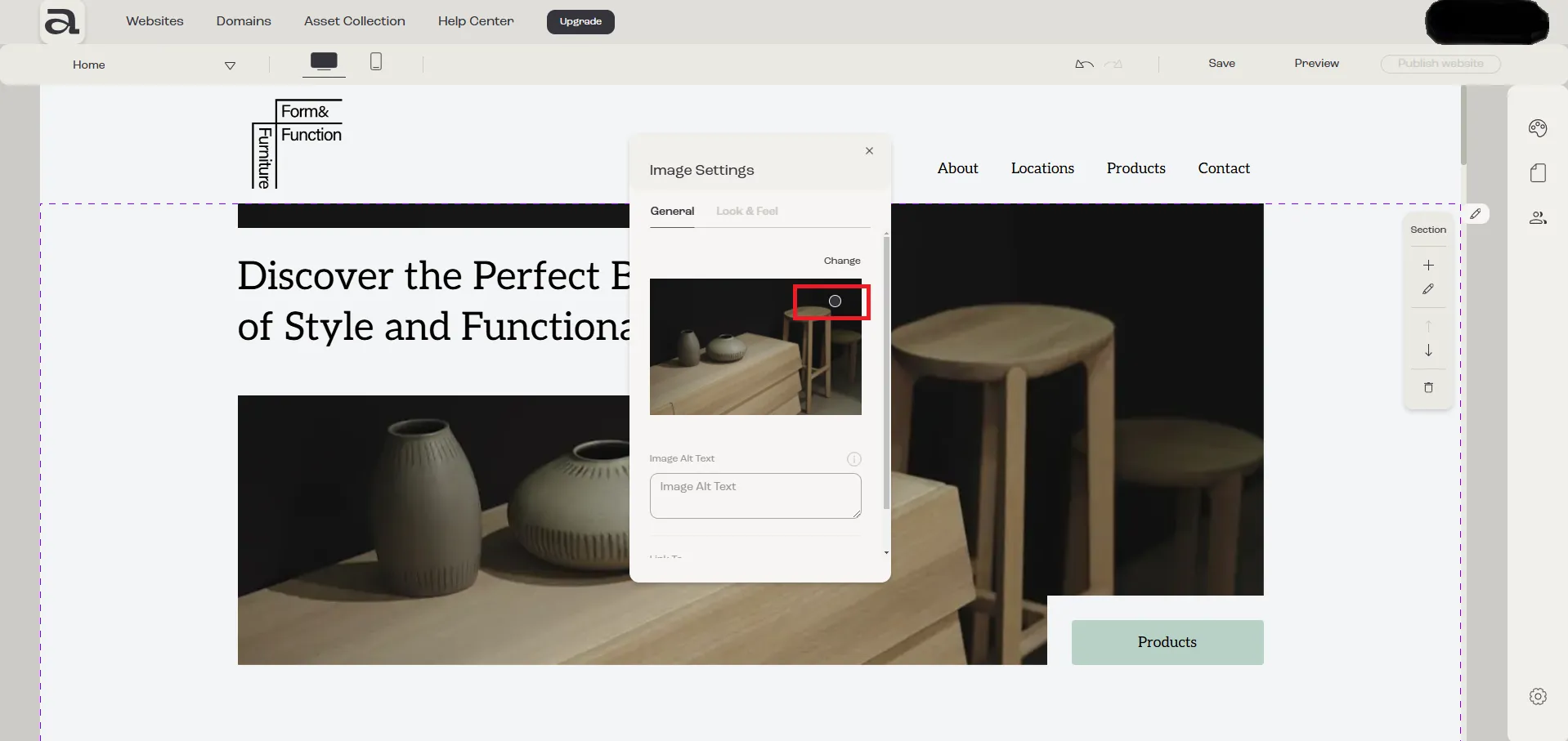
Depending on the aspect ratio of the image container element, the focus point will “move” the image on the horizontal or vertical axis.
Next steps
Section titled “Next steps”- edit image style
- add or edit image link
- change image
- add another element