

How to connect a domain to your Aphyo website
Connecting your domain on Aphyo is a pivotal step in establishing a professional online presence for your website. This guide will walk you through each step of the domain connect process on Aphyo, from initial setup to final publication.
Prerequisites
Section titled “Prerequisites”- You have upgraded your website to a paid plan or you are in the free trial period.
- You already have a domain purchased. If you don’t have a domain, buy one from us.
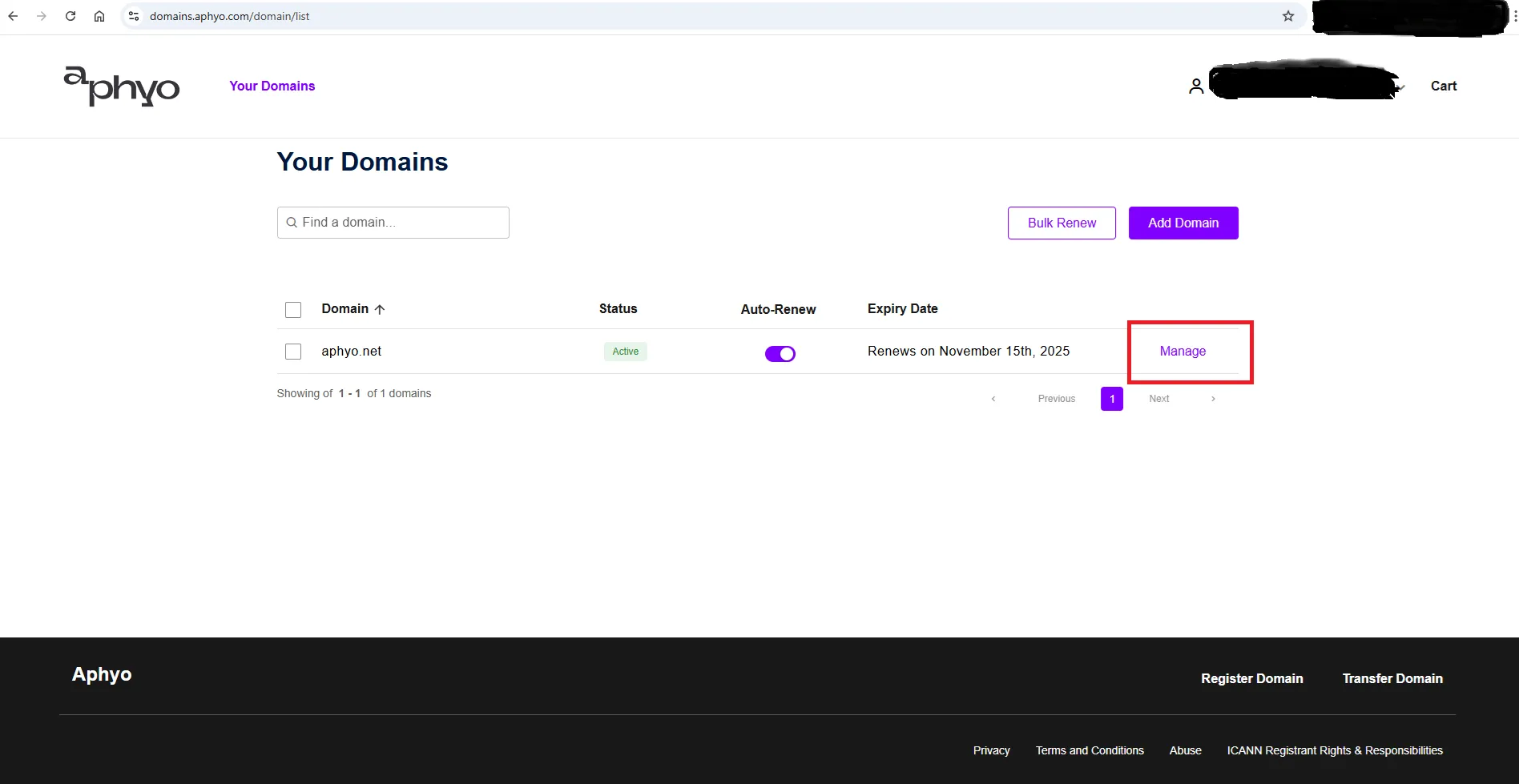
- You will need access to your current domain registrar before you can start connecting your domain to your website. Your domain registrar is the company that currently hosts your domain. If your domain is bought from us go to your domain list and click on manage.
Aphyo allows you to connect your domain to your website via pointing method. This means that your DNS (Domain Name System) records remains hosted at your domain registrar and the URL of the domain points to your Aphyo website. The DNS records tell your domain where to go to load your website.
Aphyo gives you the ability to connect both the apex domain and the www subdomain. We strongly recommend you to connect them both to gain more visibility among your visitors and drive more traffic to your website.
An apex domain, also known as a root domain or naked domain, refers to the base domain name without any subdomains or a ‘www’ prefix. It’s the simplest form of a domain name that you can register and use. For example, in the URL https://example.com, example.com is the apex domain.
A subdomain is a prefix added to your main domain name to create a distinct web address for specific content or functionalities within your website. It effectively helps organize and navigate different sections of your site. Subdomains function as separate entities within the larger context of your domain, allowing you to segregate your website into logically organized sections. On Aphyo you can only connect a www subdomain.
Here’s where to start connecting your domain:
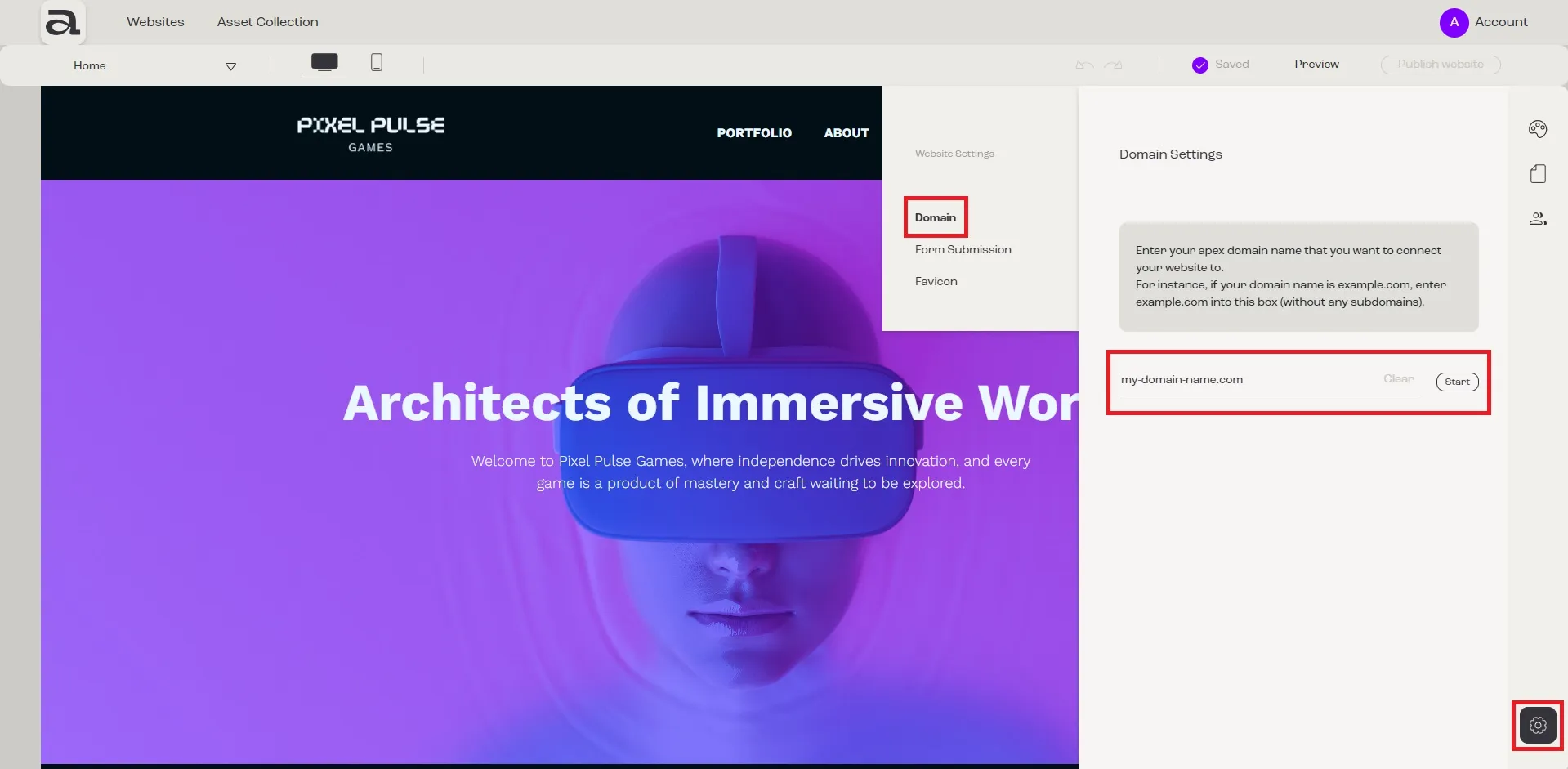
- Access Website Settings from the wheel in the down-right corner of the editor
- Choose Domain from the left menu
- You will be asked you to enter your apex domain name
- Complete the field with the correct domain name and click Connect
- The next steps are to connect your subdomain and your apex domain. They can be completed in parallel.
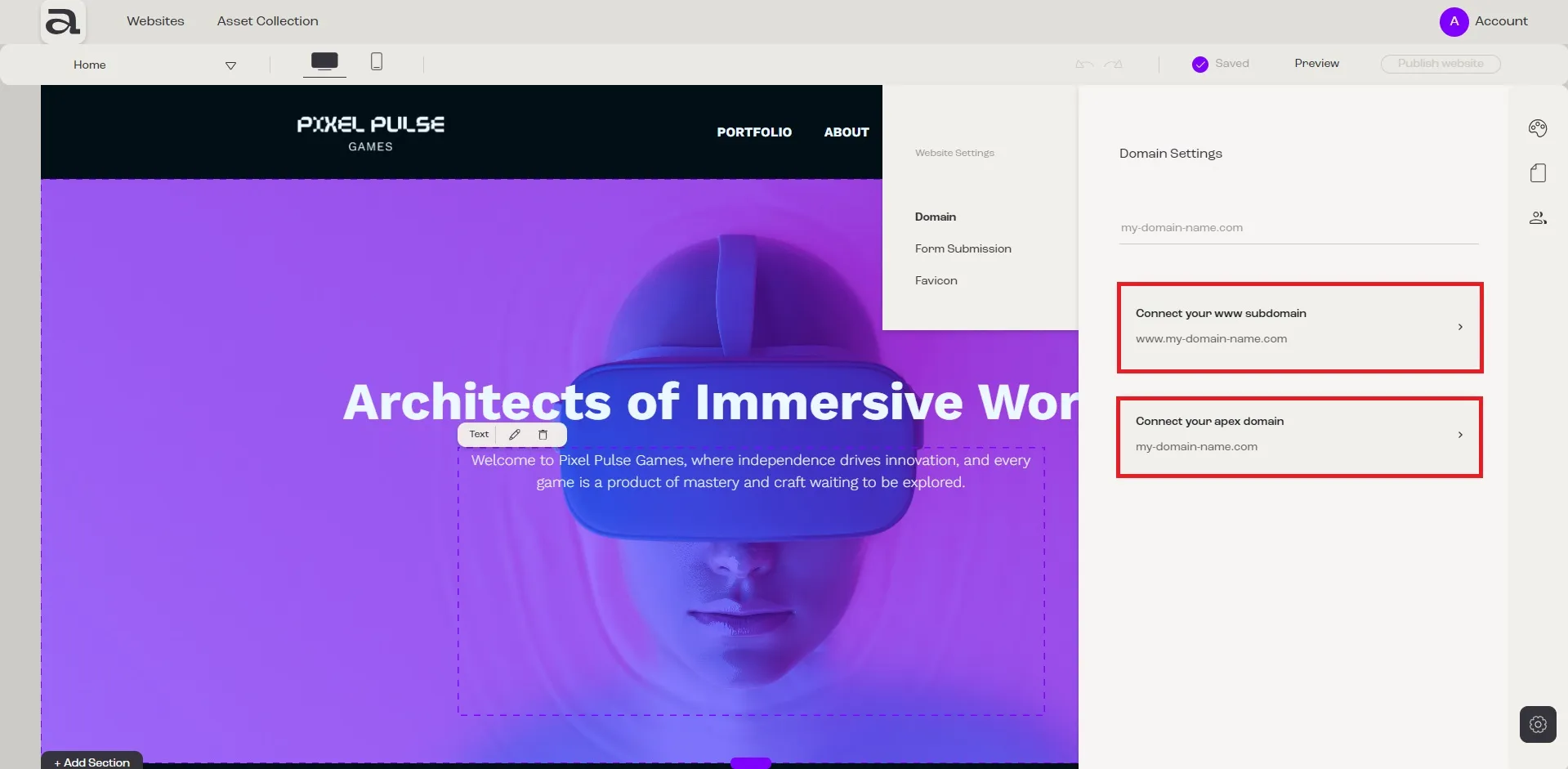
Connect your www subdomain
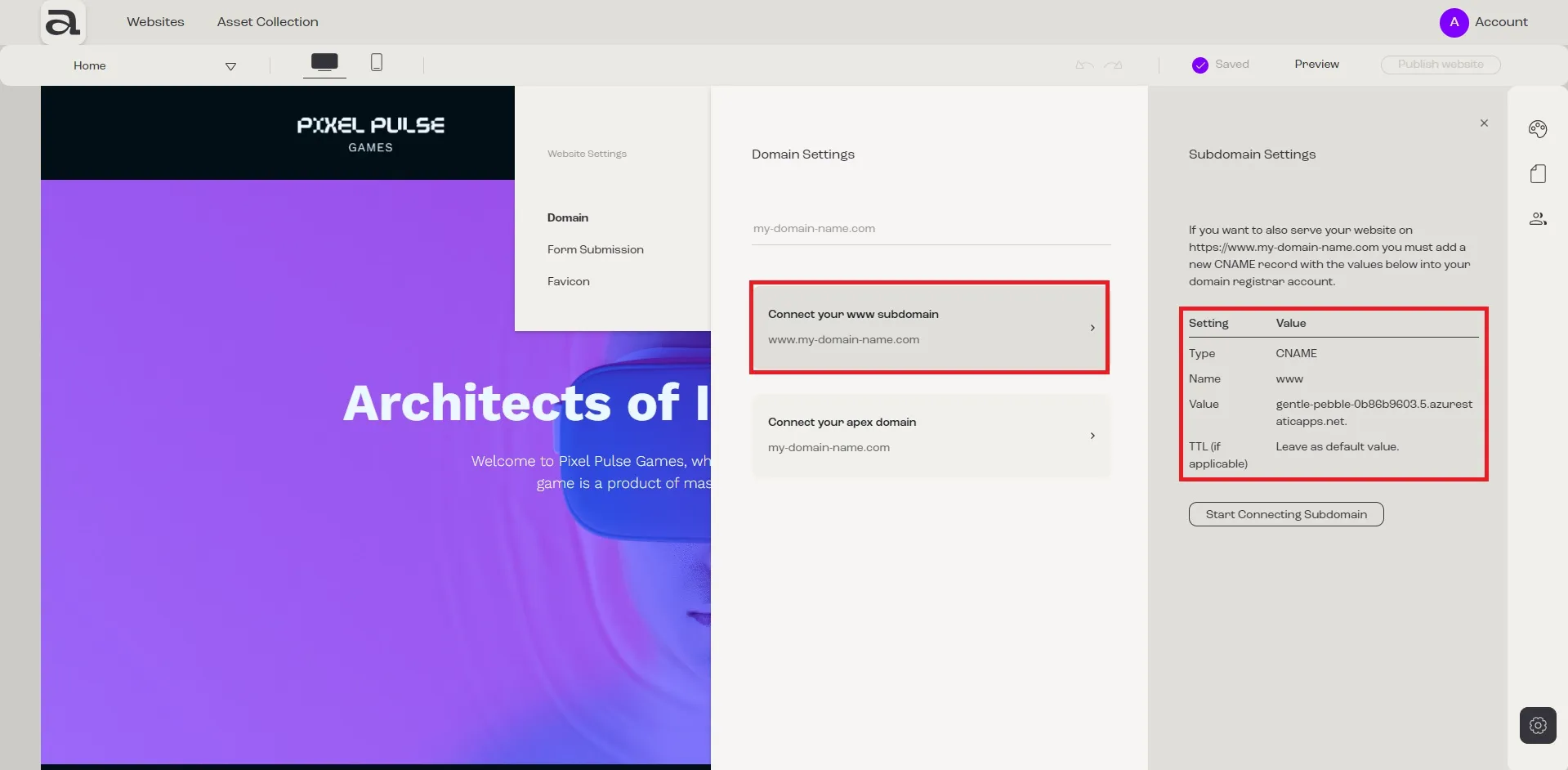
Section titled “Connect your www subdomain”- Click on Connect your www subdomain
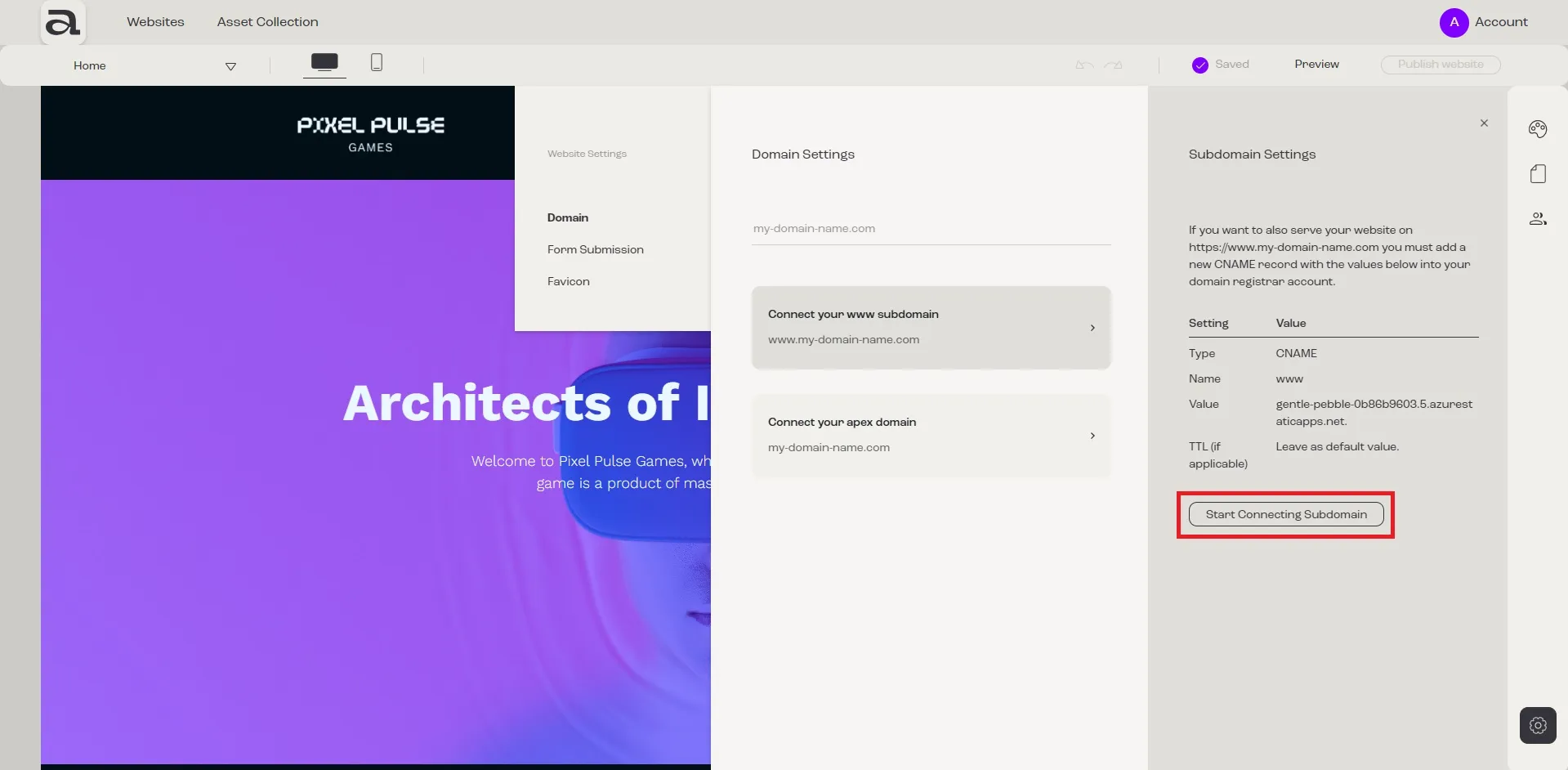
- In the panel that opens you will see a specific DNS record generated by Aphyo for your subdomain
- Open a new tab in the browser
- If you have a domain from us navigate here and log in, otherwise go to your domain registrar’s website and log in to your account
- Locate the DNS records on your domain registrar’s domain settings
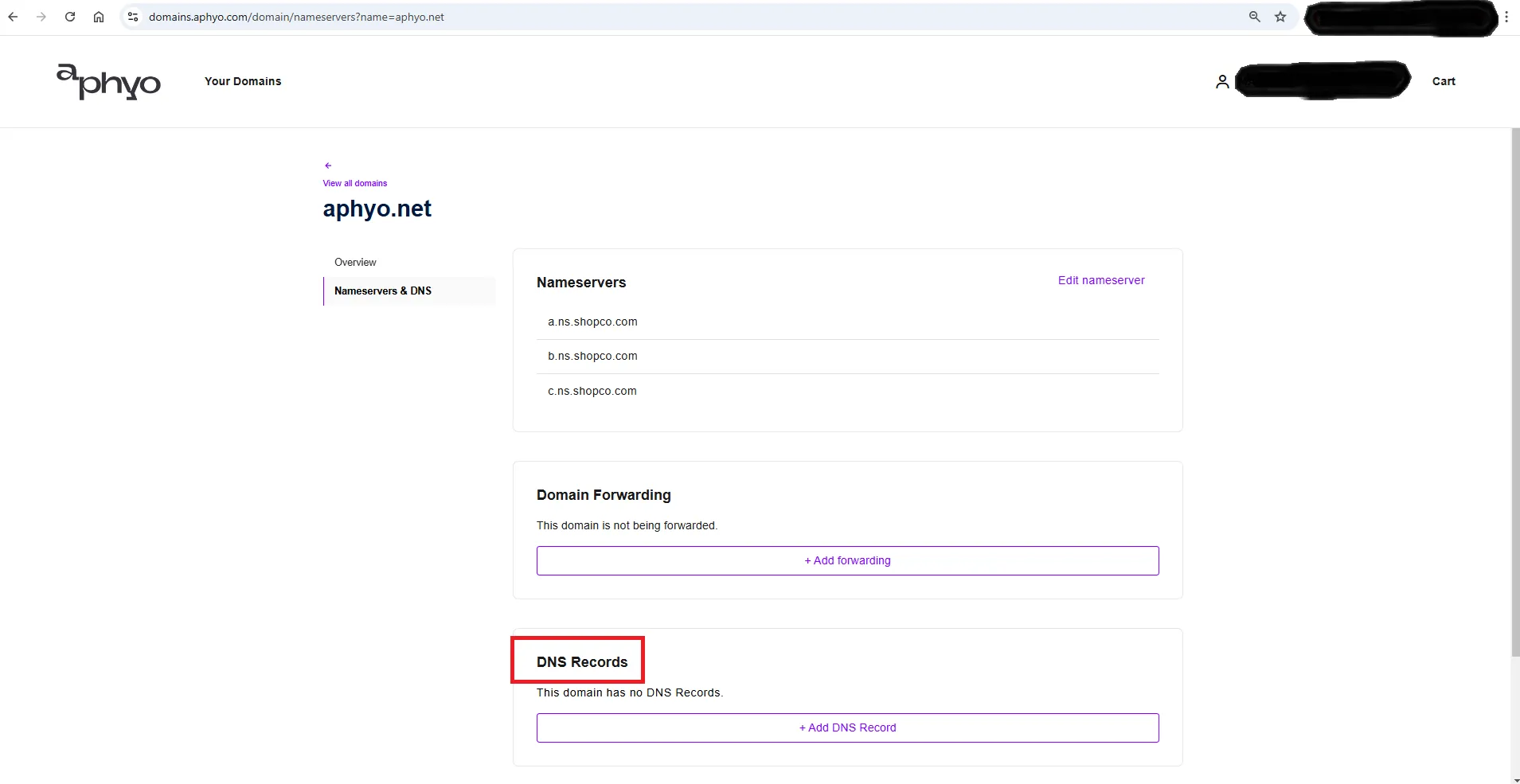
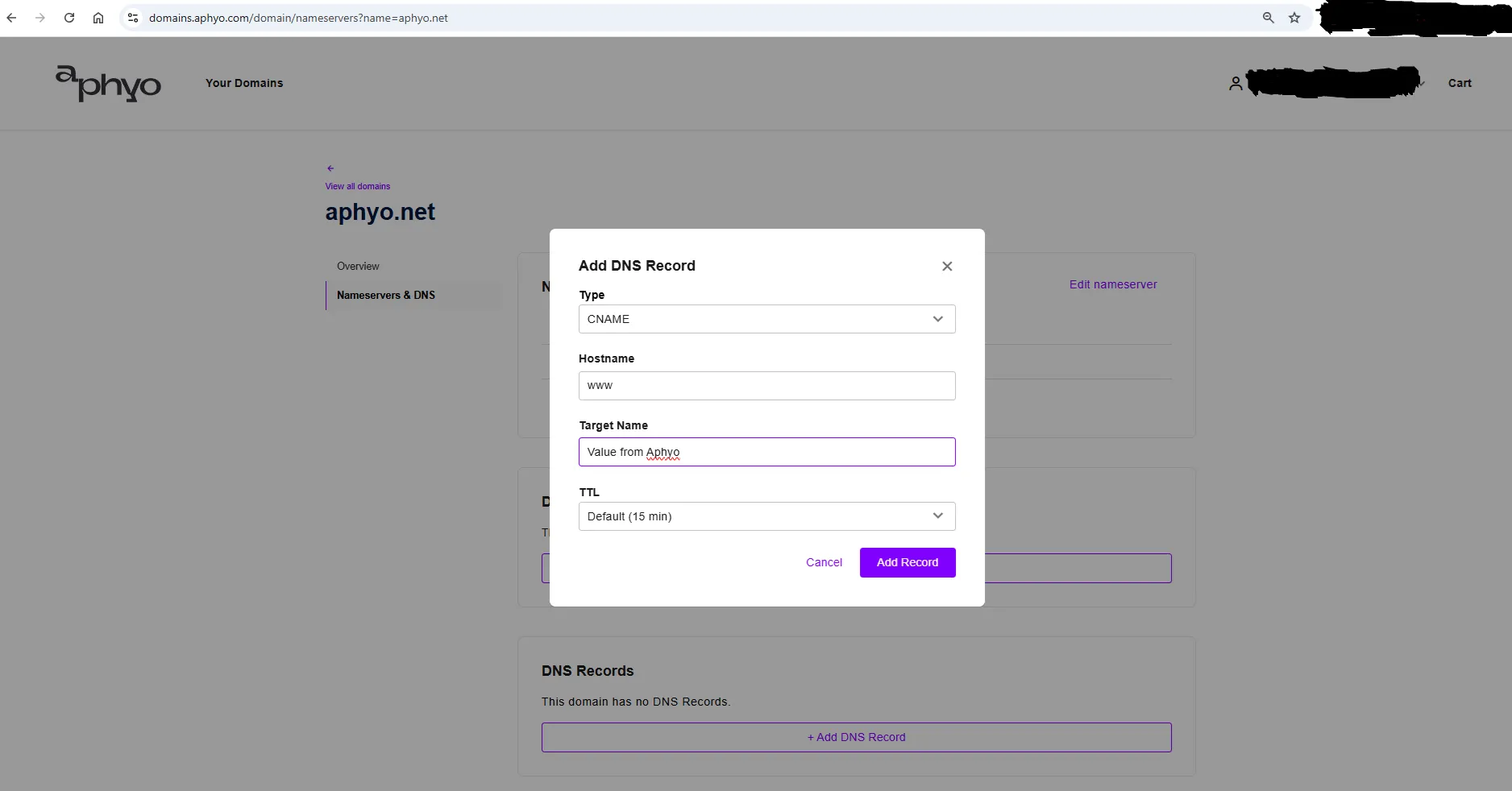
- Add the specified record (CNAME) on your domain settings with the values from Aphyo (some registrars use “hostname” instead of “name” and “target” instead of “value”)
- After adding the values on your domain settings, click Start connecting subdomain in Aphyo
- Your work is done, you need to wait for your domain propagation
- Usually it takes 10-15 minutes for your domain’s new DNS records to propagate and your site to appear worldwide, but it may take up to 24 hours
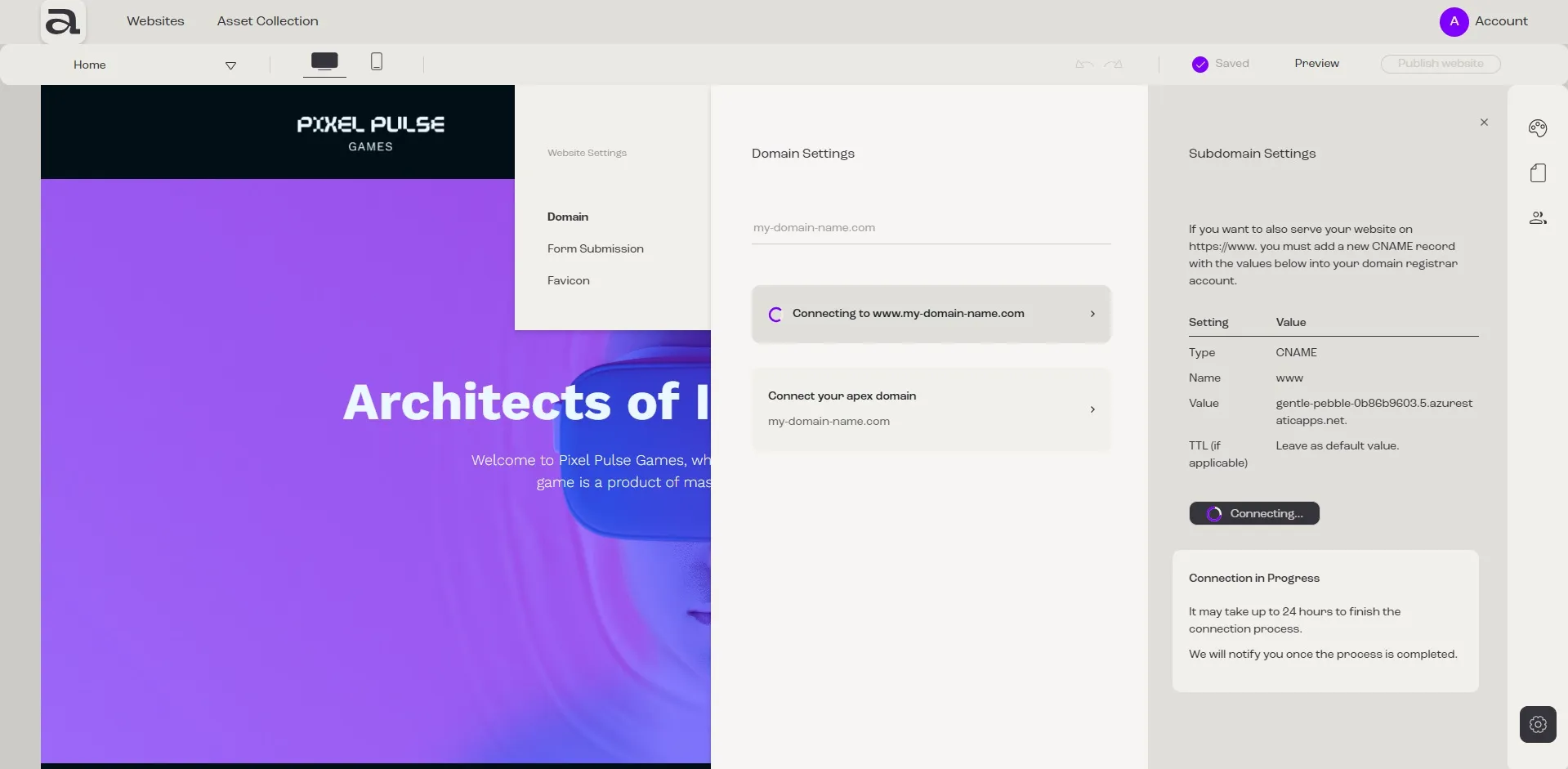
- You will see a message once the process is finished.
- If you are having trouble connecting your subdomain, please open a ticket here for further assistance.
Connect your apex domain
Section titled “Connect your apex domain”This can be done in two ways depending on what options you have access to in your registrar’s domain settings. The following two setups are mutually exclusive; chances are you won’t have access to both of them anyway, but if you have choose only option A.
A. Domain forwarding
Section titled “A. Domain forwarding”Depending on your registrar you may be able to set up “Domain Forwarding”. If you have a domain from us or otherwise you are able to set up “Domain Forwarding”, set up a forwarding rule from your apex domain to your “www” subdomain (ex: aphyo.net -> www.aphyo.net).
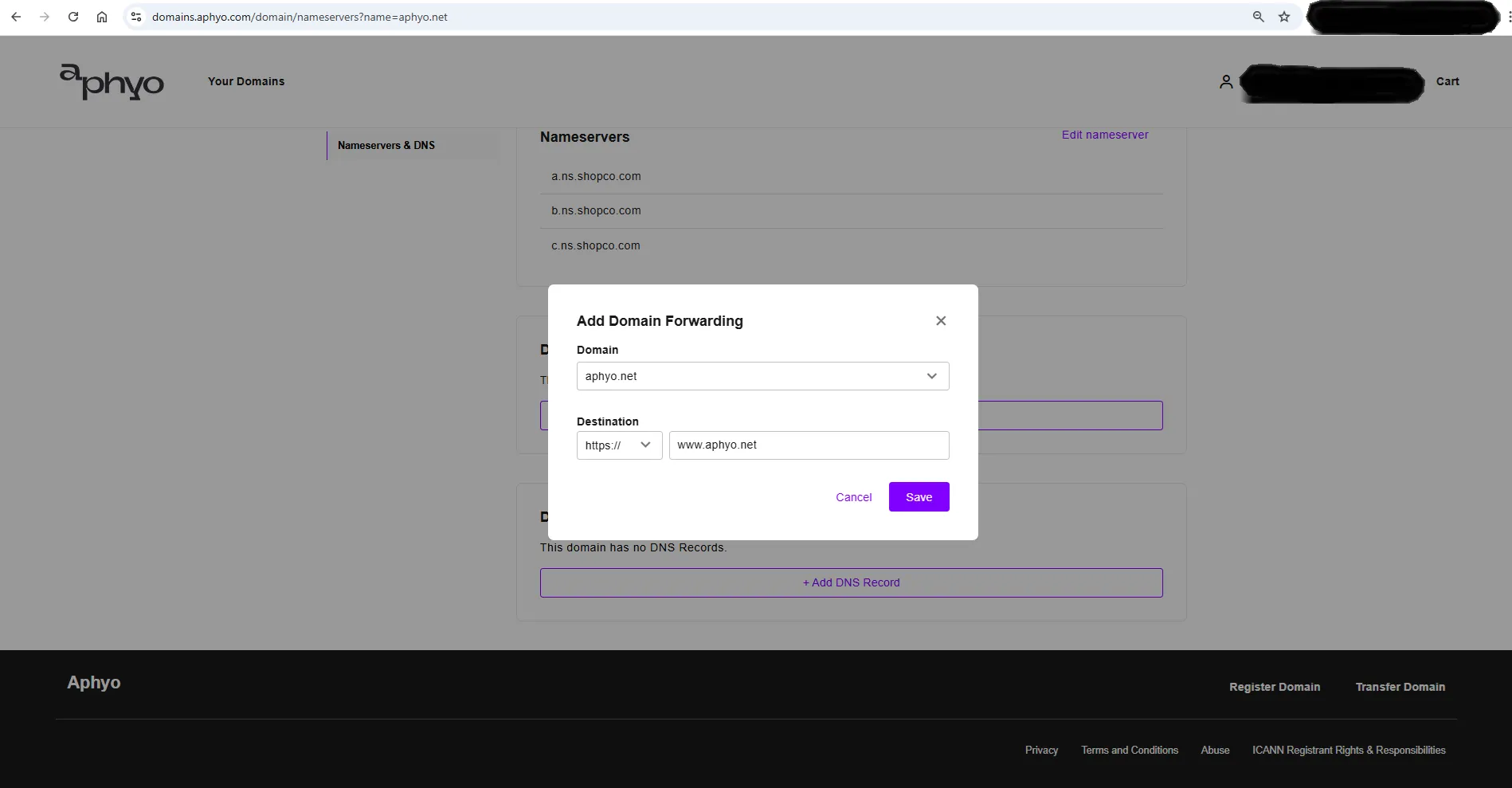
If you added the forwarding rule is not advisable to add the DNS Records from option B.
B. DNS Records (ALIAS & TXT)
Section titled “B. DNS Records (ALIAS & TXT)”If you cannot set up “Domain Forwarding”, you are going to set up “ALIAS” and “TXT” DNS Records:
- Click on Connect your apex domain
- In the panel that opens click Start Connecting Domain
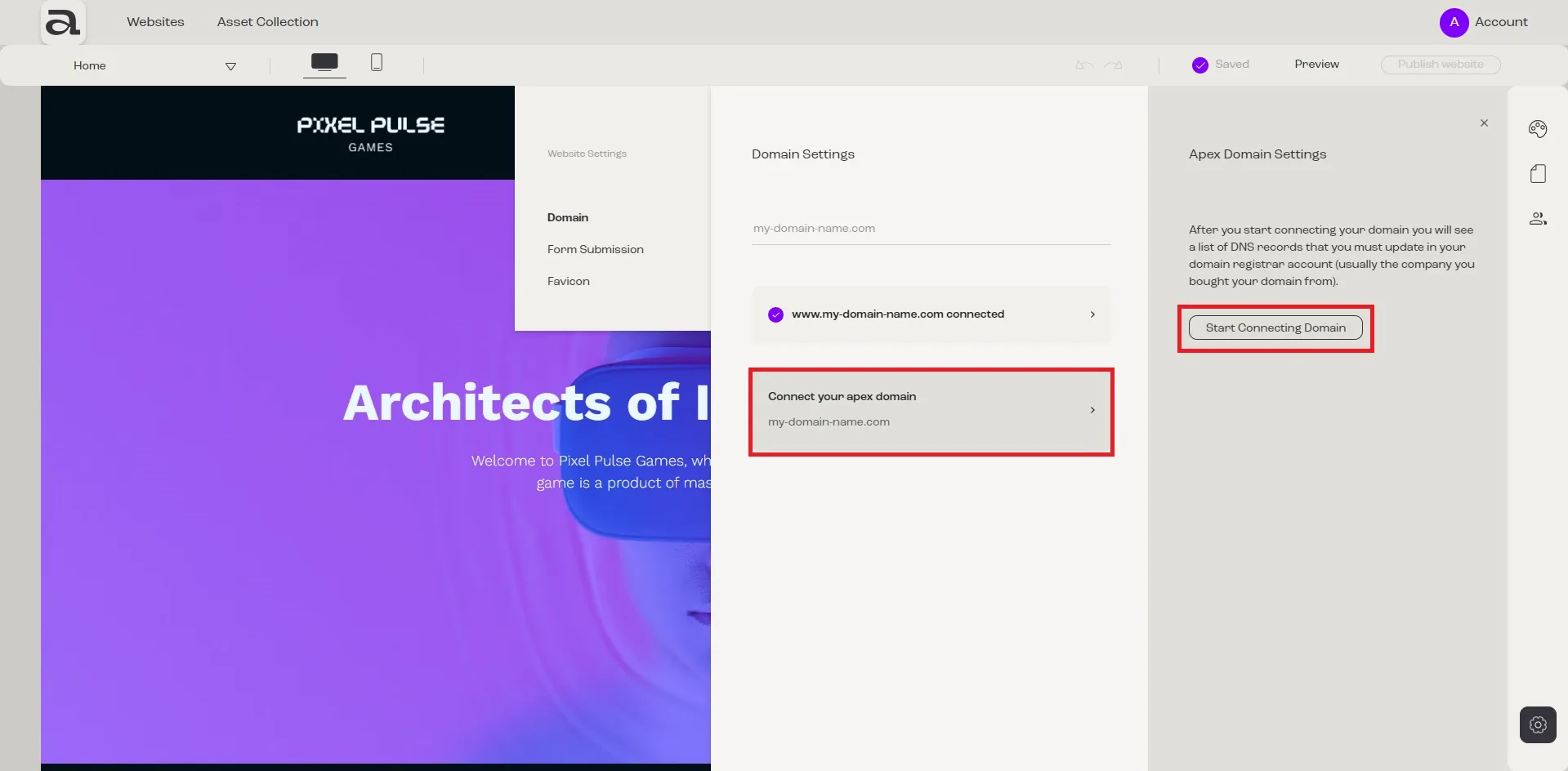
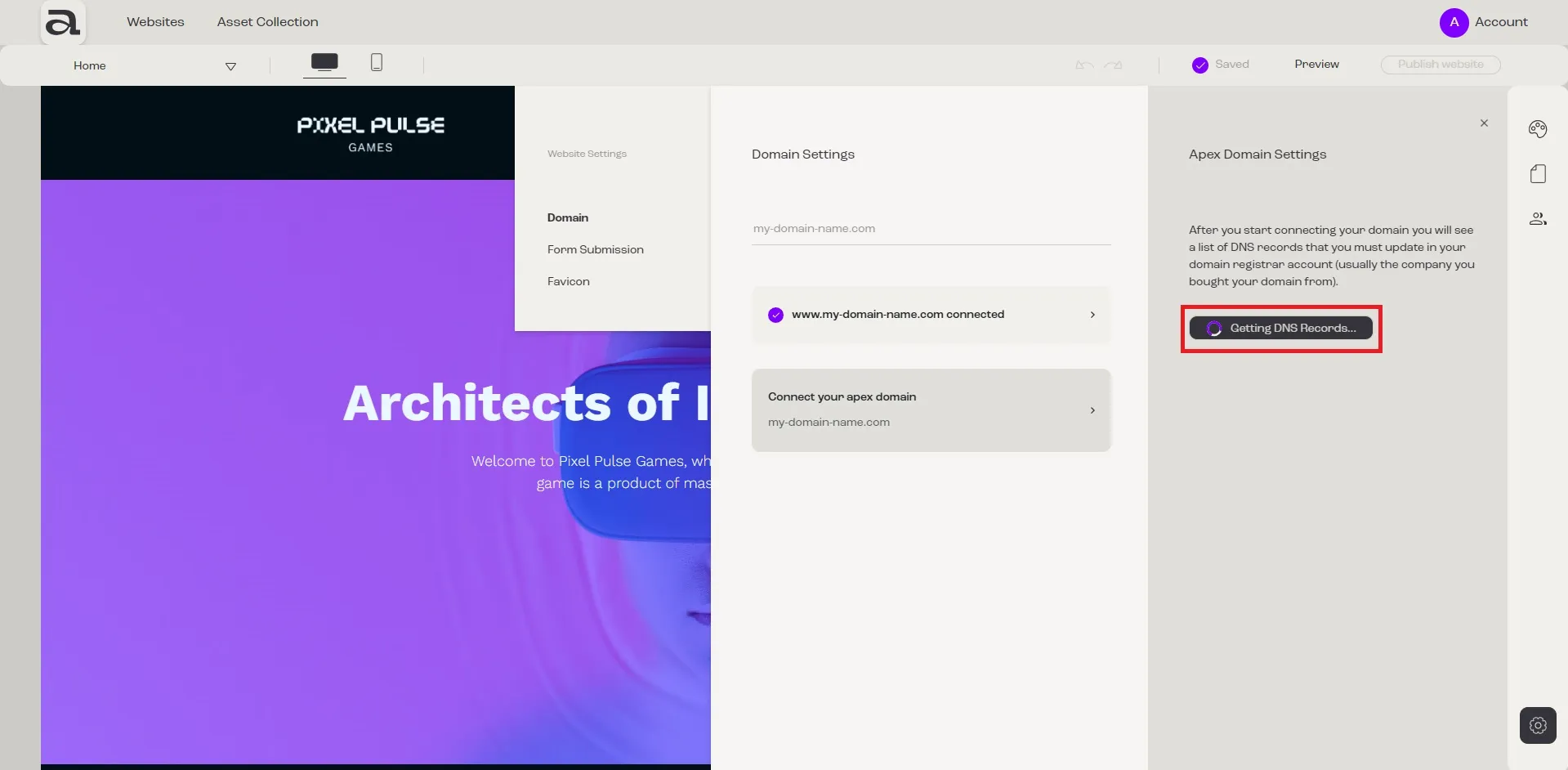
- This process can take about 5 minutes to complete. Your will see a loading indicator with the message Getting DNS Records until it is completed
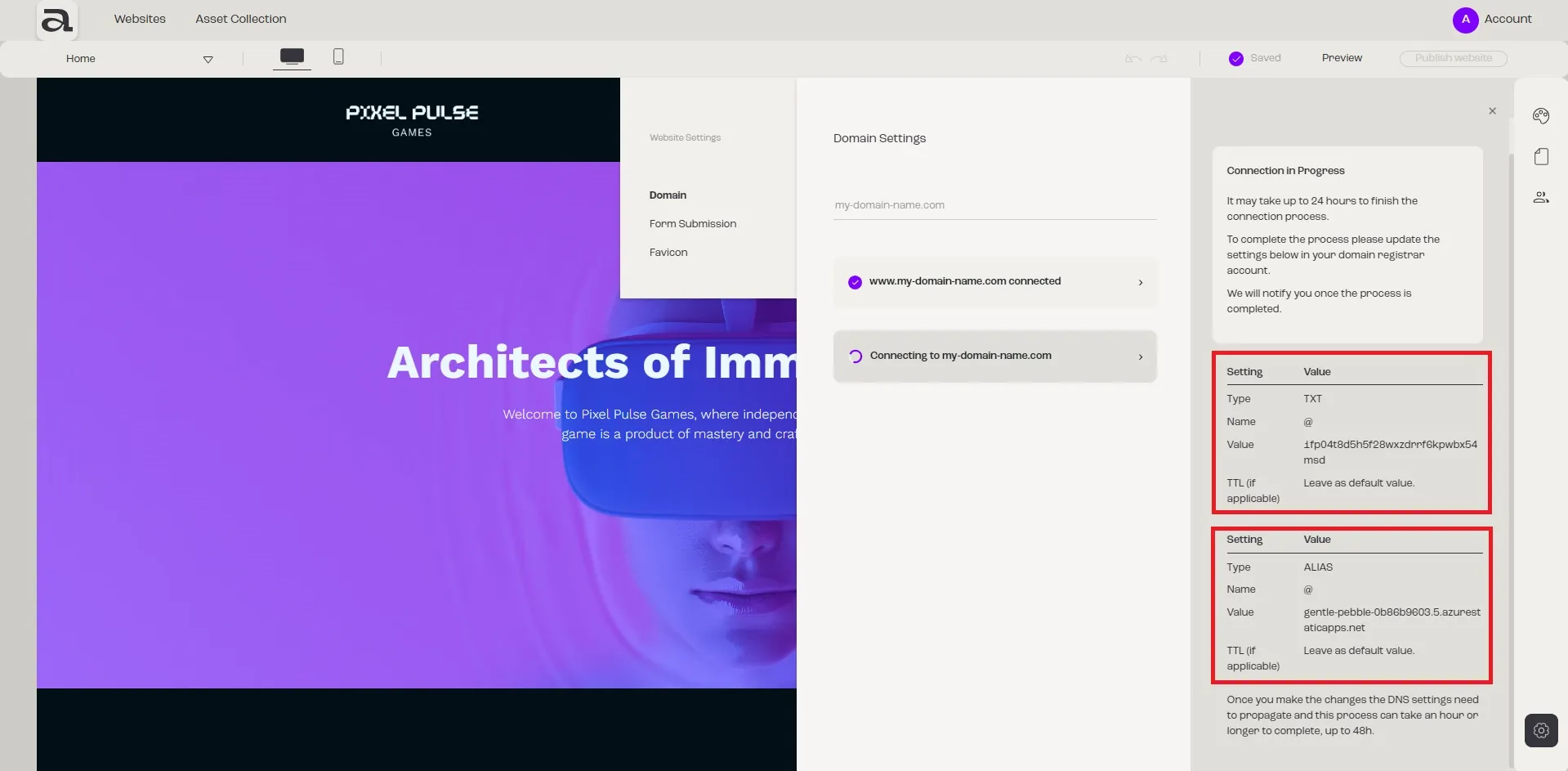
- Once the process finishes, you will see a list of two DNS records generated by Aphyo for your domain; the connection has already started, it periodically checks if you have updated the DNS records provided by Aphyo in your domain registrar’s domain settings
- Open a new tab in the browser
- If you have a domain from us navigate here and log in, otherwise go to your domain registrar’s website and log in to your account
- Locate the DNS records on your domain registrar’s domain settings
- Add new records (ALIAS and TXT) on your domain settings with the values generated above
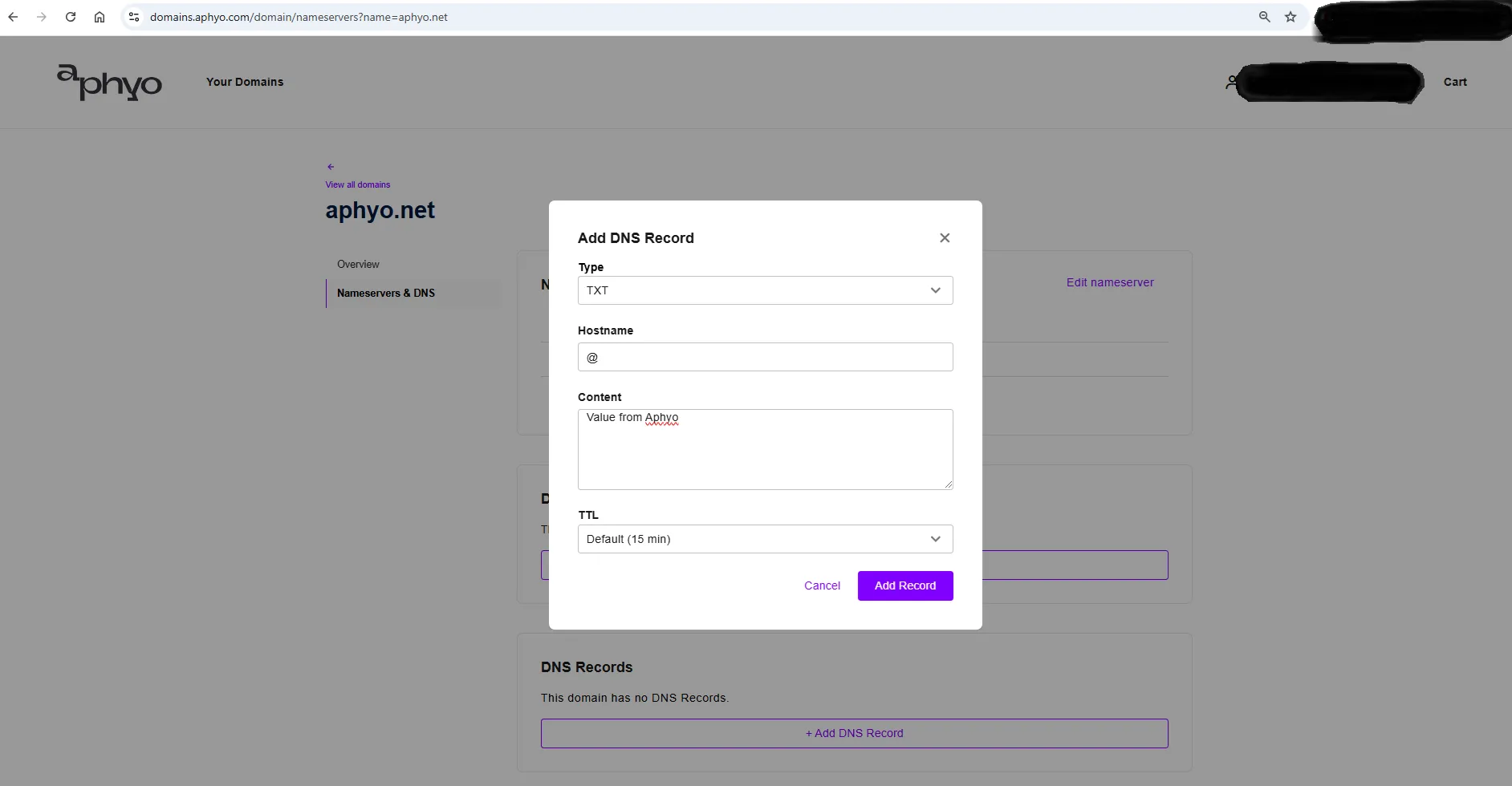
- Your work is done, you need to wait for domain propagation
- It may take up to 48 hours for your domain’s new DNS records to propagate and your site to appear worldwide, but it is usually ready in one hour
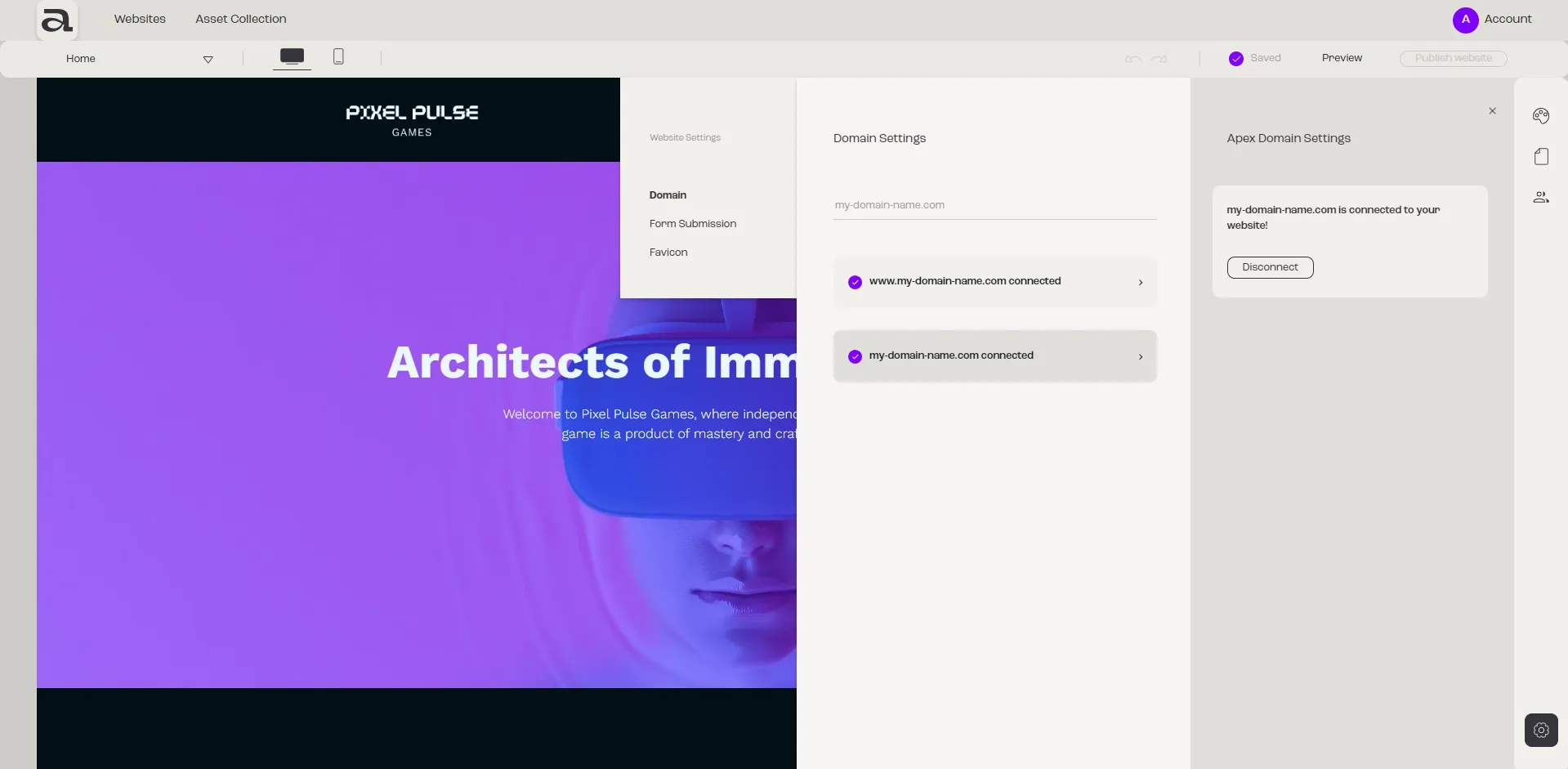
- You will see a message once the process is finished.
- If you are having trouble connecting your subdomain, please open a ticket here for further assistance.
Once the domain or the subdomain is connected to your website, the option to publish your website will become available.
Aphyo automatically generates a free SSL certificate for your domain, securing your website with HTTPS.