

How to add new page group
This article will guide you through the process of adding a new page group.
Step 1
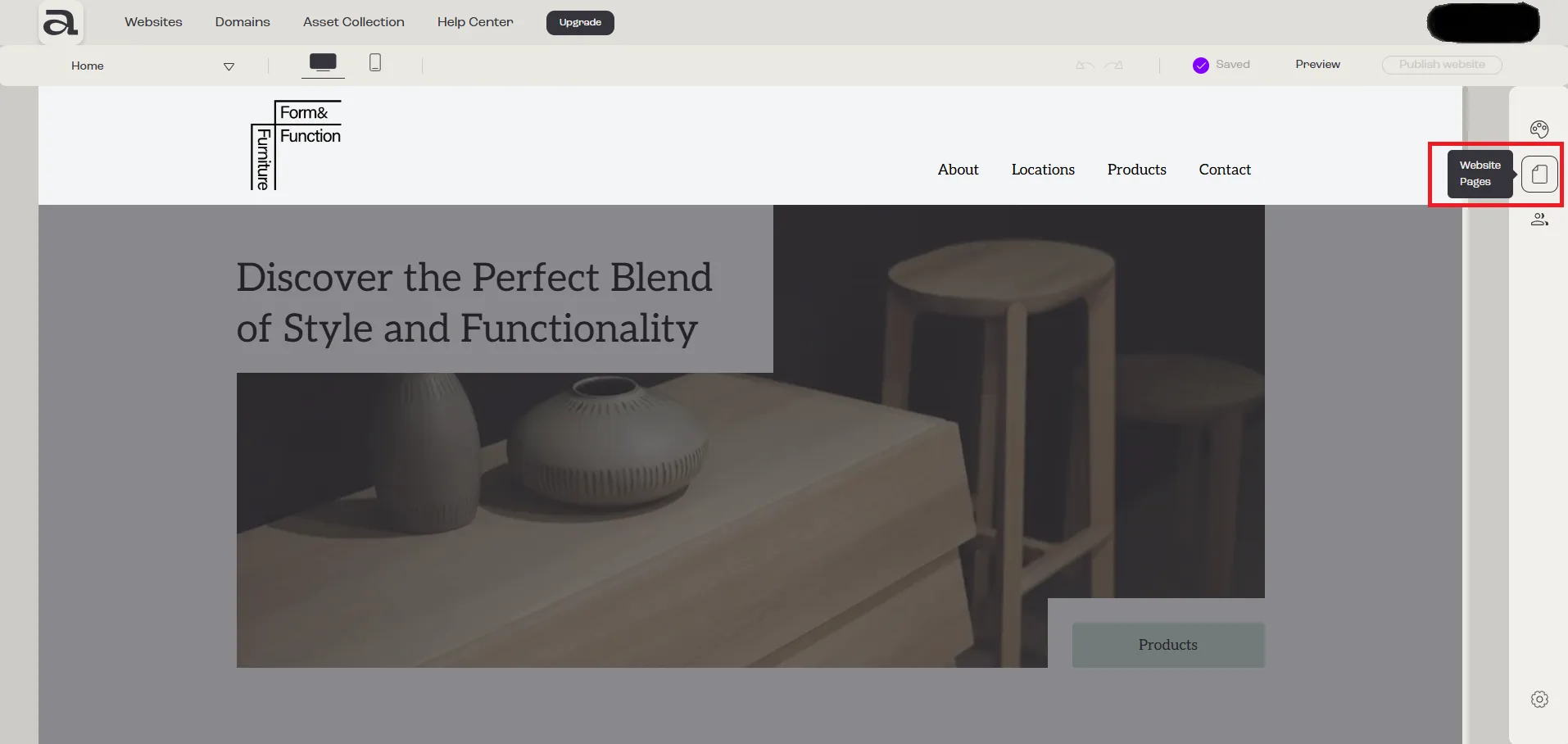
Section titled “Step 1”Click the “Website Pages” button in the sidebar menu.
Step 2
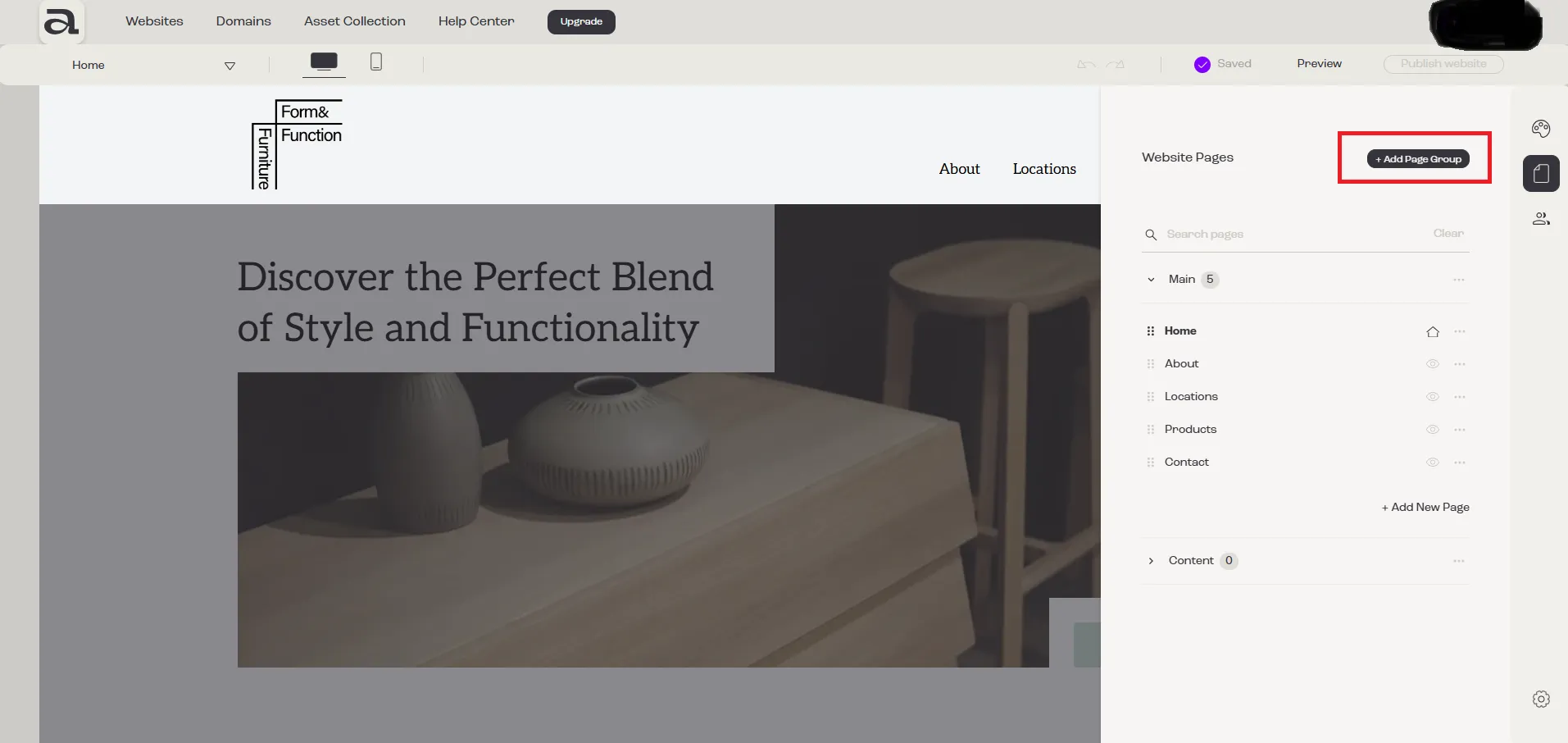
Section titled “Step 2”Click on the “Add Page Group” button.
Step 3
Section titled “Step 3”You will see that a new page group has been added, but it currently contains no pages.
Check-out our tutorial on how to add pages to your website.

Next steps
Section titled “Next steps”- add a page to this group
- rename page group
- add sections to your page
- move page to another page group
- delete page group
- read more about pages management