How to purchase a domain from Aphyo
In this tutorial, we’ll walk you through the steps to purchase a domain from Aphyo.com.
Prerequisite
Section titled “Prerequisite”To purchase a domain, you must first have a separate account on domains.aphyo.com.
Learn how to create an account.
Click here to create your account.
Step 1 - Go to Domains Section
Section titled “Step 1 - Go to Domains Section”1.1. Click on domains from Aphyo.com
Section titled “1.1. Click on domains from Aphyo.com”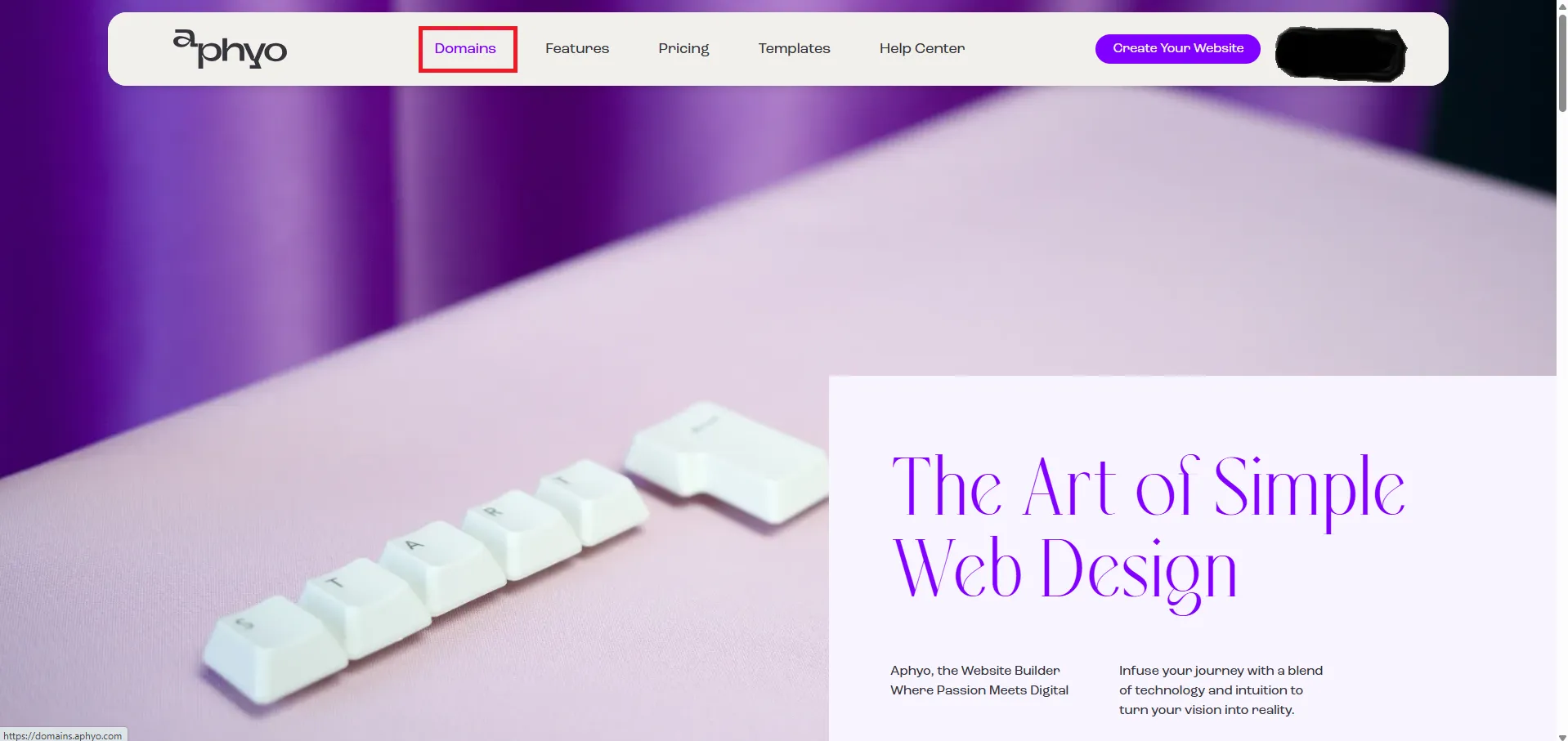
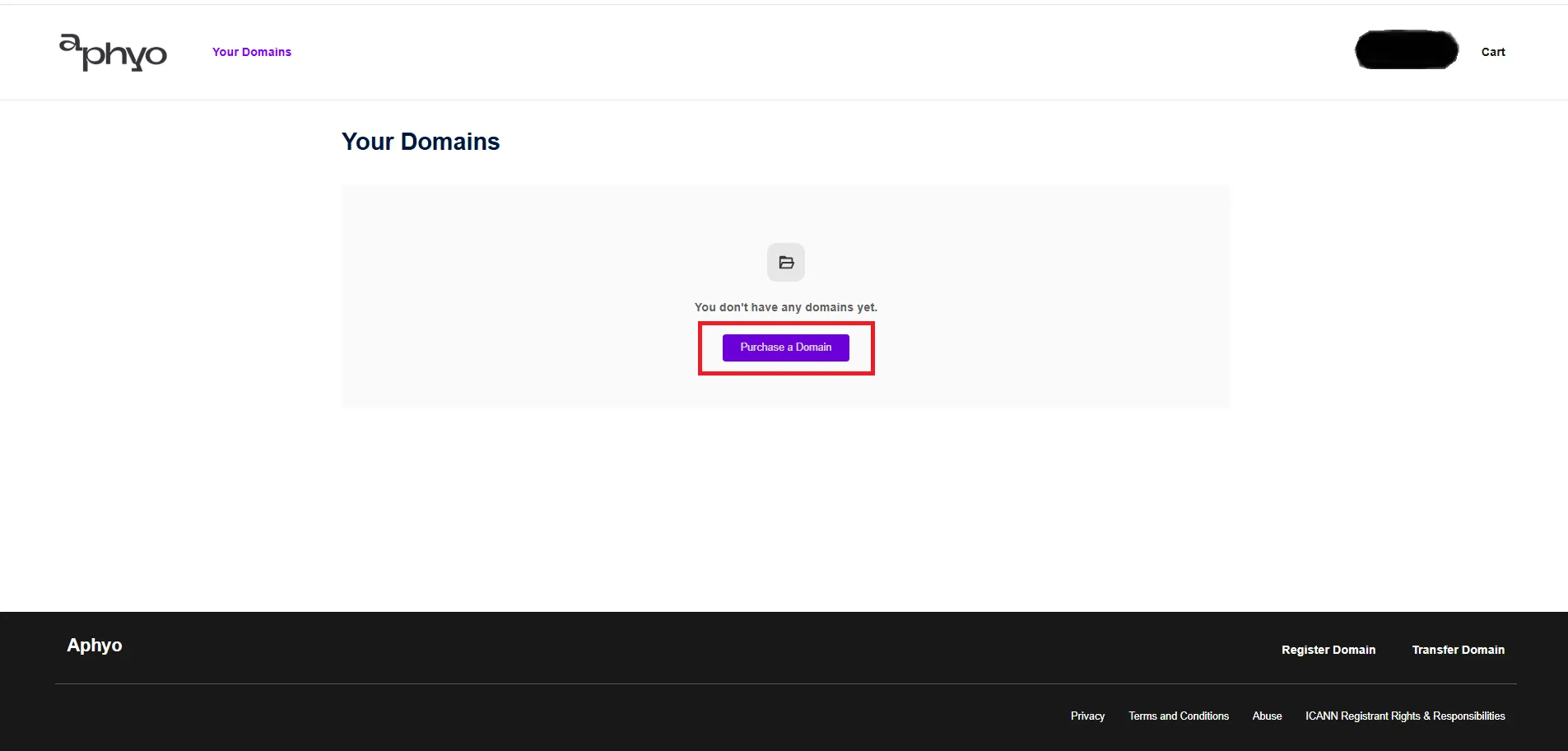
1.2. Click on “Purchase a Domain”.
Section titled “1.2. Click on “Purchase a Domain”.”If you don’t have any domains, from Your Domains click on Purchase a Domain or Add Domain if you have other domains.
1.3. Type in the URL
Section titled “1.3. Type in the URL”https://domains.aphyo.com/site/home or click here.
Step 2 - Find Your Domain
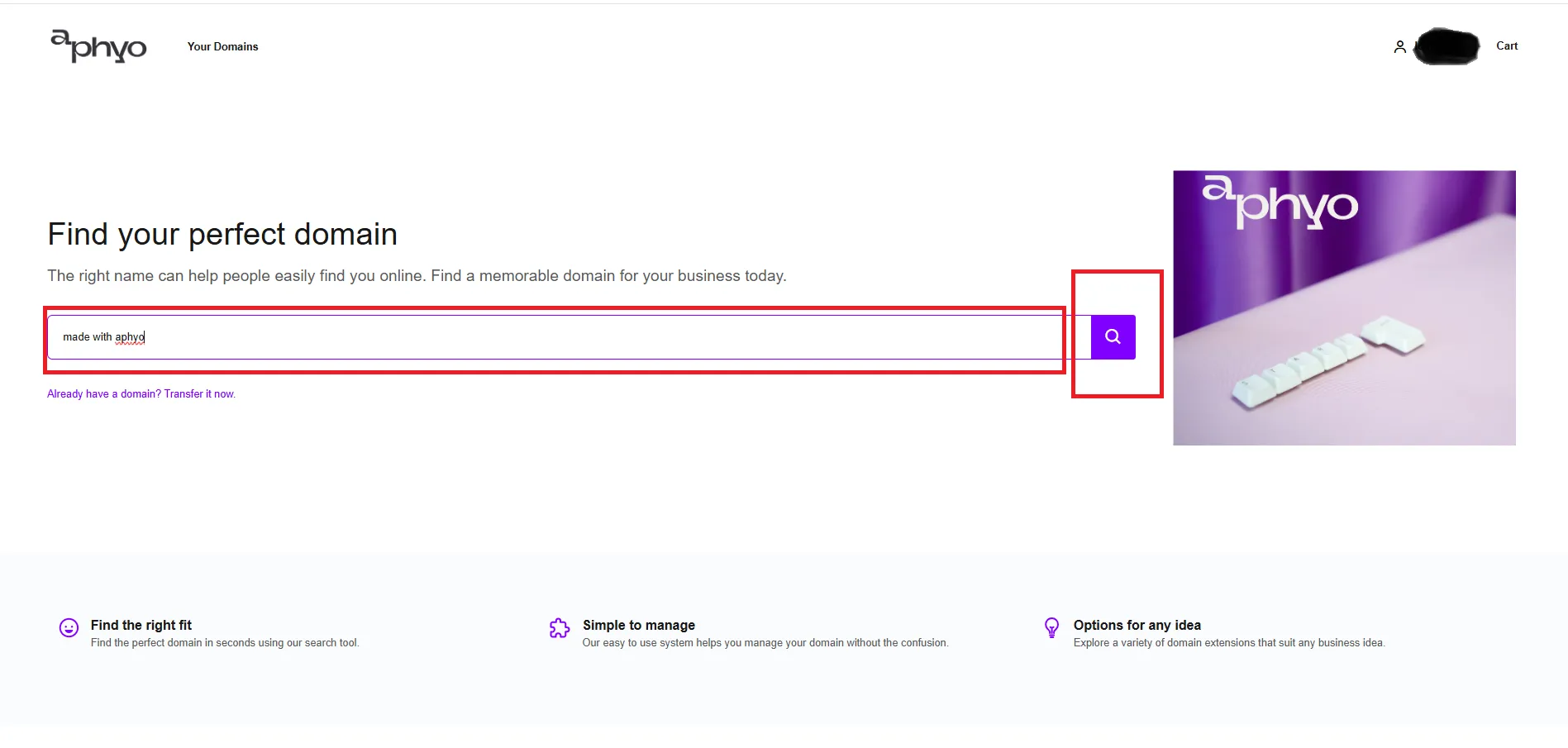
Section titled “Step 2 - Find Your Domain”You should be on the homepage, but this time you’ll be logged in.
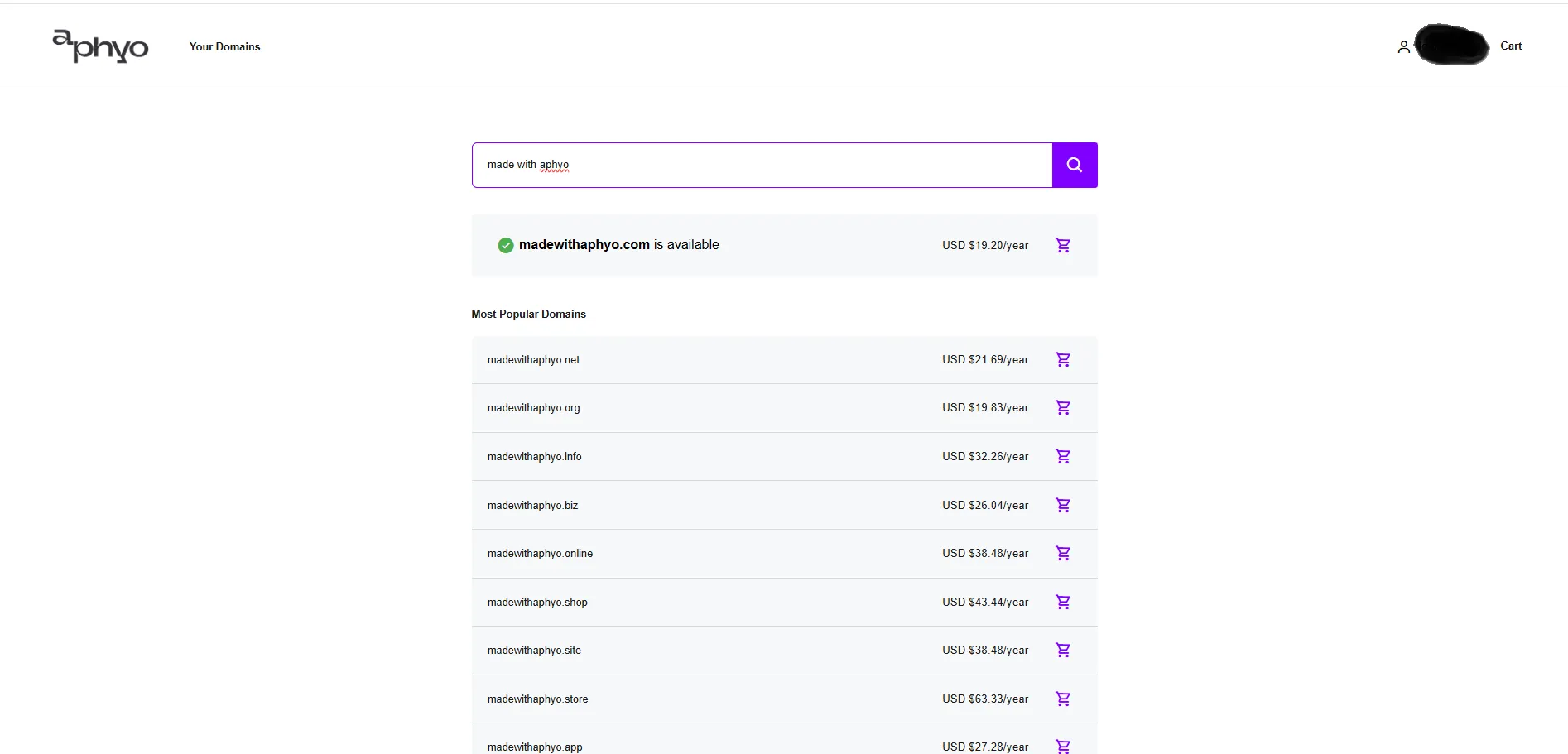
Use the “Search” field to look for your desired domain name, then click the search icon.
Step 3 - Domain List
Section titled “Step 3 - Domain List”A list of available domain options will be displayed.
Step 4 - Add to Cart
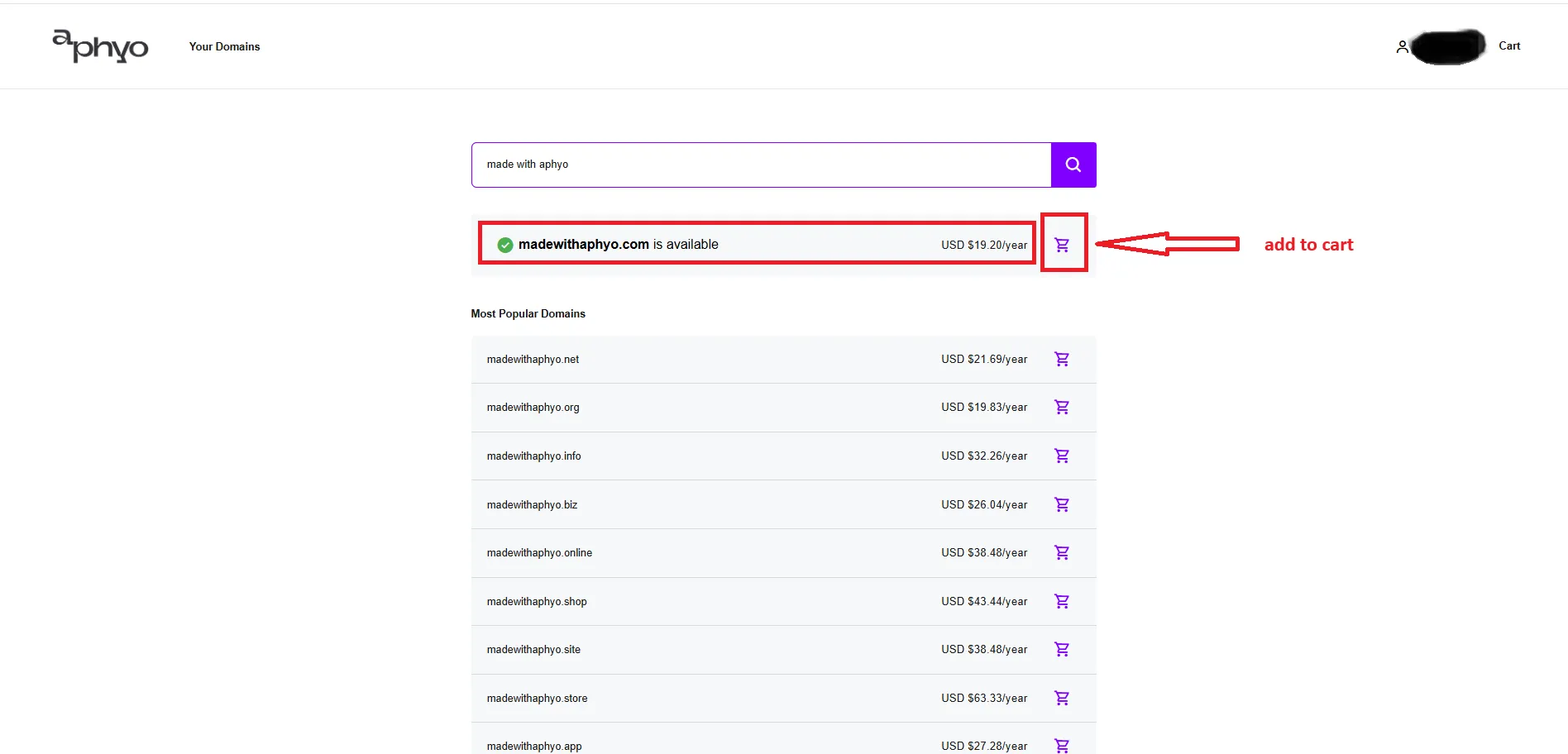
Section titled “Step 4 - Add to Cart”From this list, select a domain by clicking “Add to Cart” next to the one you want.
Step 5 - Your Cart
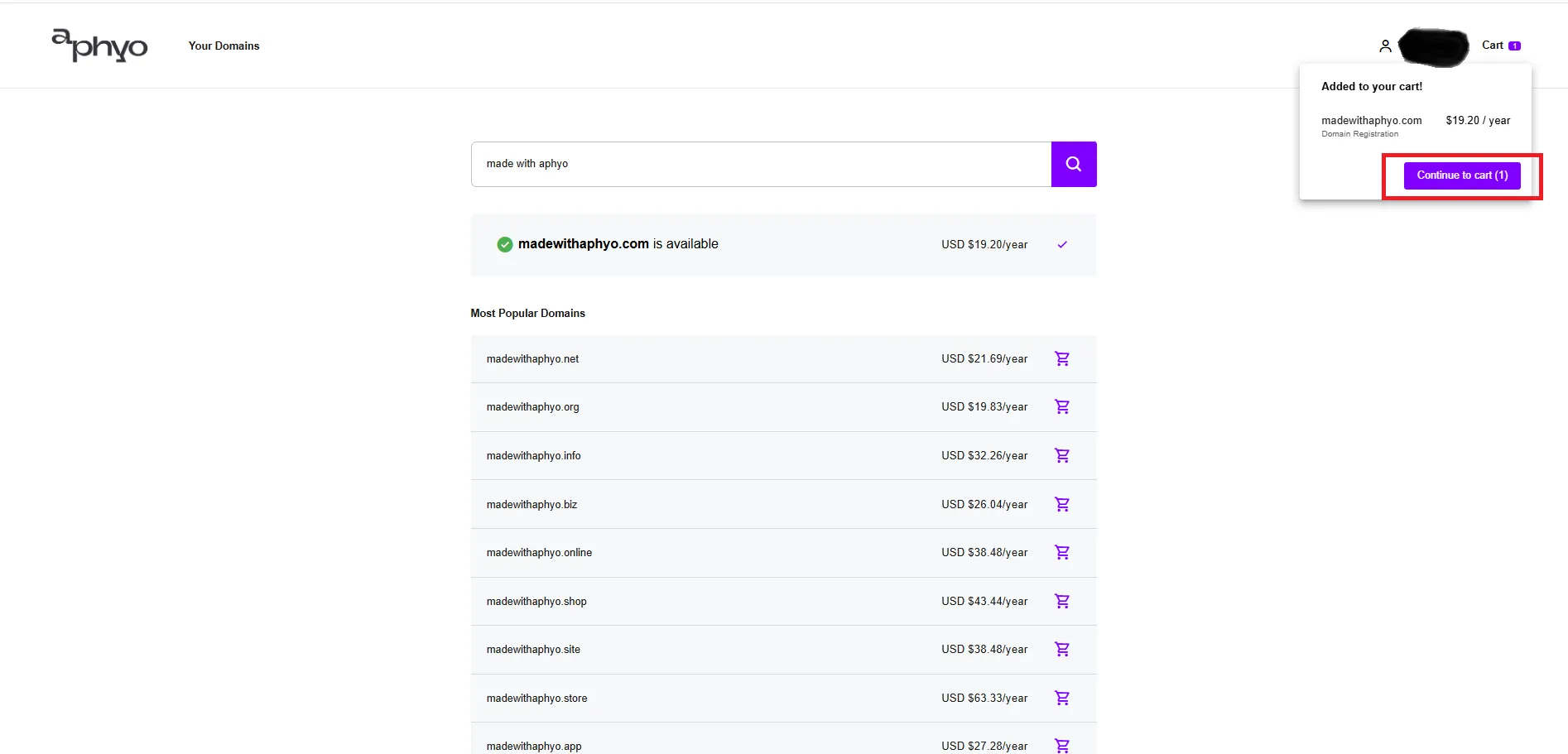
Section titled “Step 5 - Your Cart”Once you’ve added a domain to your cart, click “Continue to Cart”.
Step 6 - Checkout
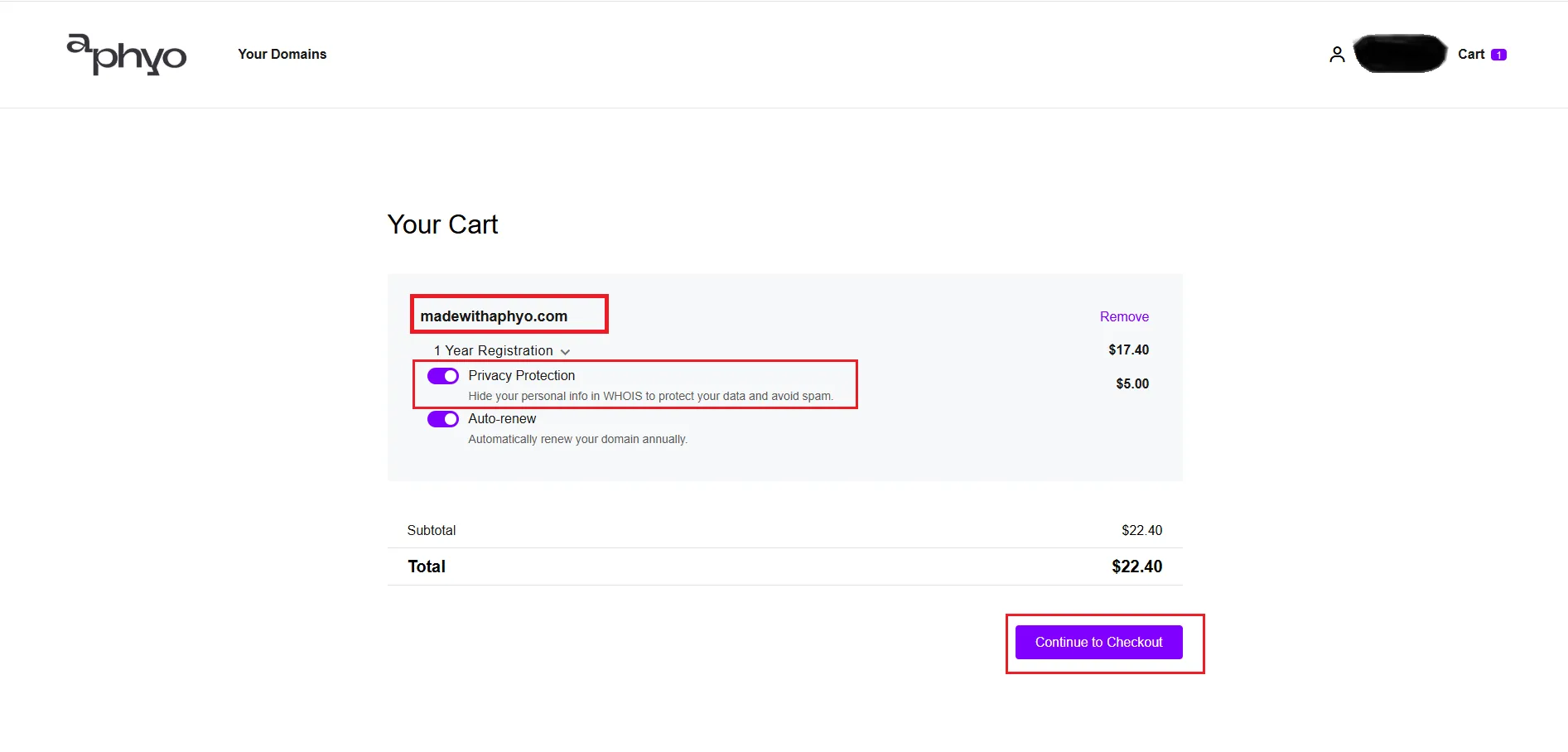
Section titled “Step 6 - Checkout”In the shopping cart, you’ll see the domain you’re about to purchase.
To proceed, click “Continue to Checkout”.
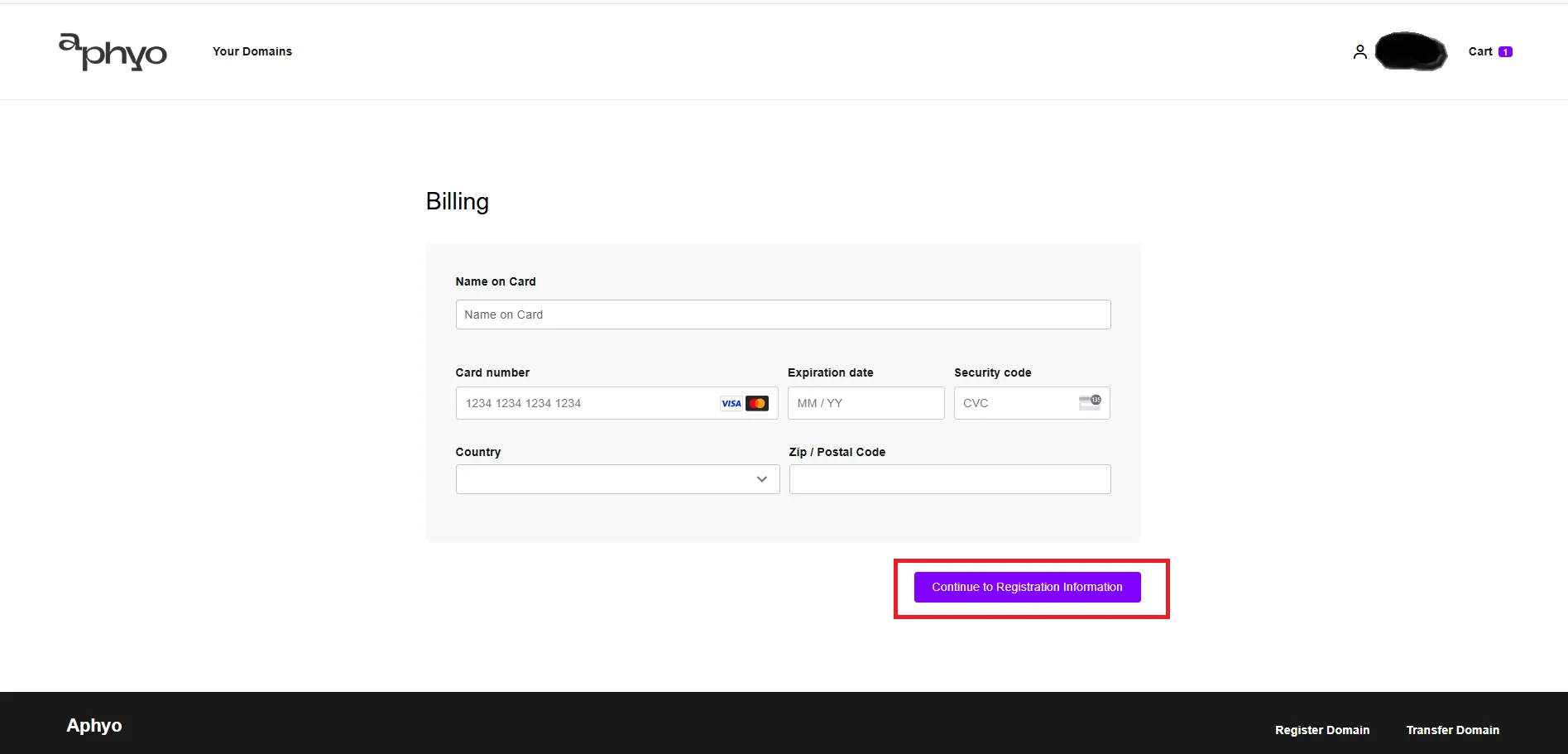
Step 7 - Billing
Section titled “Step 7 - Billing”Enter your payment details, then click “Continue to Registration Information”.
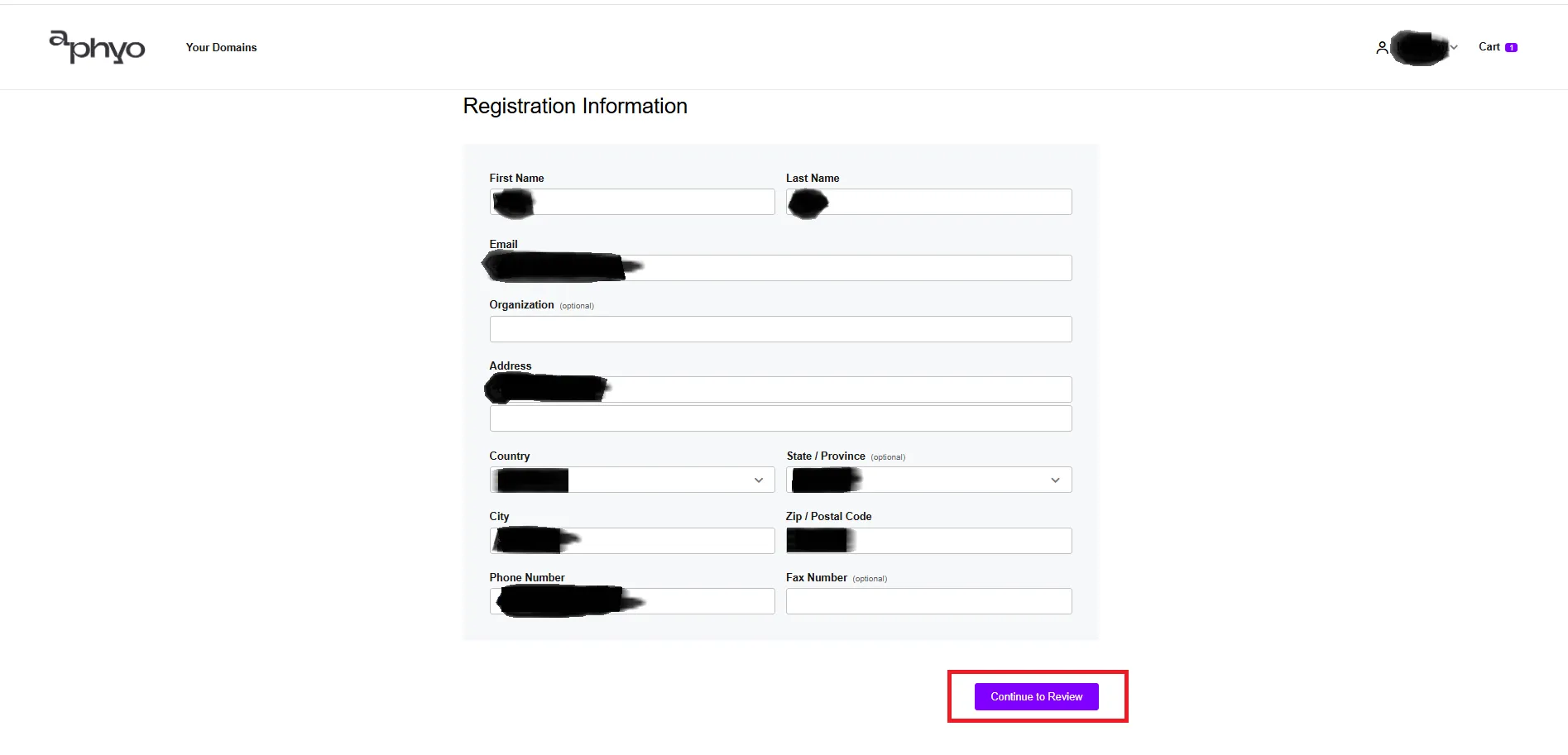
Step 8 - Registration Information
Section titled “Step 8 - Registration Information”Click “Continue to Review” to review your order.
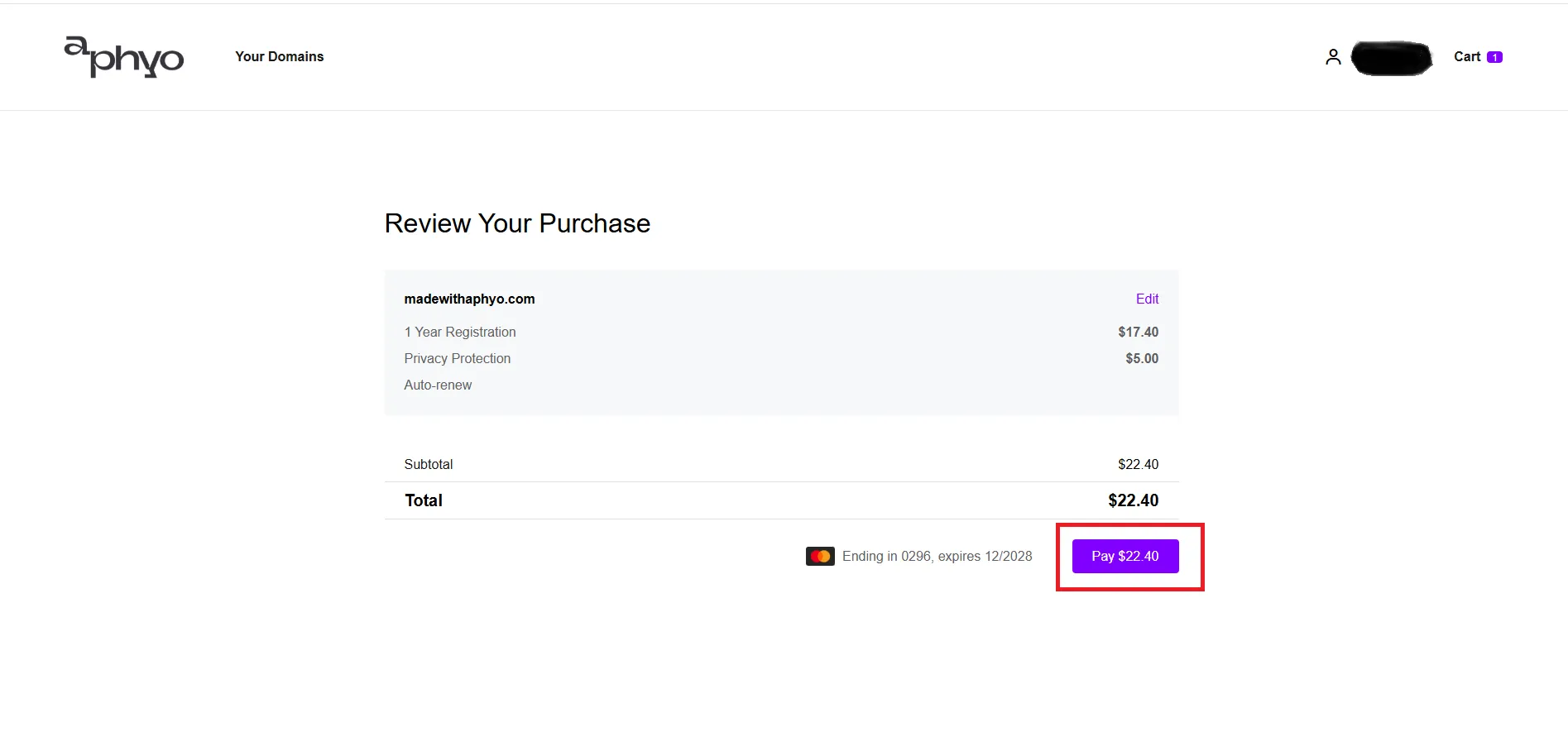
Step 9 - Review Your Purchase
Section titled “Step 9 - Review Your Purchase”Finally, click “Pay” to complete the purchase.
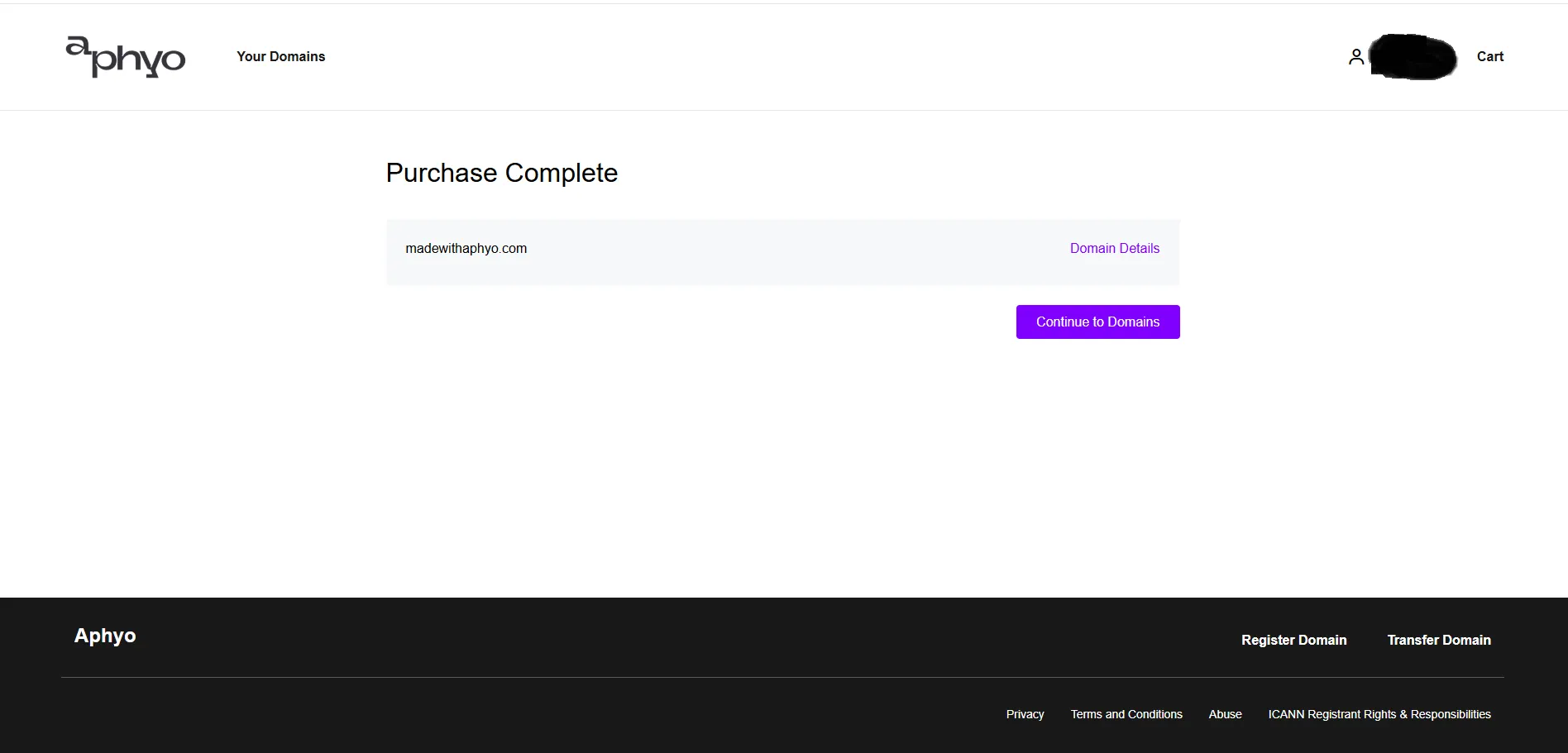
Step 10 - Purchase Complete
Section titled “Step 10 - Purchase Complete”Your domain has now been successfully purchased.