

How to cancel an invitation for a possible collaborator
In this tutorial, we will guide you through the process of canceling an invitation.
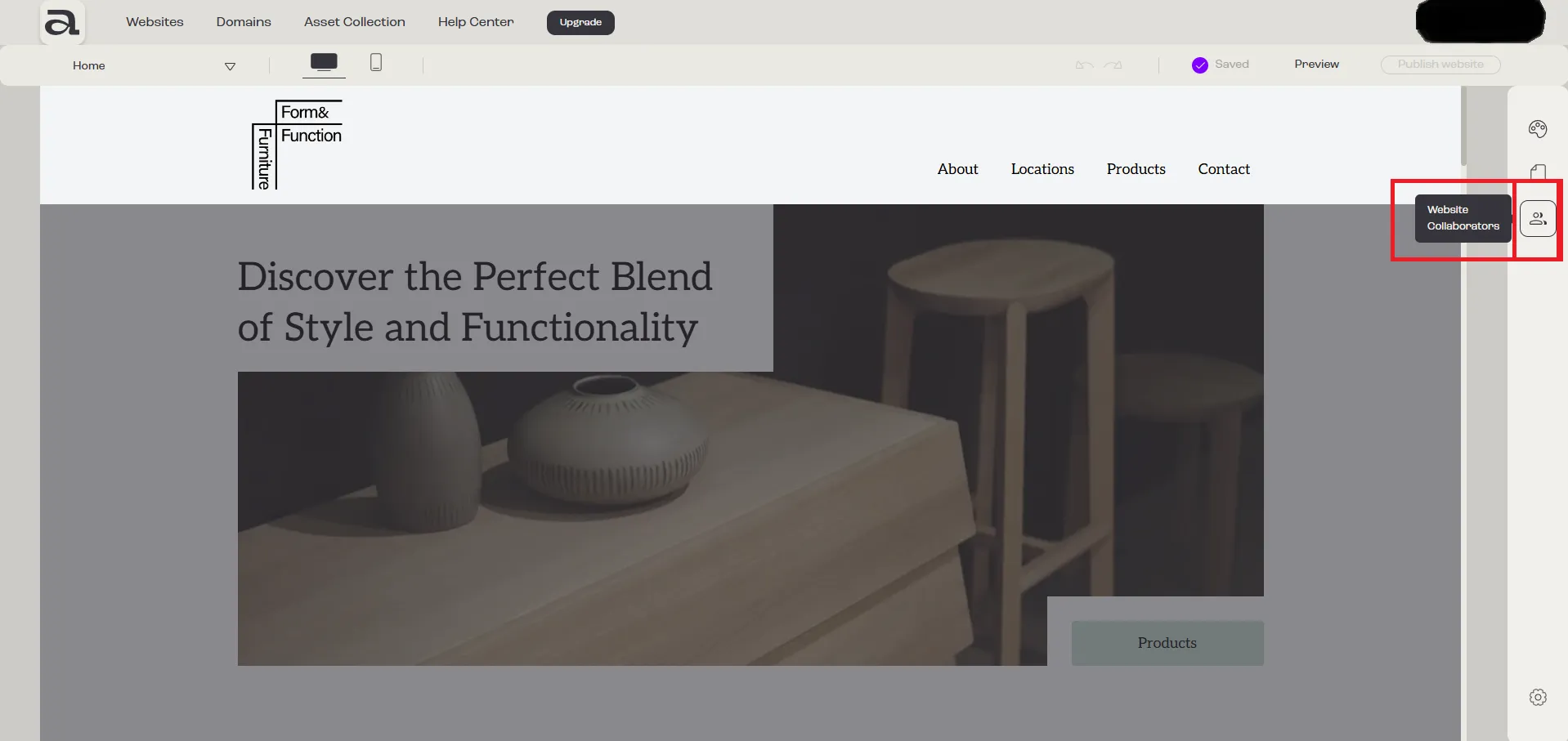
Step 1 - Open Website Collaborators
Section titled “Step 1 - Open Website Collaborators”Click on the “Website Collaborators” button.
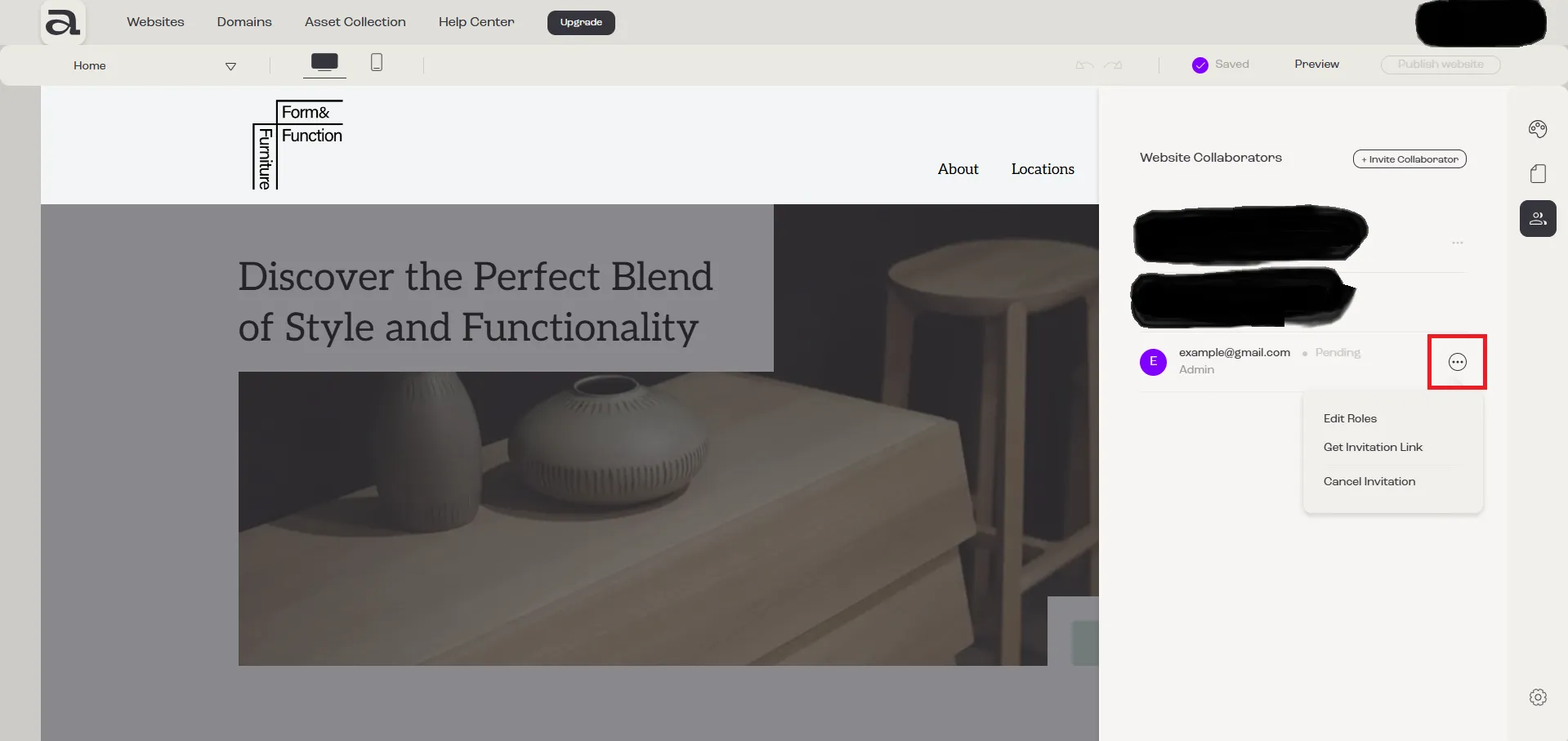
Step 2 - Open Menu
Section titled “Step 2 - Open Menu”If the invitation has not yet been accepted, click on the three-dot menu next to the collaborator whose invitation you want to cancel.
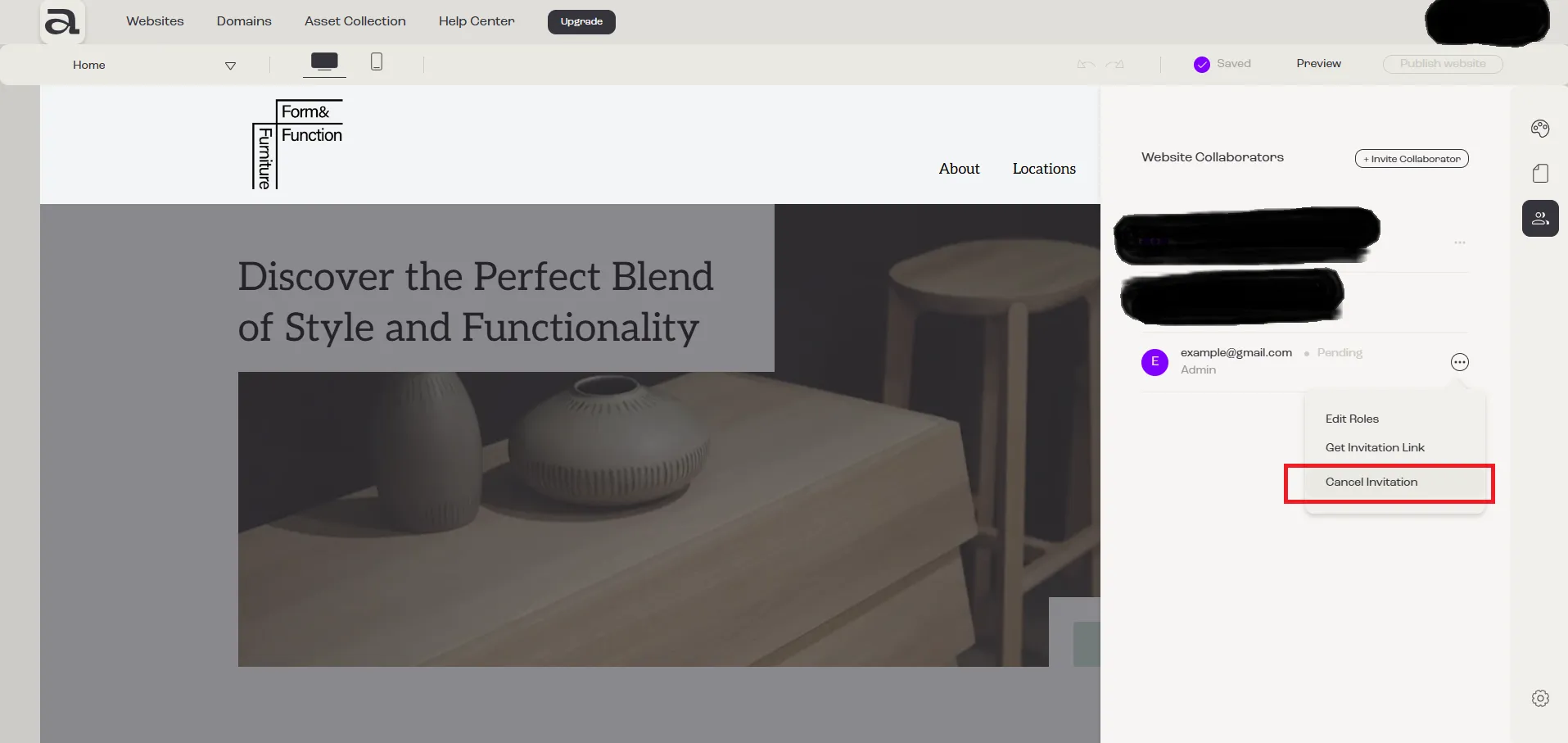
Step 3 - Cancel Invitation
Section titled “Step 3 - Cancel Invitation”Click on “Cancel Invitation”.
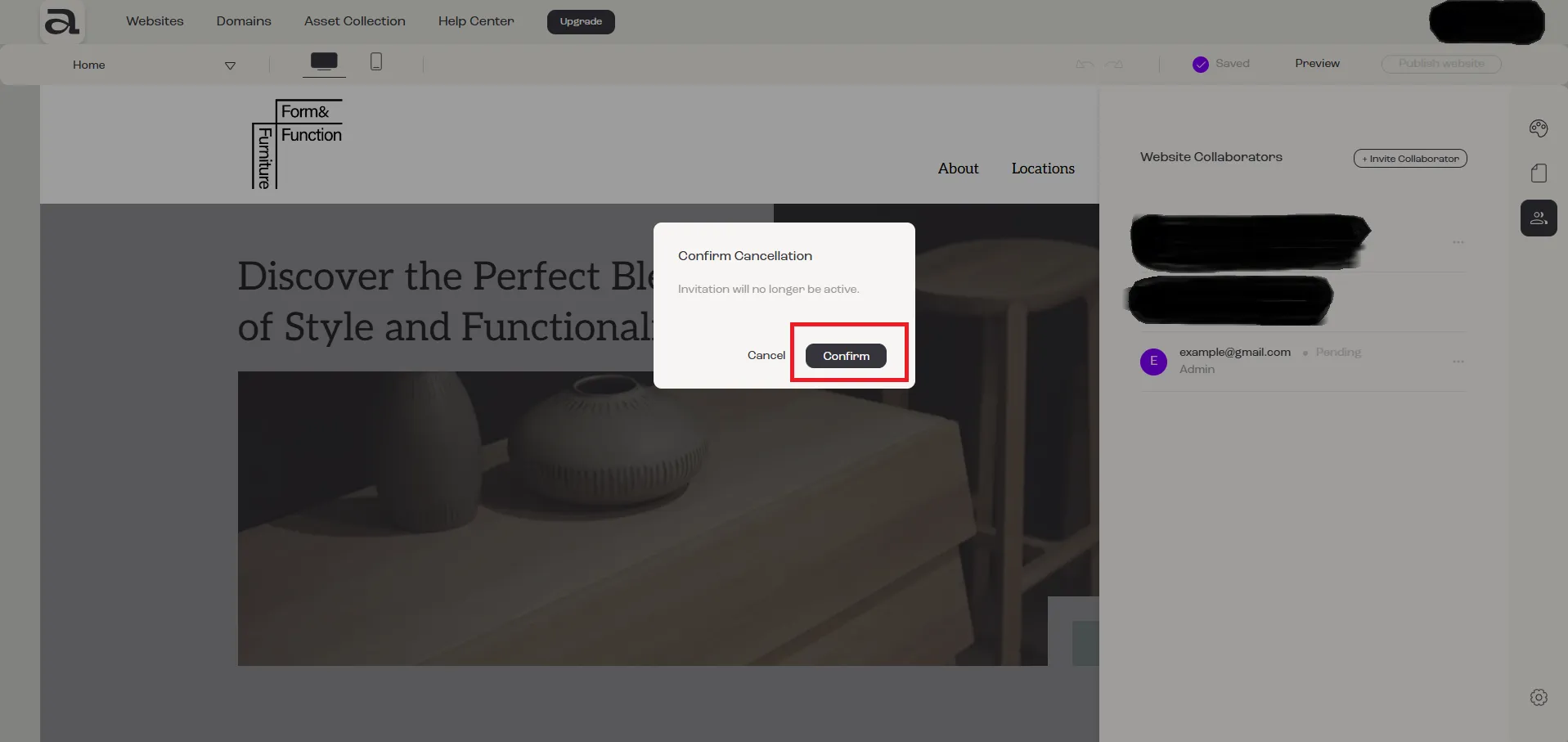
Step 4 - Confirm Cancellation
Section titled “Step 4 - Confirm Cancellation”To confirm the cancellation, click the “Confirm” button in the “Confirm Cancellation” modal.
Next steps
Section titled “Next steps”- how to invite a collaborator
- how to accept an invitation
- how to remove a member of your team