

How to add a box style
In this tutorial, we will guide you on how to add a box style.
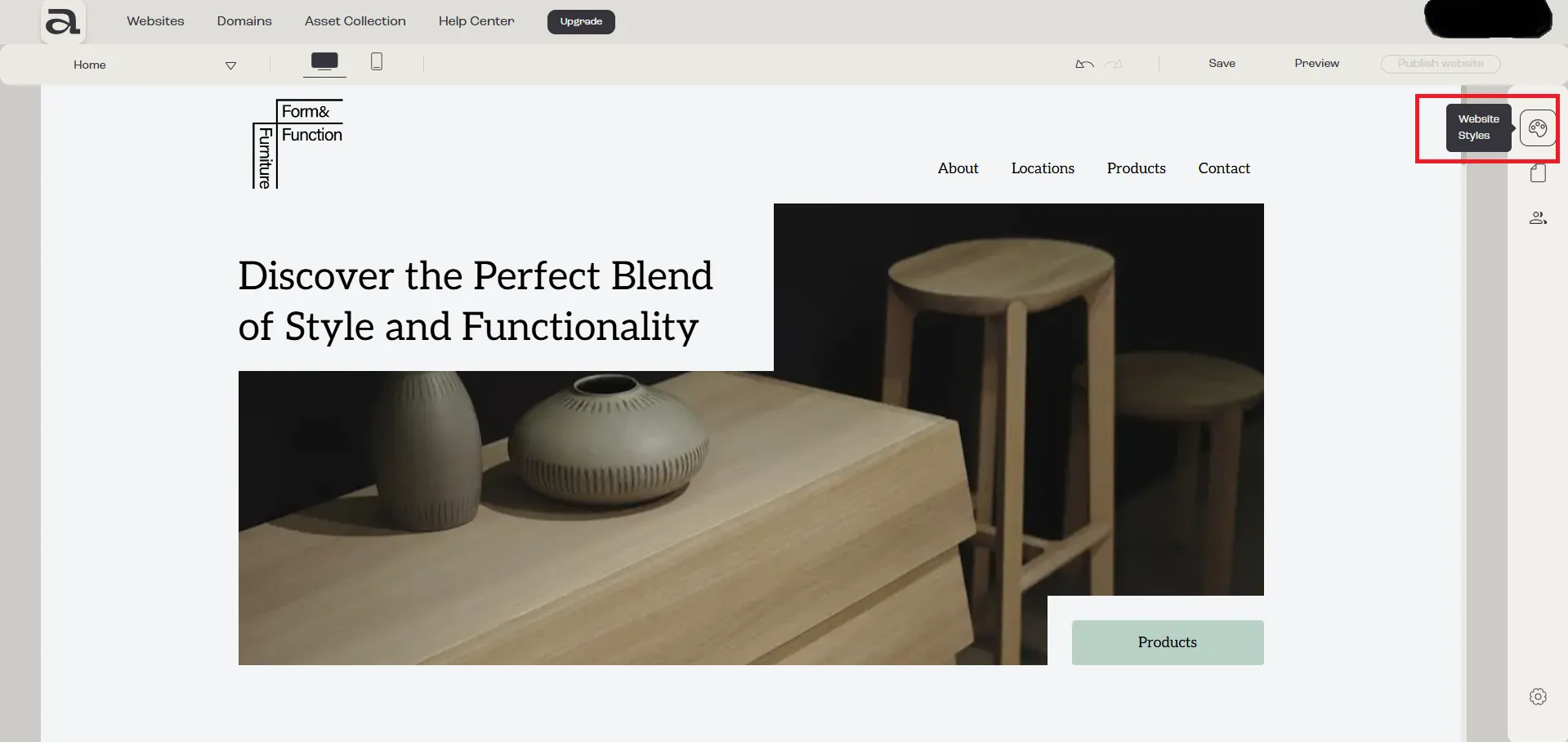
Step 1 - Open Website Styles
Section titled “Step 1 - Open Website Styles”Click on the “Website Styles” button.
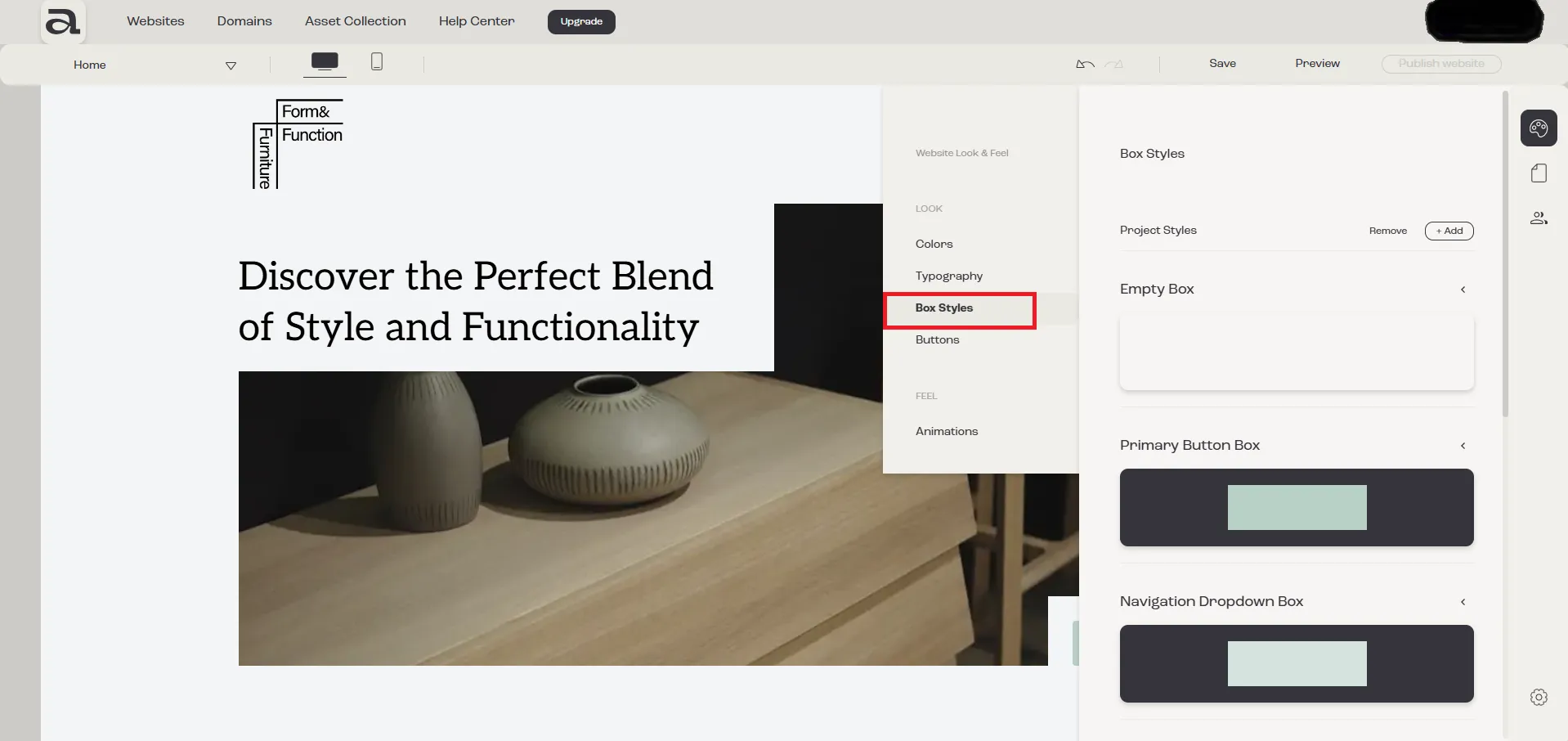
Step 2 - Open Box Styles
Section titled “Step 2 - Open Box Styles”In the “Website Look & Feel” menu, select “Box Styles”.
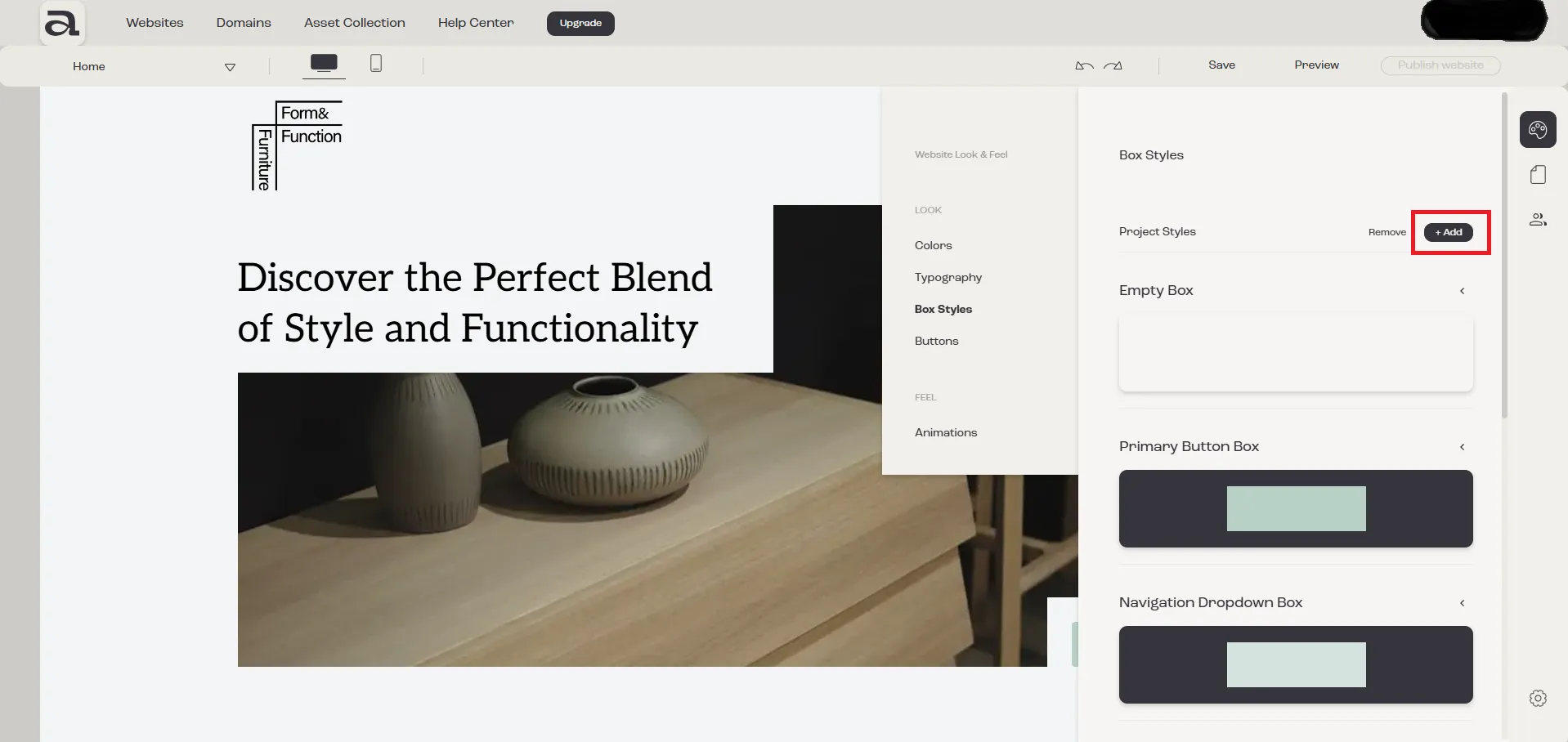
Step 3 - Add Box Style
Section titled “Step 3 - Add Box Style”Click on the “Add” button.
Next steps
Section titled “Next steps”- how to remove box styles
- how to customize box styles