

How to delete a page
In this article, you will learn how to delete a page from your website.
Step 1
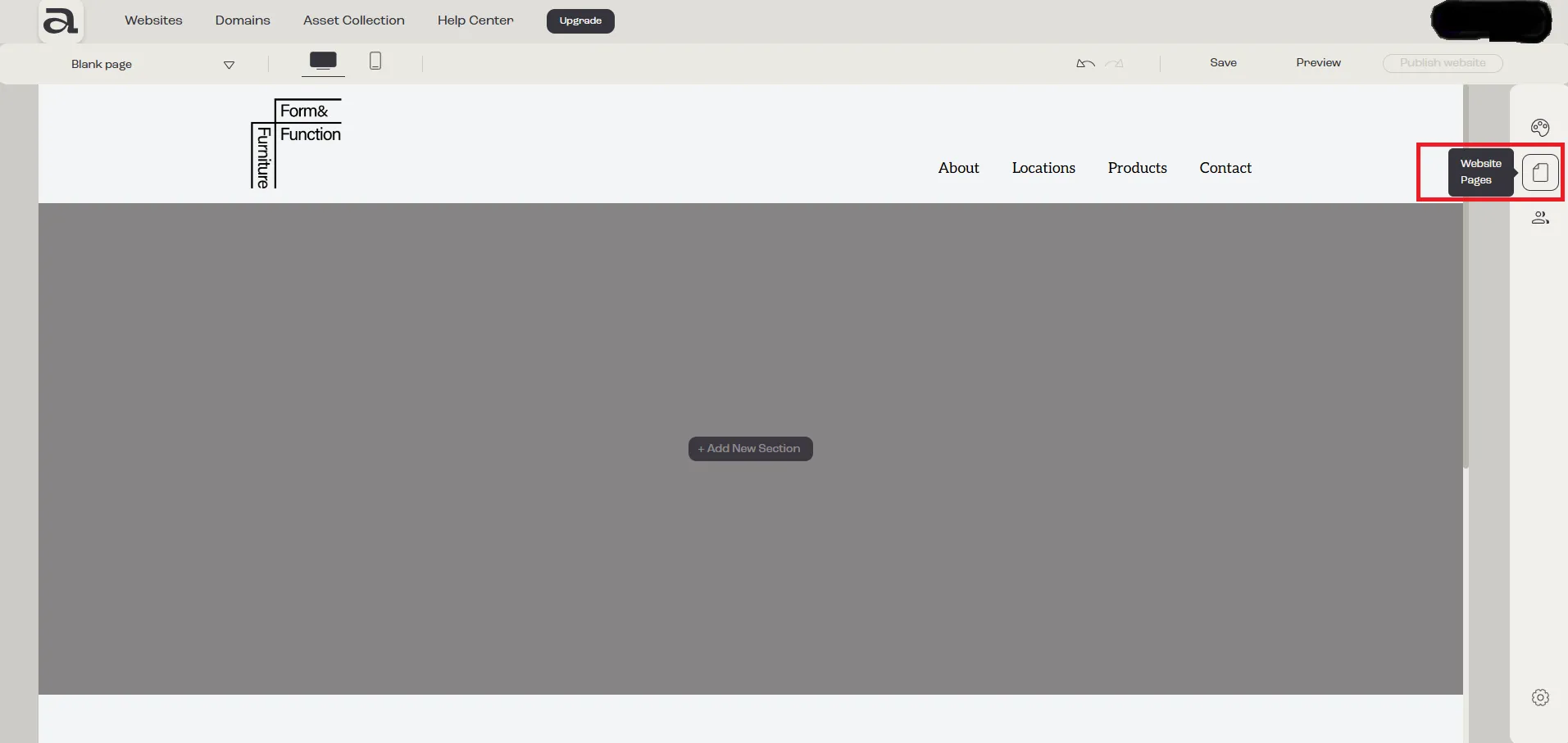
Section titled “Step 1”Click the “Website Pages” button in the sidebar menu.
Step 2
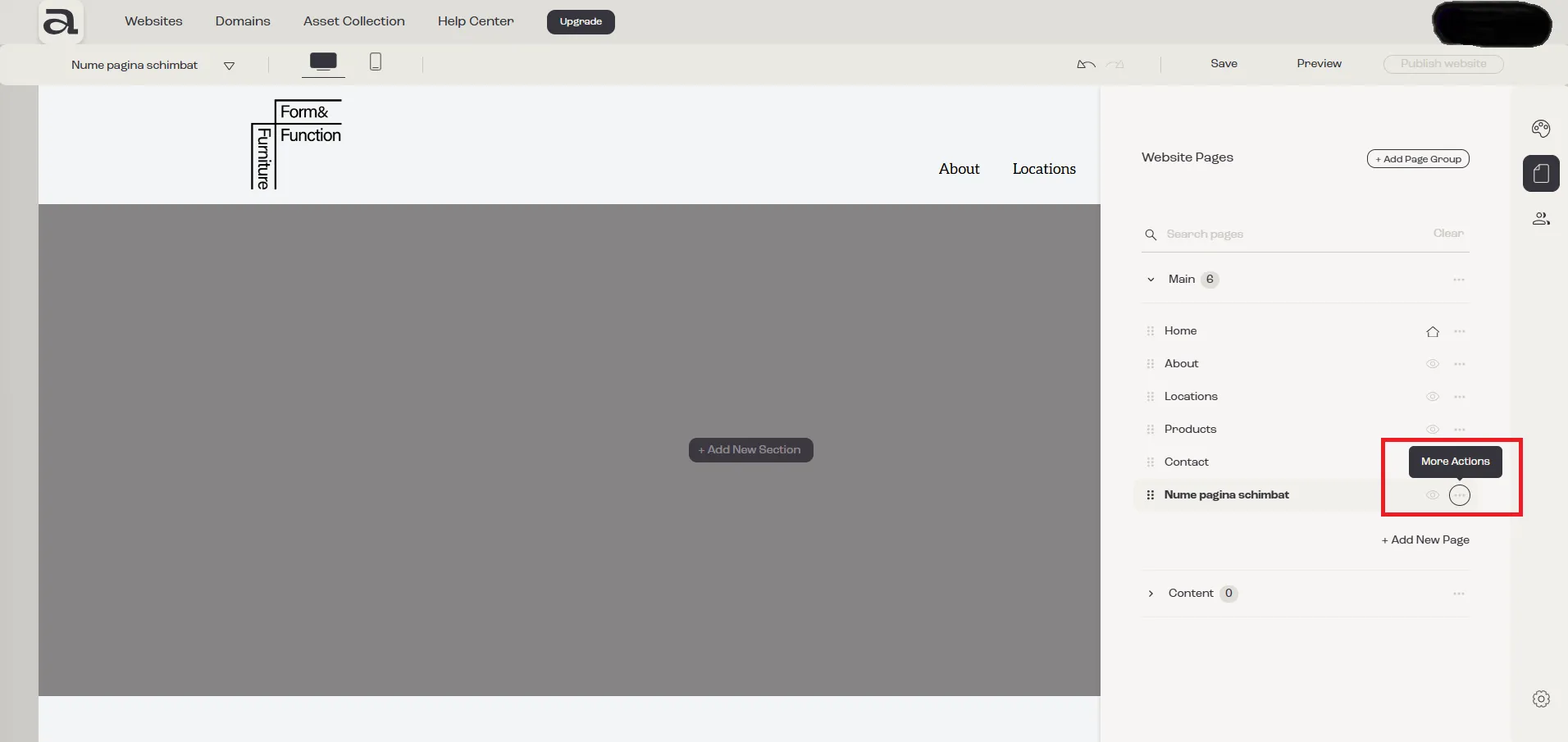
Section titled “Step 2”Select “More Actions” next to the page you want to delete.
Step 3
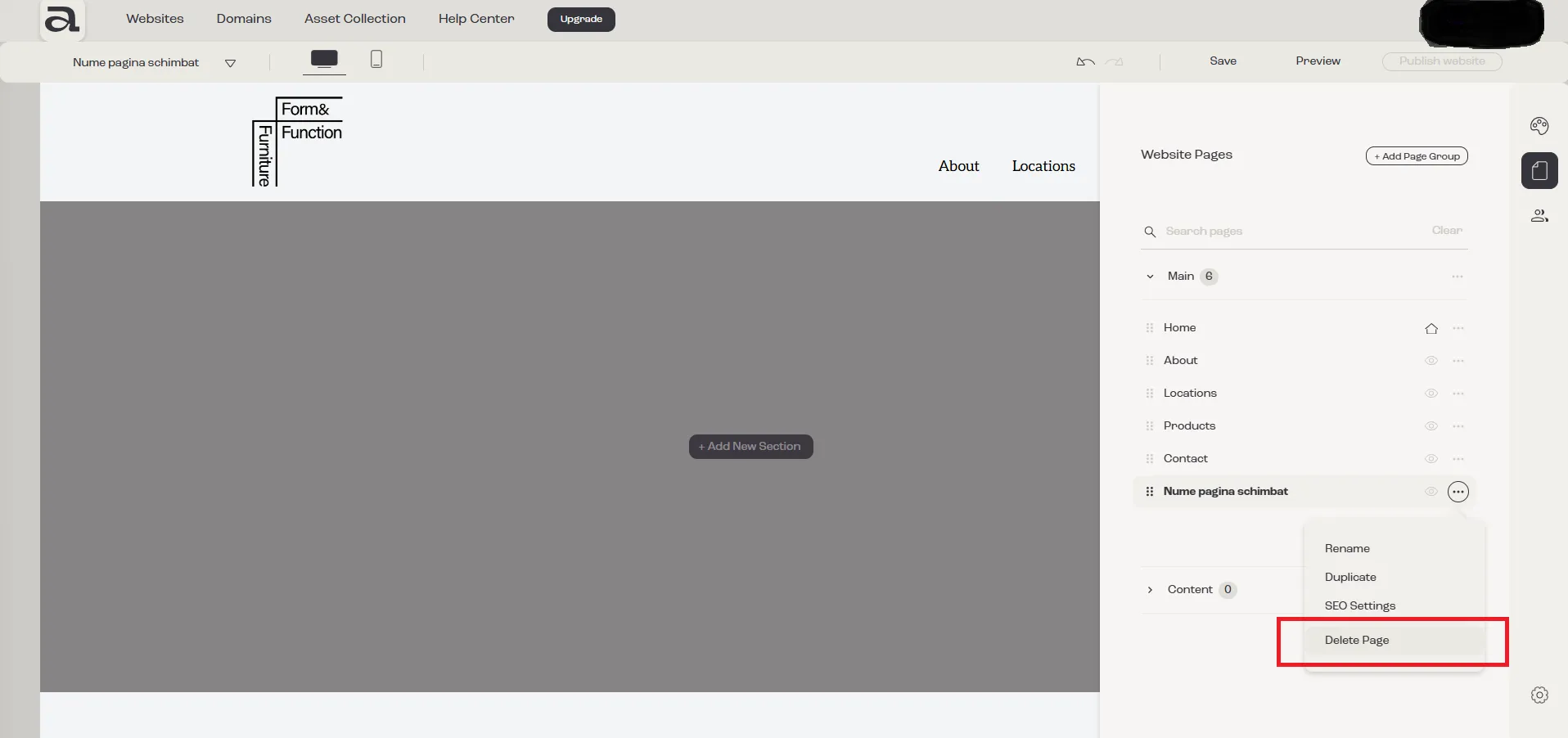
Section titled “Step 3”Click “Delete Page” from the dropdown options.
Step 4
Section titled “Step 4”In the confirmation dialog, click the “Confirm” button.
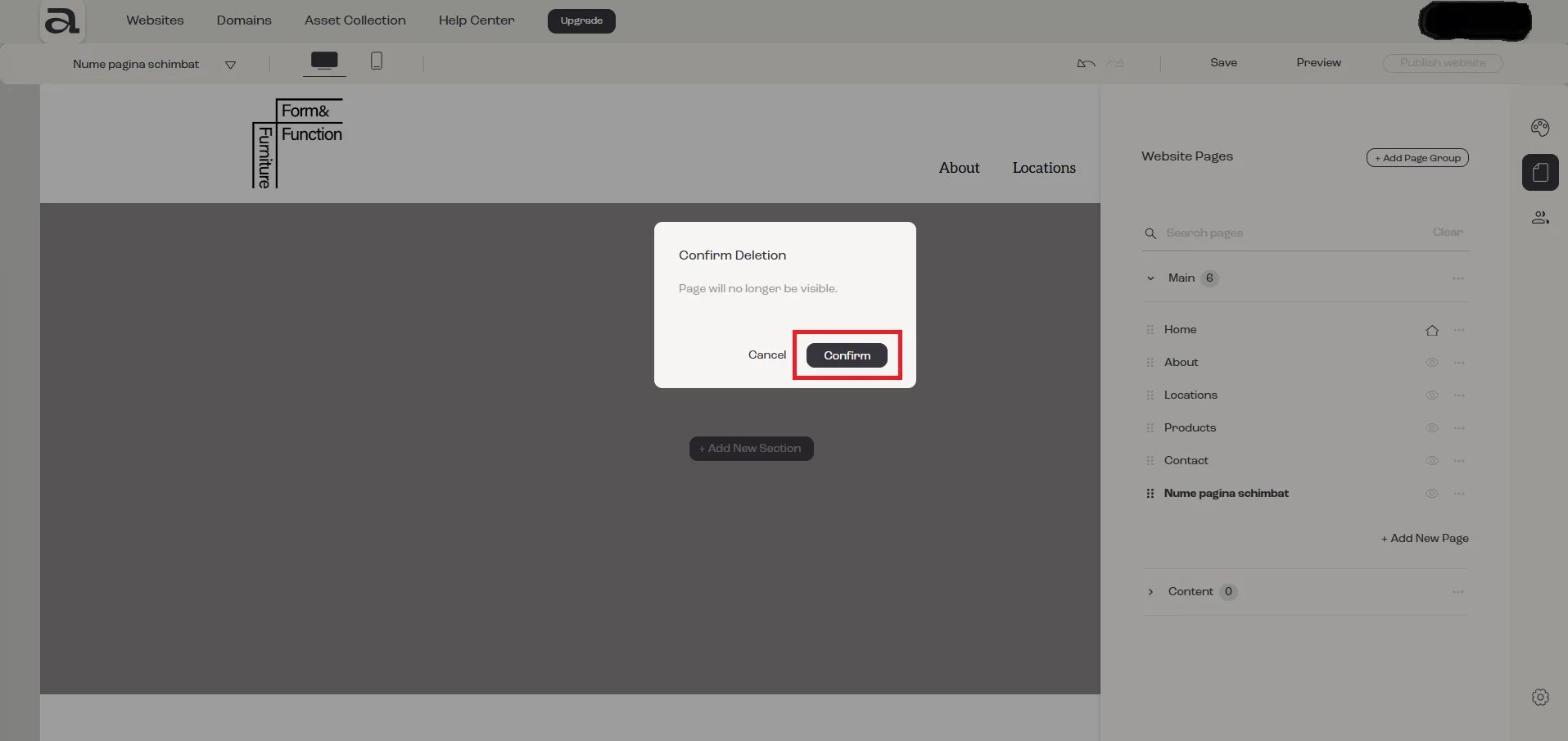
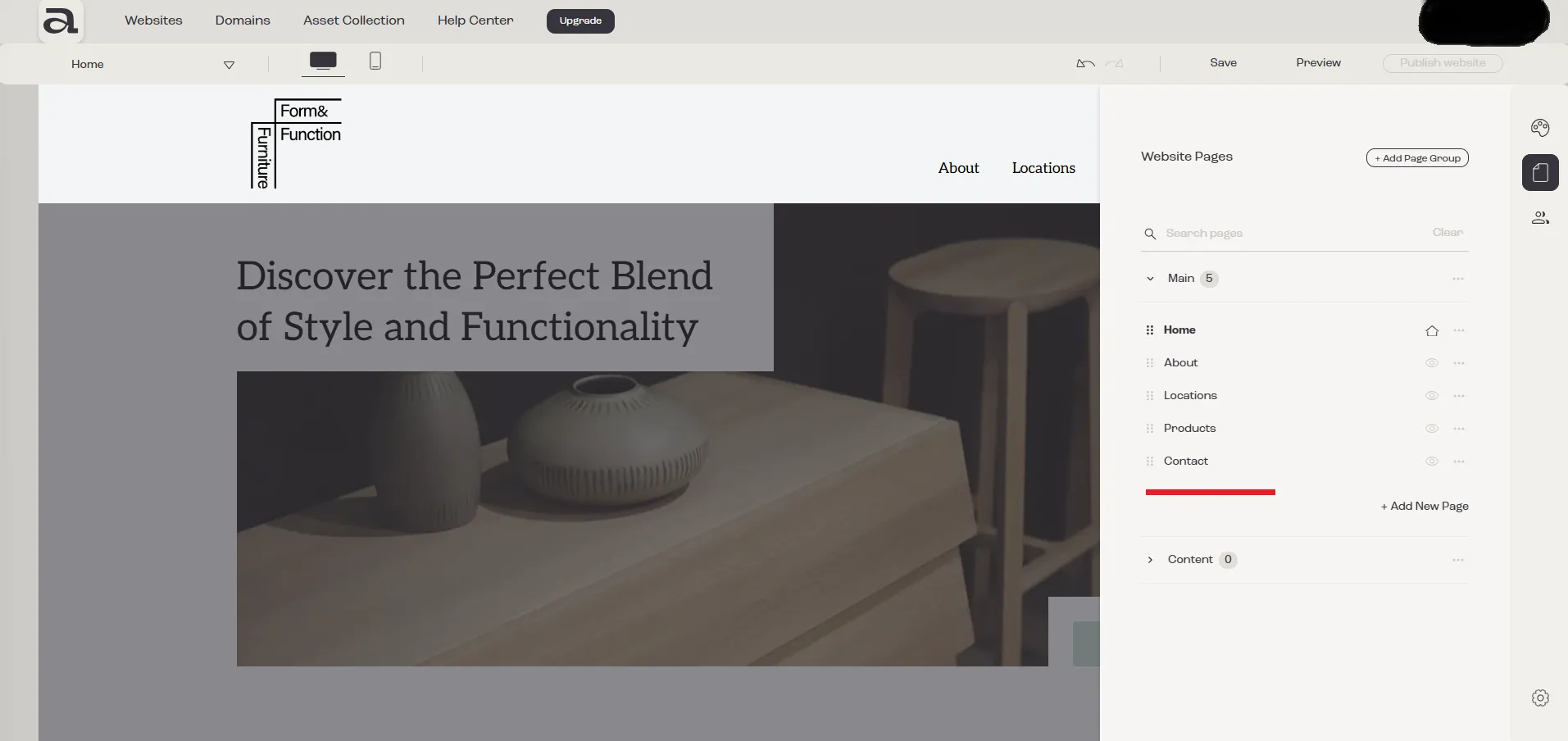
As shown in the image below, the page has been successfully deleted.
Next steps:
Section titled “Next steps:”- add another page
- read more about pages management