

How to remove a collaborator from your team
In this tutorial, we will guide you through the process of removing a collaborator from your team.
Step 1 - Open Website Collaborators
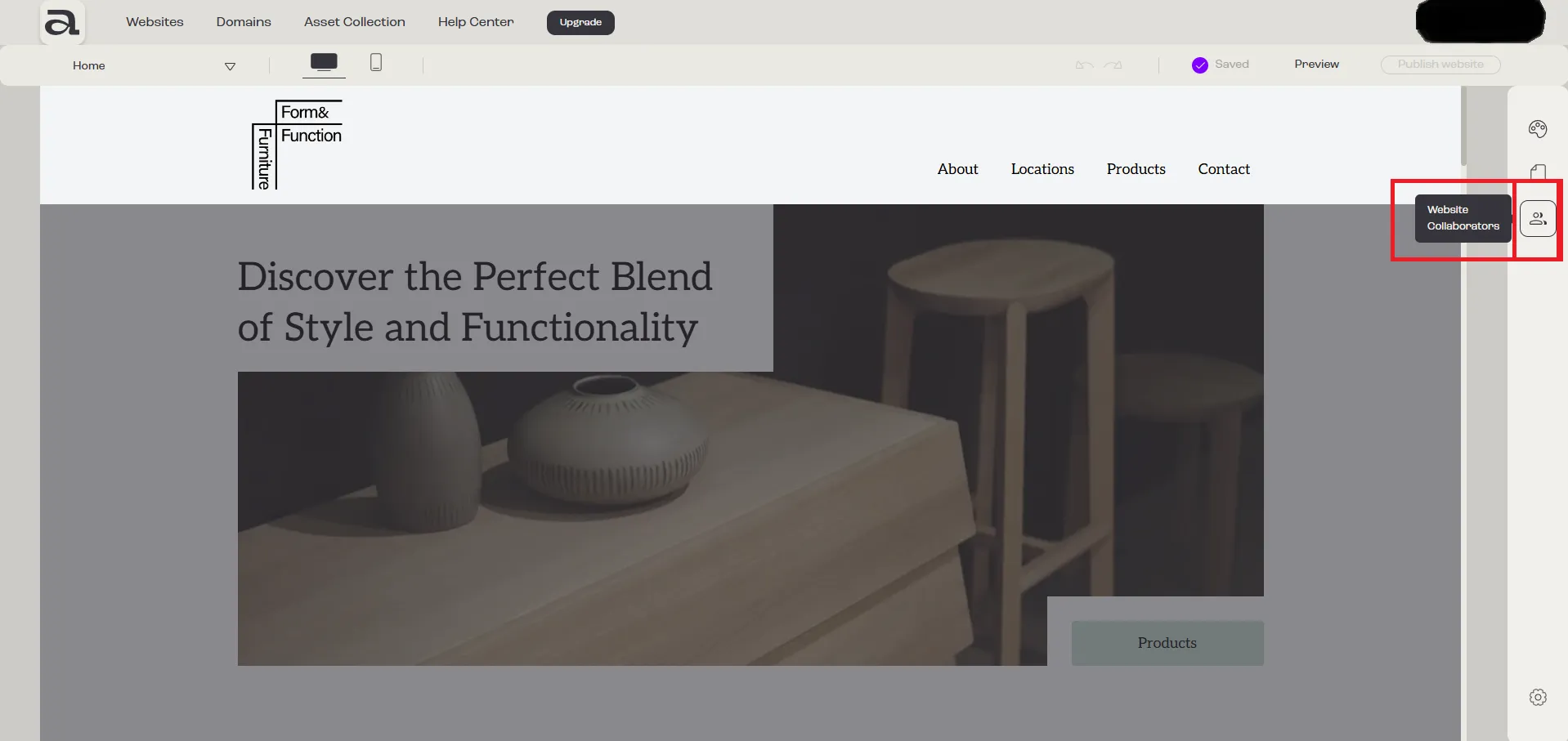
Section titled “Step 1 - Open Website Collaborators”Click on the “Website Collaborators” button.
Step 2 - Open Menu
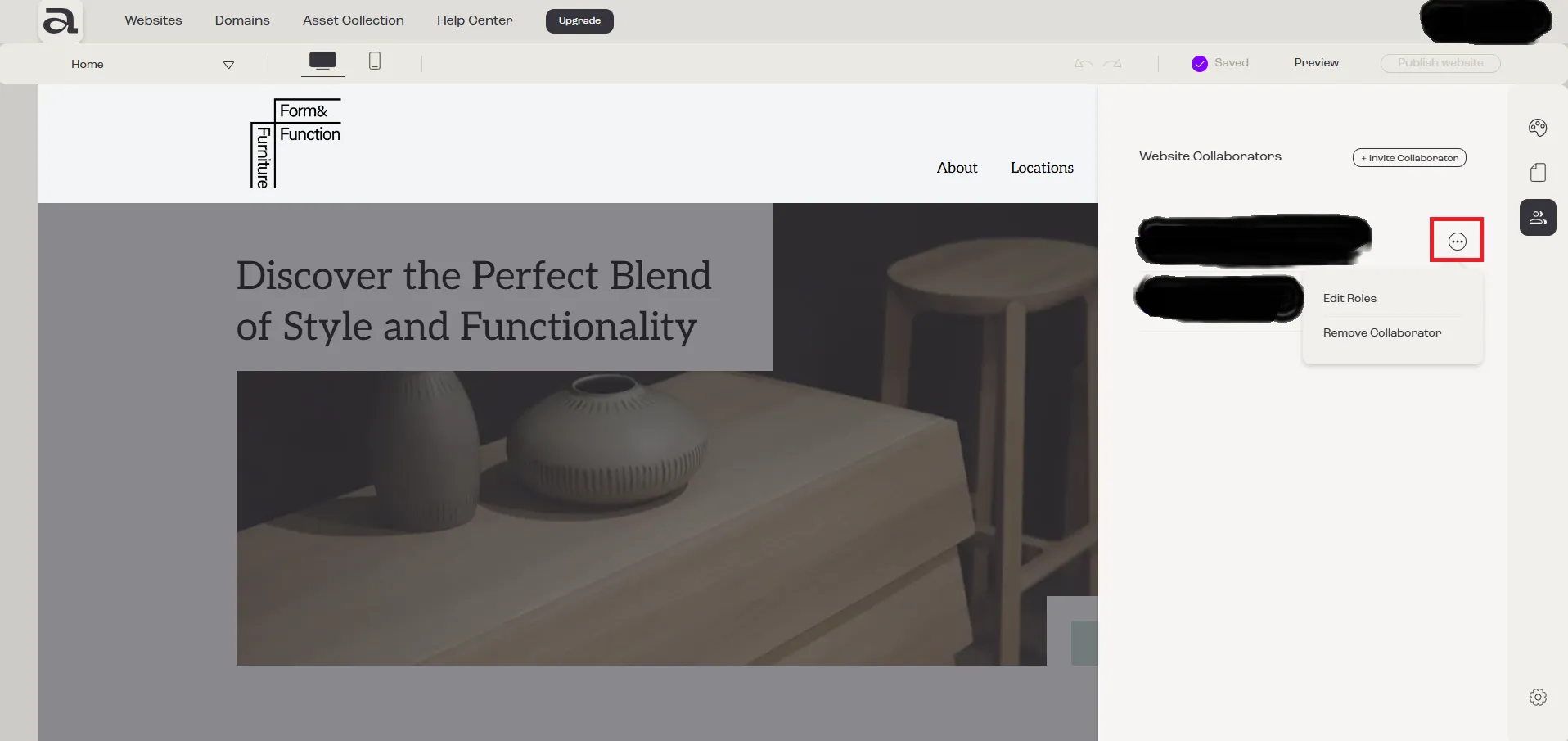
Section titled “Step 2 - Open Menu”Click on the three-dot menu next to the collaborator you want to remove from the team.
Step 3 - Remove Collaborator
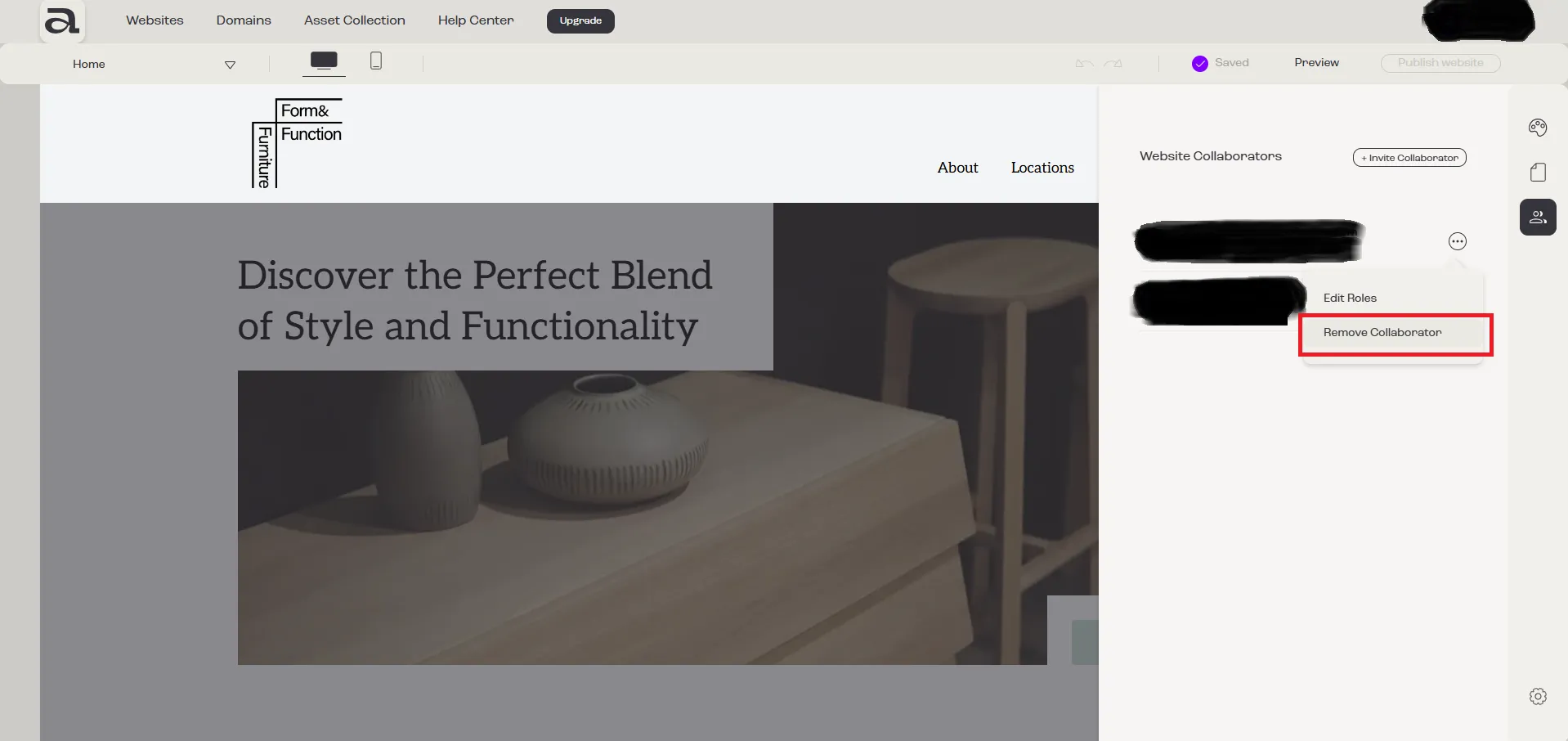
Section titled “Step 3 - Remove Collaborator”A menu with two options will appear. Click on “Remove Collaborator”.
Step 4 - Confirm Removal
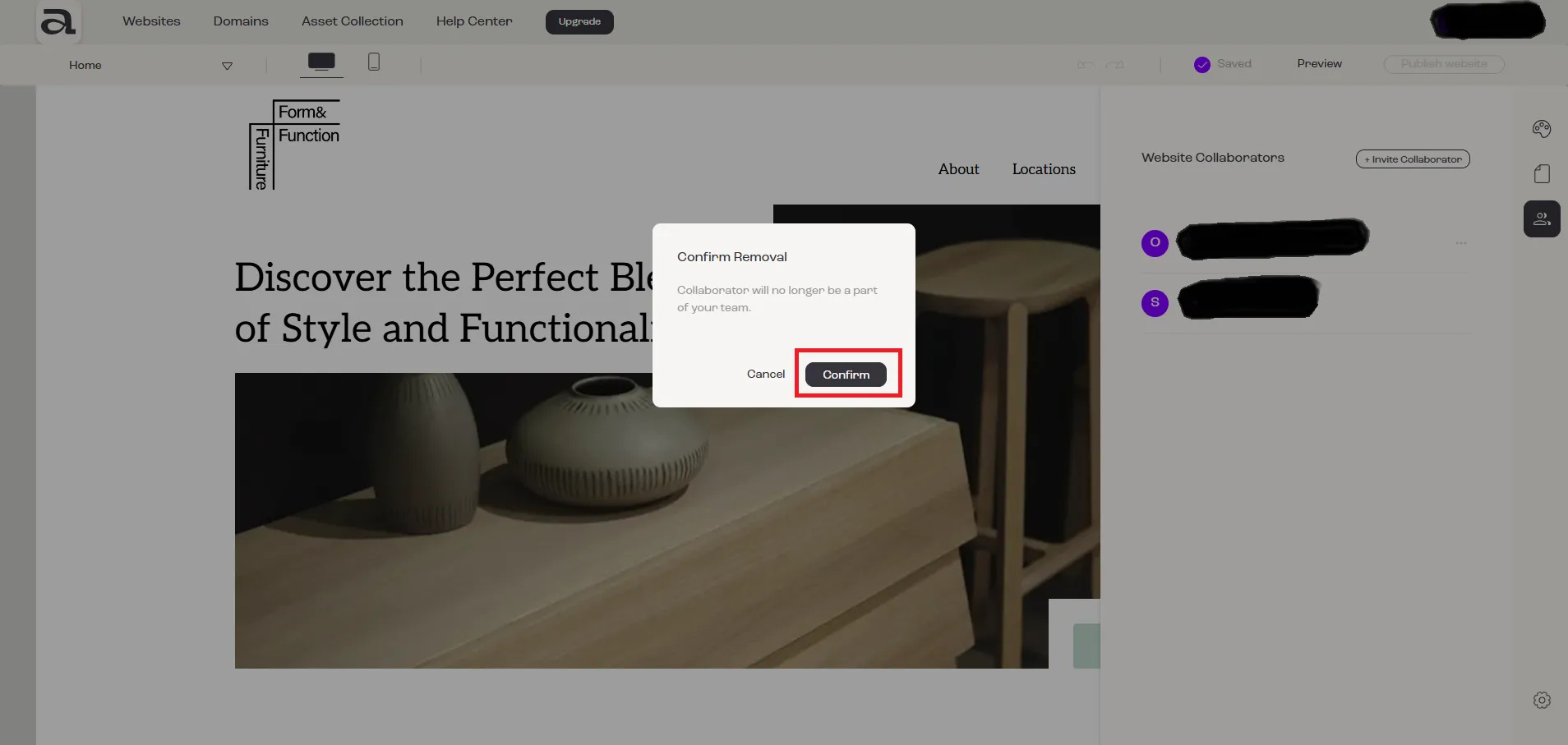
Section titled “Step 4 - Confirm Removal”To confirm the removal, in the “Confirm Removal” modal, click on the “Confirm” button.
Next steps
Section titled “Next steps”- how to leave a team
- how to change a member’s roles
- how to remove a member of your team