

How to leave a website team of collaborators
In this tutorial, we will guide you through the process of leaving a team.
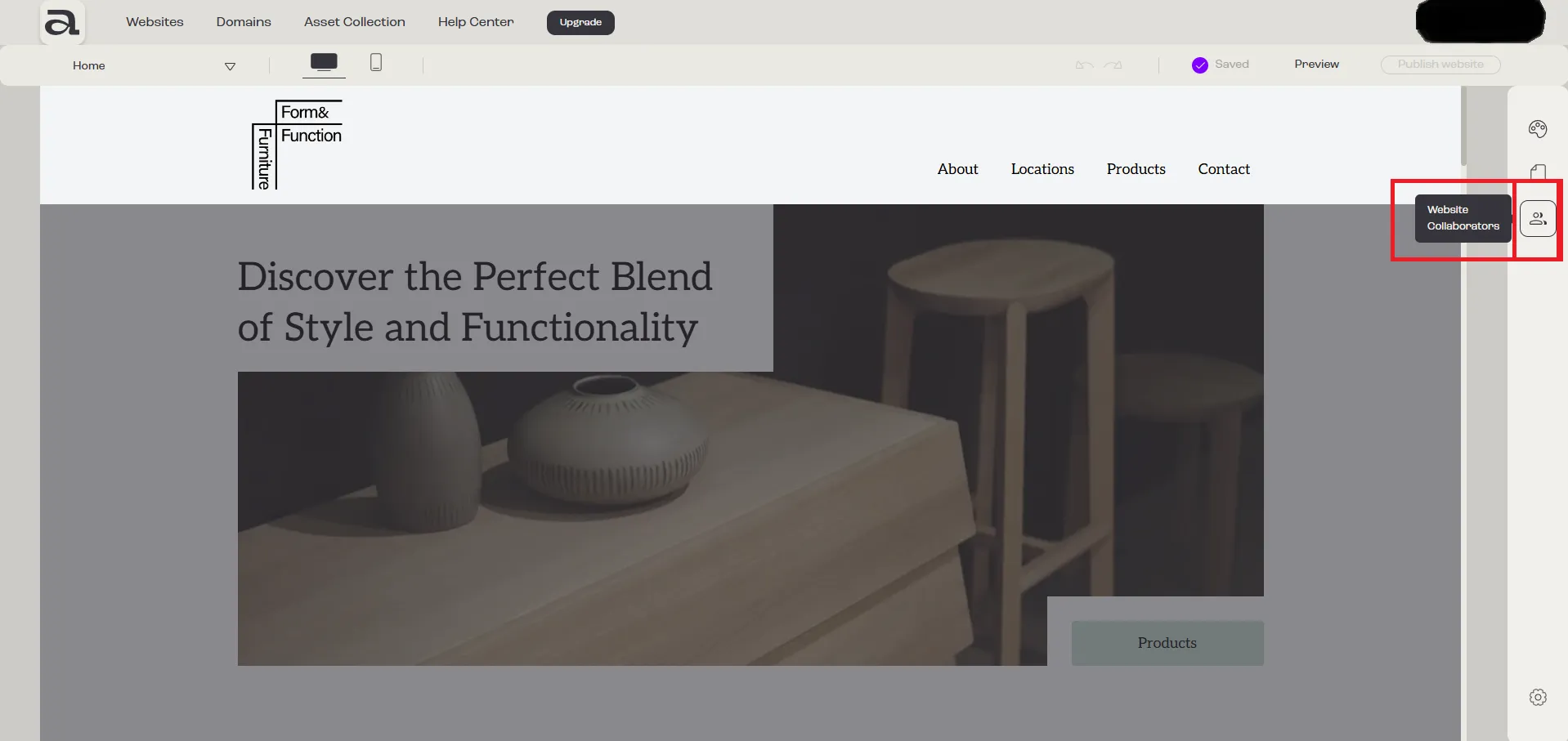
Step 1 - Open Website Collaborators
Section titled “Step 1 - Open Website Collaborators”Click on the “Website Collaborators” button.
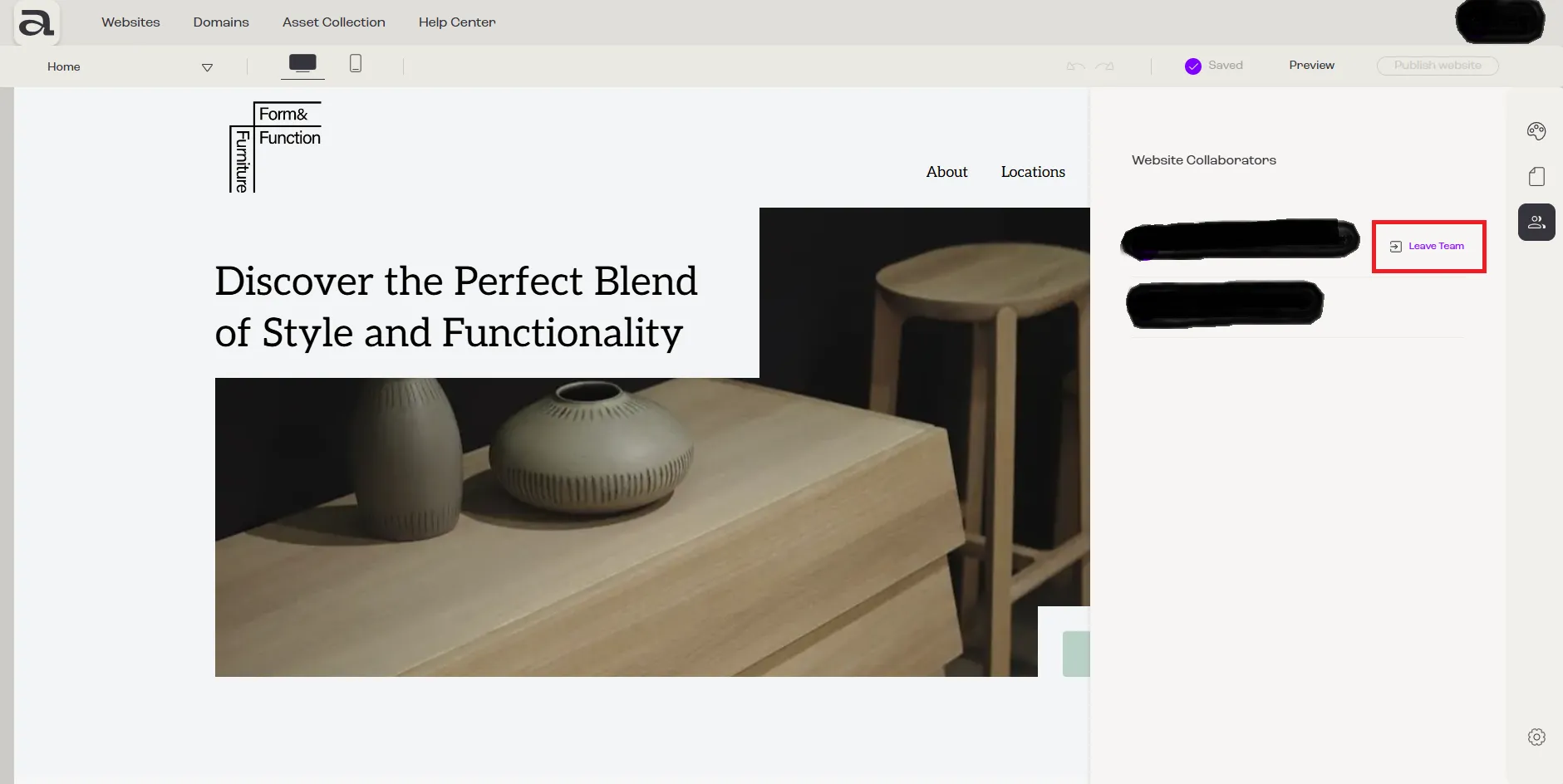
Step 2 - Leave Team
Section titled “Step 2 - Leave Team”Click on the “Leave Team” button.
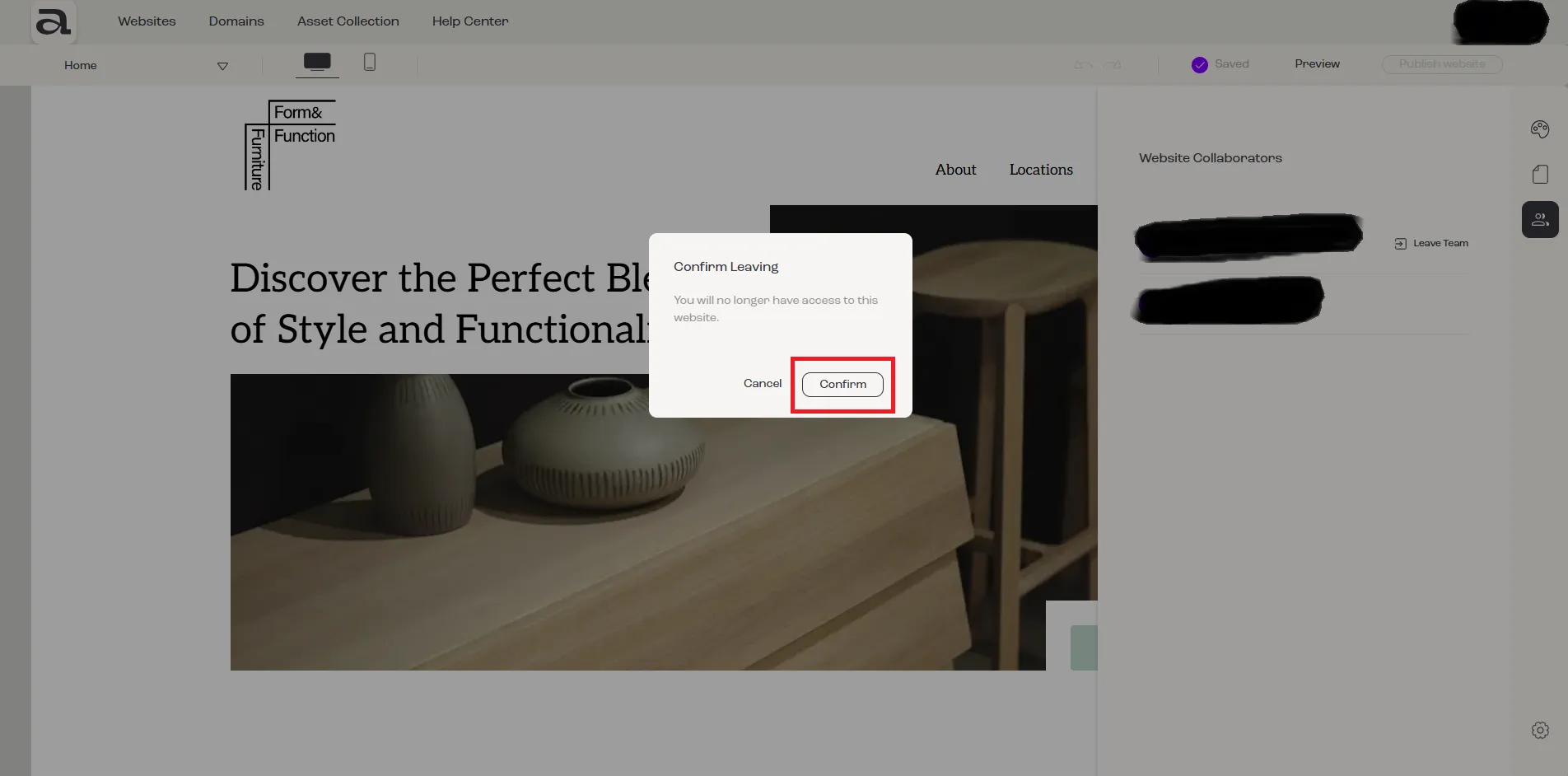
Step 3 - Confirm
Section titled “Step 3 - Confirm”To confirm leaving the team, click on the “Confirm” button.
Next steps
Section titled “Next steps”- how to accept an invitation
- how to cancel an invitation
- how to remove a member of your team