

How to remove a text style
This article will guide you on how to delete a custom or button text style.
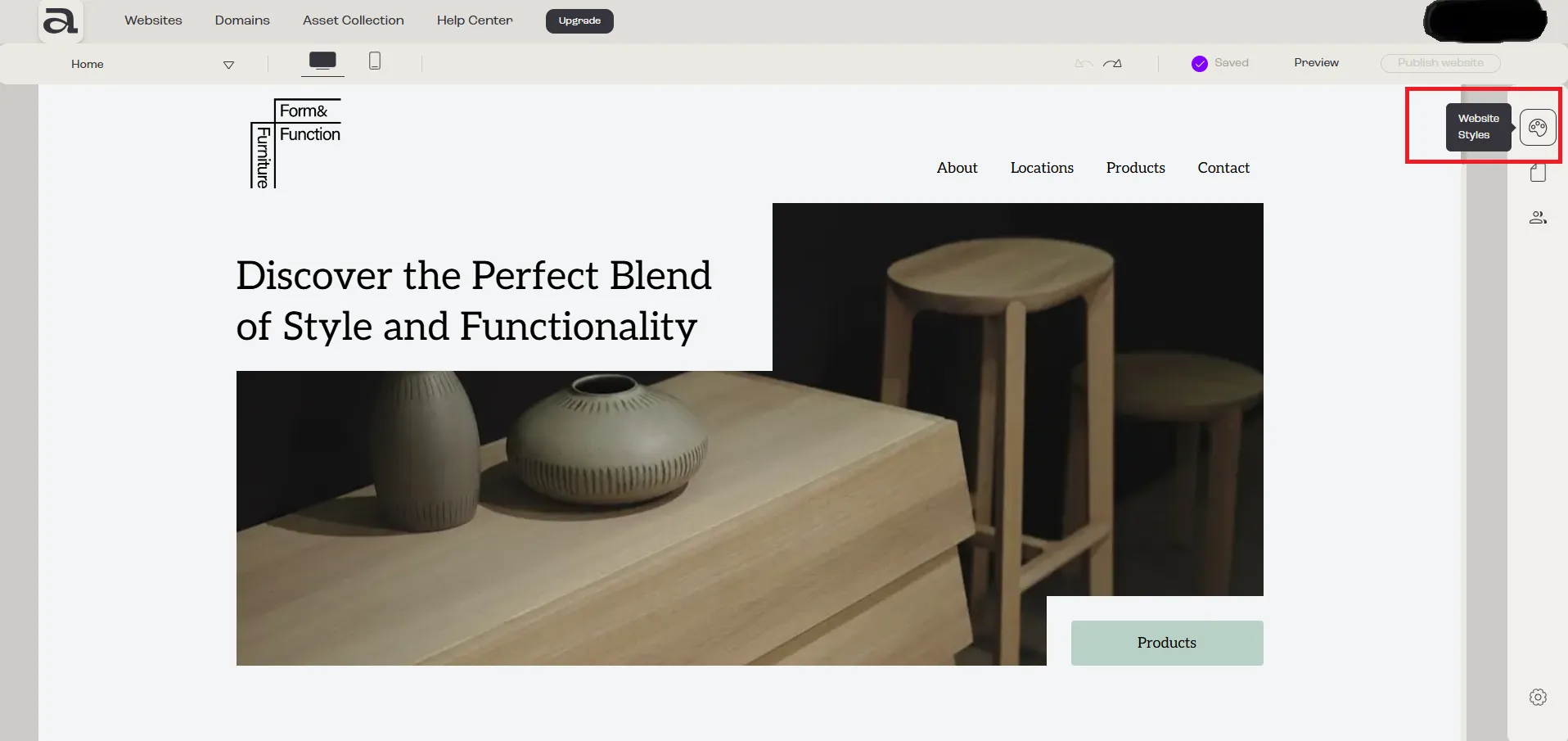
Step 1 - Open Website Styles
Section titled “Step 1 - Open Website Styles”Click on the “Website Styles” button.
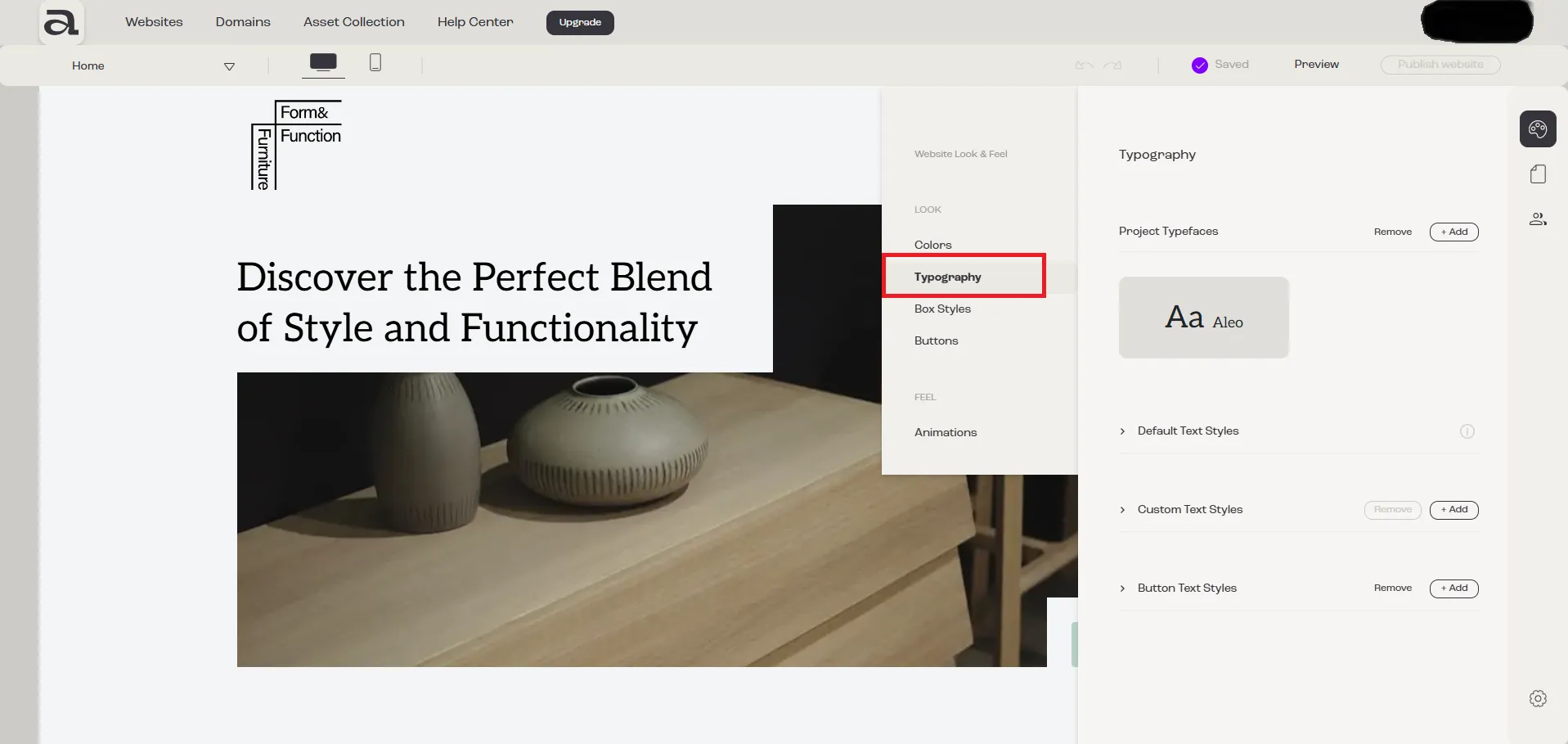
Step 2 - Open Typography
Section titled “Step 2 - Open Typography”In the “Website Look & Feel” menu, select “Typography”.
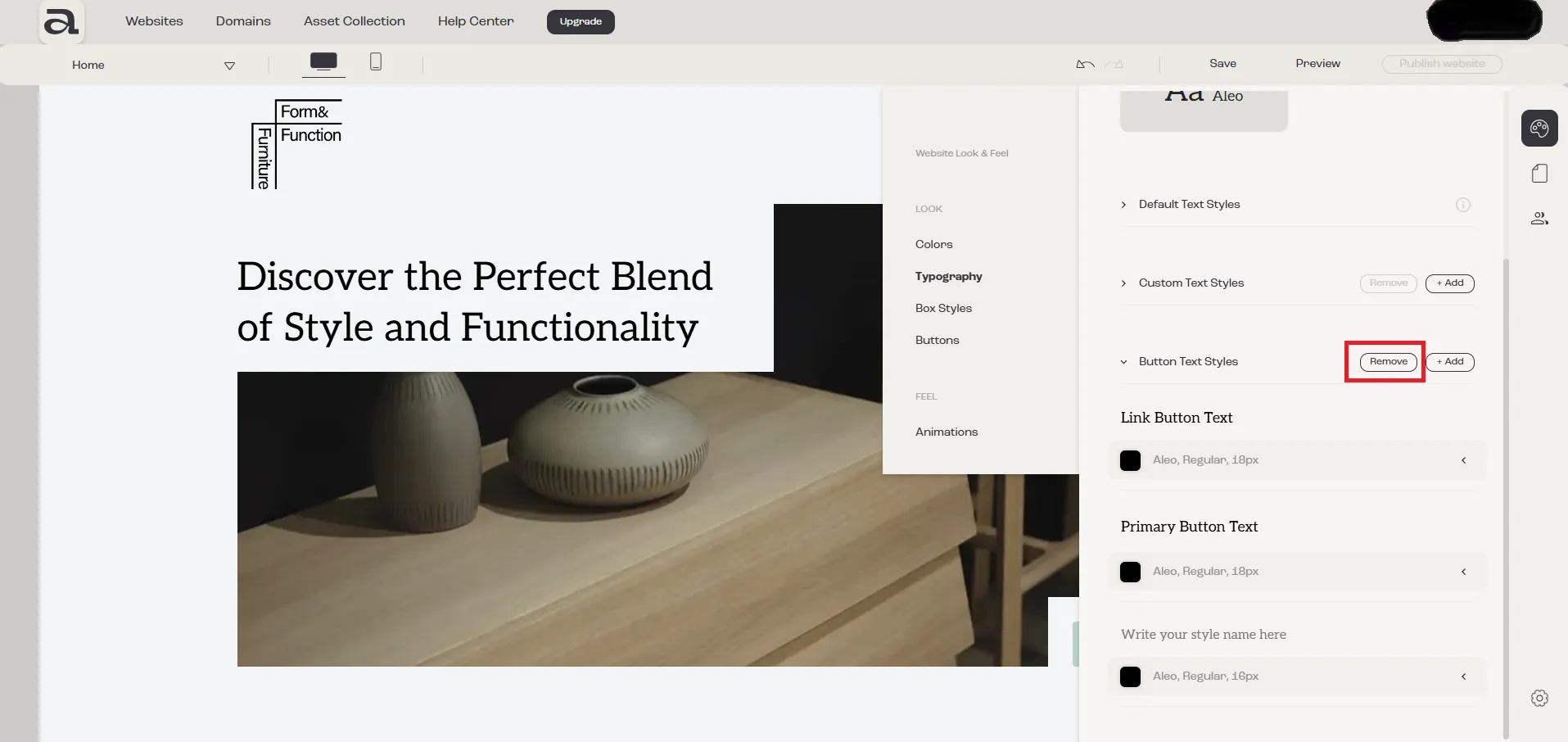
Step 3 - Change to Remove Mode
Section titled “Step 3 - Change to Remove Mode”Click on the “Remove” button.
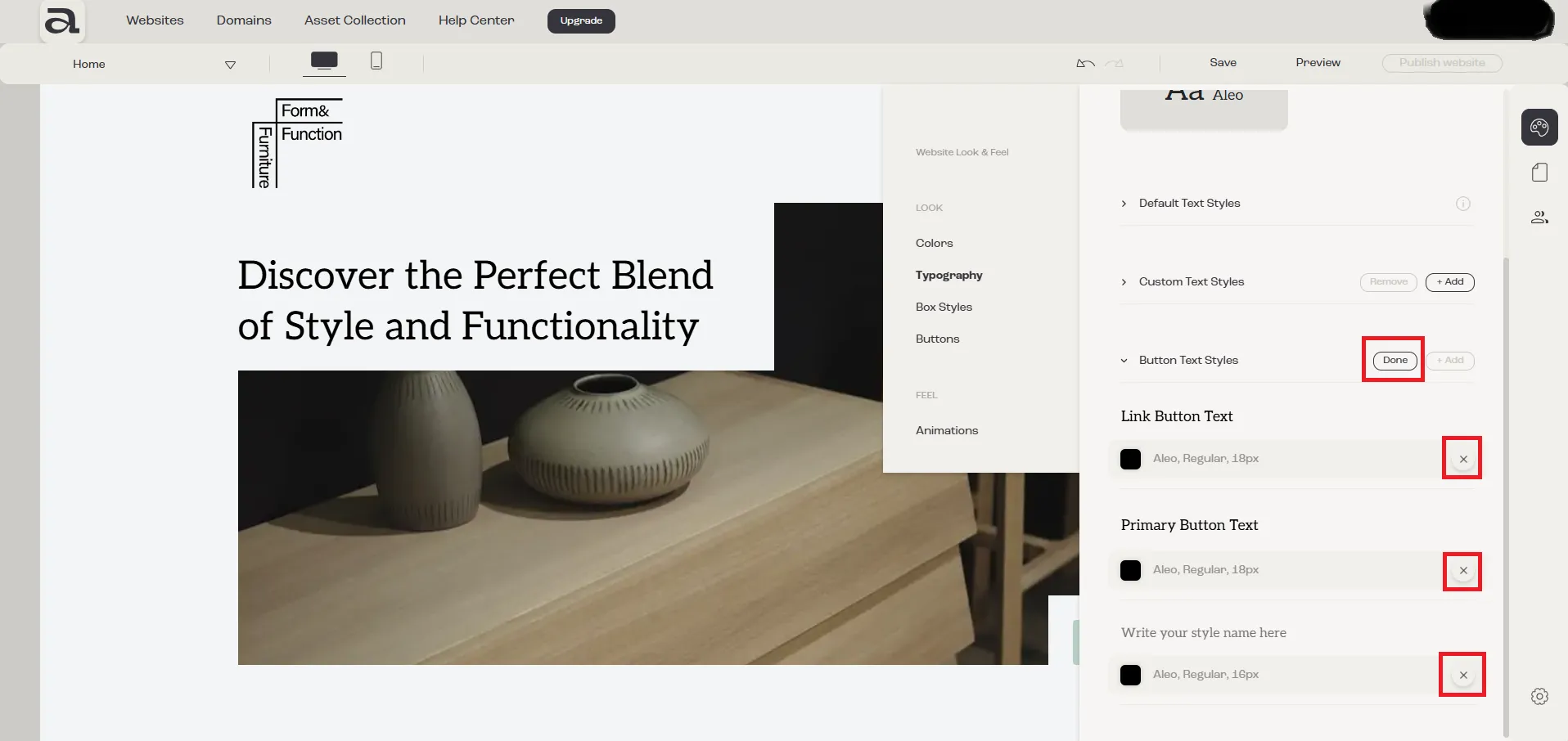
Step 4 - Remove Text Style
Section titled “Step 4 - Remove Text Style”After clicking “Remove”, an “X” button will appear next to each text style.
Click on the “X” button next to the text style you want to delete.
To exit the “Remove mode” click “Done”.
Next steps
Section titled “Next steps”- how to add a button text style
- how to customize a button text style